

Opening World Stats
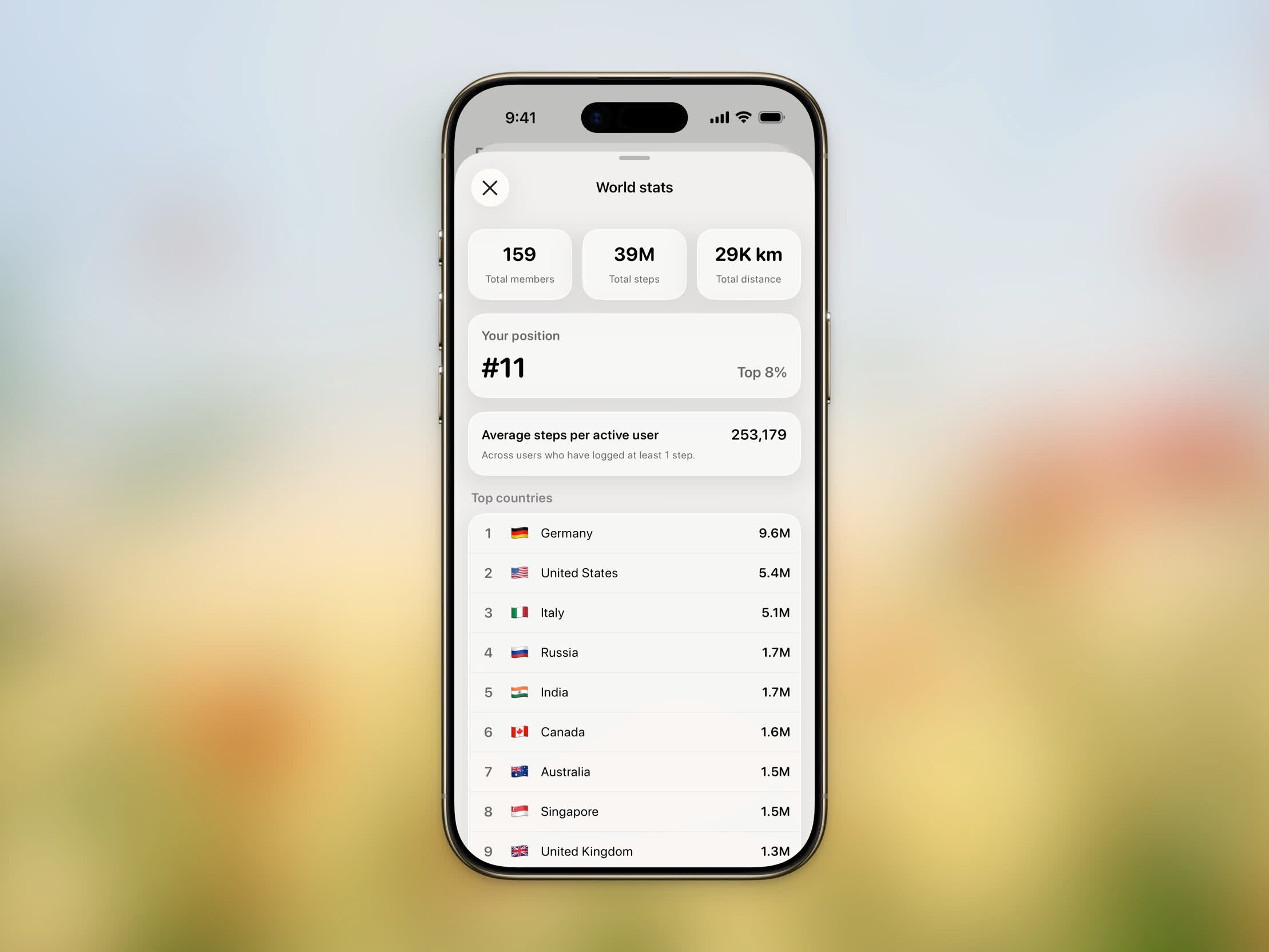
World Stats showing community totals, your rank, and top countries
1
Open the Stepboard
Tap the trophy emoji (🏆) on the Home Dashboard. You’ll need to be signed in and on the World board (not a group).
2
Open the menu
Tap the menu button (⋯) in the top-right corner and choose World stats.
What You’ll See
- Total members — How many people are part of the Steps community.
- Total steps — All steps logged by the community combined.
- Total distance — The combined distance walked, shown in your preferred units.
- Your position — Your global rank (for example, #5) and your percentile (for example, Top 5%). If you haven’t logged steps yet, you’ll see Not ranked yet.
- Average steps per active user — The average across everyone who has logged at least one step.
- Top countries — The leading countries, each with its flag, member count, and total. Toggle the list between Steps and Distance.