

How Streaks Work
Each day you meet your step goal counts toward your streak. Miss a day and your streak resets to zero. Your current streak is shown on the Home Dashboard with a flame icon.Badge Tiers
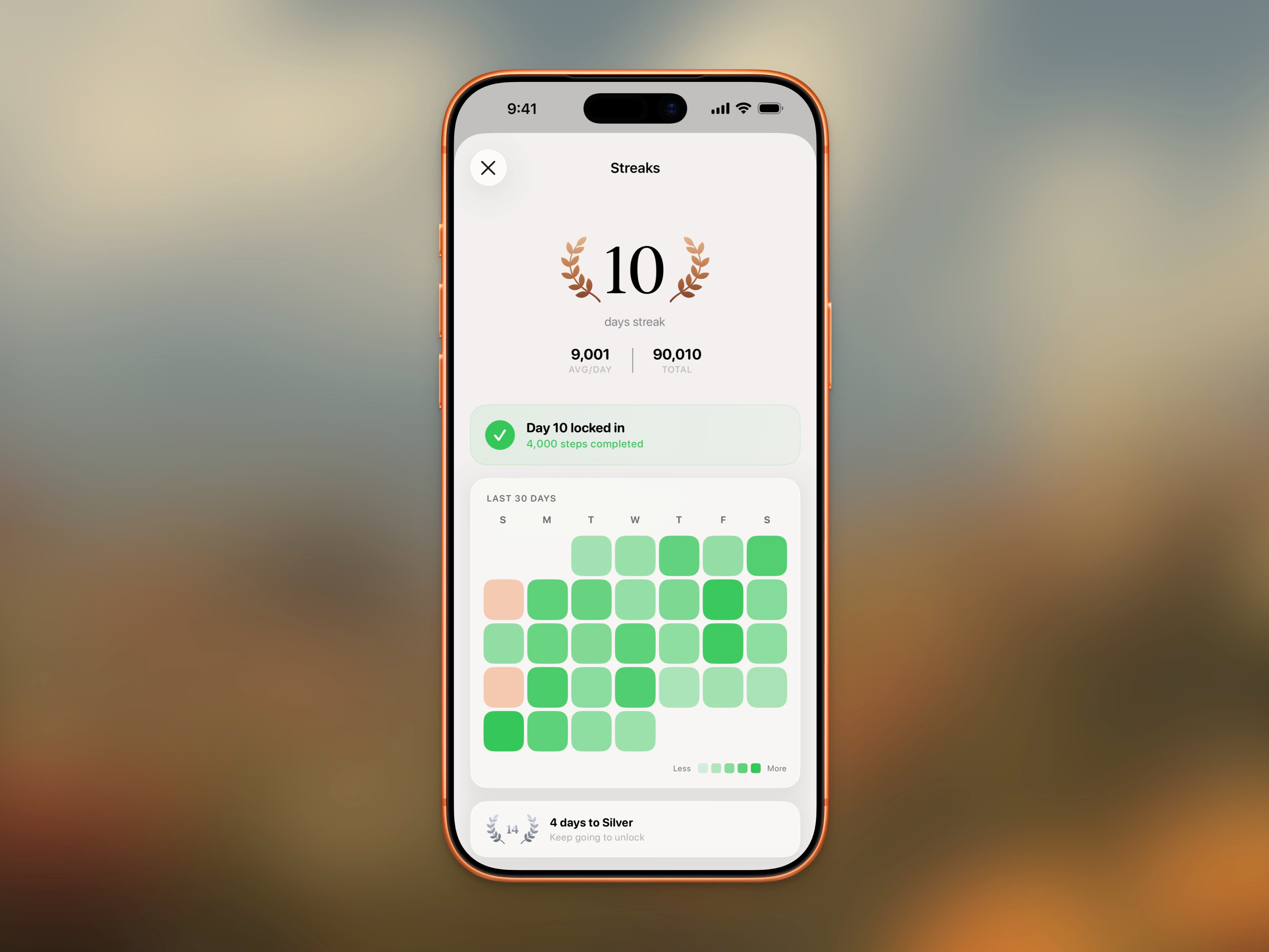
Streak detail view showing badge tier, heatmap, and stats
30-Day Heatmap
The streak detail view shows a 30-day heatmap of your recent activity. Each day is color-coded based on whether you met your goal, giving you a quick visual of your consistency. Rest days appear in their own color so they’re easy to spot.Rest Days
Need a day off? Mark any day as a rest day from the Home Dashboard. Rest days pause your streak without breaking it, so a planned break won’t cost you your progress. Days when your goal is disabled pause your streak the same way.Streak Stats
Your streak detail view also shows:- Current Streak - Your active consecutive day count
- Best Streak - Your longest streak ever
- Next Badge - The badge tier you’re working toward and days remaining
FAQ
What counts as completing a day?
What counts as completing a day?
Reaching your daily step goal at any point during the day counts. Steps sync from Apple Health, so all steps from your iPhone and Apple Watch are included.
Does changing my goal affect my streak?
Does changing my goal affect my streak?
Your streak is based on the goal set for each day. If you lower your goal and your steps already exceed it, that day counts. Raising your goal mid-day means you need to hit the new target.
What are rest days?
What are rest days?
Mark any day as a rest day from the Home Dashboard to pause your streak without breaking it. Days when your goal is disabled pause your streak the same way.
Can I recover a lost streak?
Can I recover a lost streak?
No, streaks reset when you miss a day. But your best streak is always saved, so you can try to beat your record.
Where can I see my streak?
Where can I see my streak?
Tap the flame icon on the Home Dashboard to open the full streak detail view.