

Available Shortcuts
Today’s Steps
Ask Siri for your current step count. Steps will respond with your total steps for today.Open Last Workout
Say “Show my last workout in Steps” and Siri opens that workout’s detail view.Search and Spotlight
On iOS 27, your workouts and Stepboards are indexed for Spotlight. You can ask Siri to search your workouts — for example a long run last month — and Steps opens the Activity search with that phrase. Tapping a Spotlight result opens the matching workout or Stepboard. Siri can also hand the share card you are looking at to Messages, Notes, or any app that accepts a photo. That works for both the workout card and the home step card.How to Use
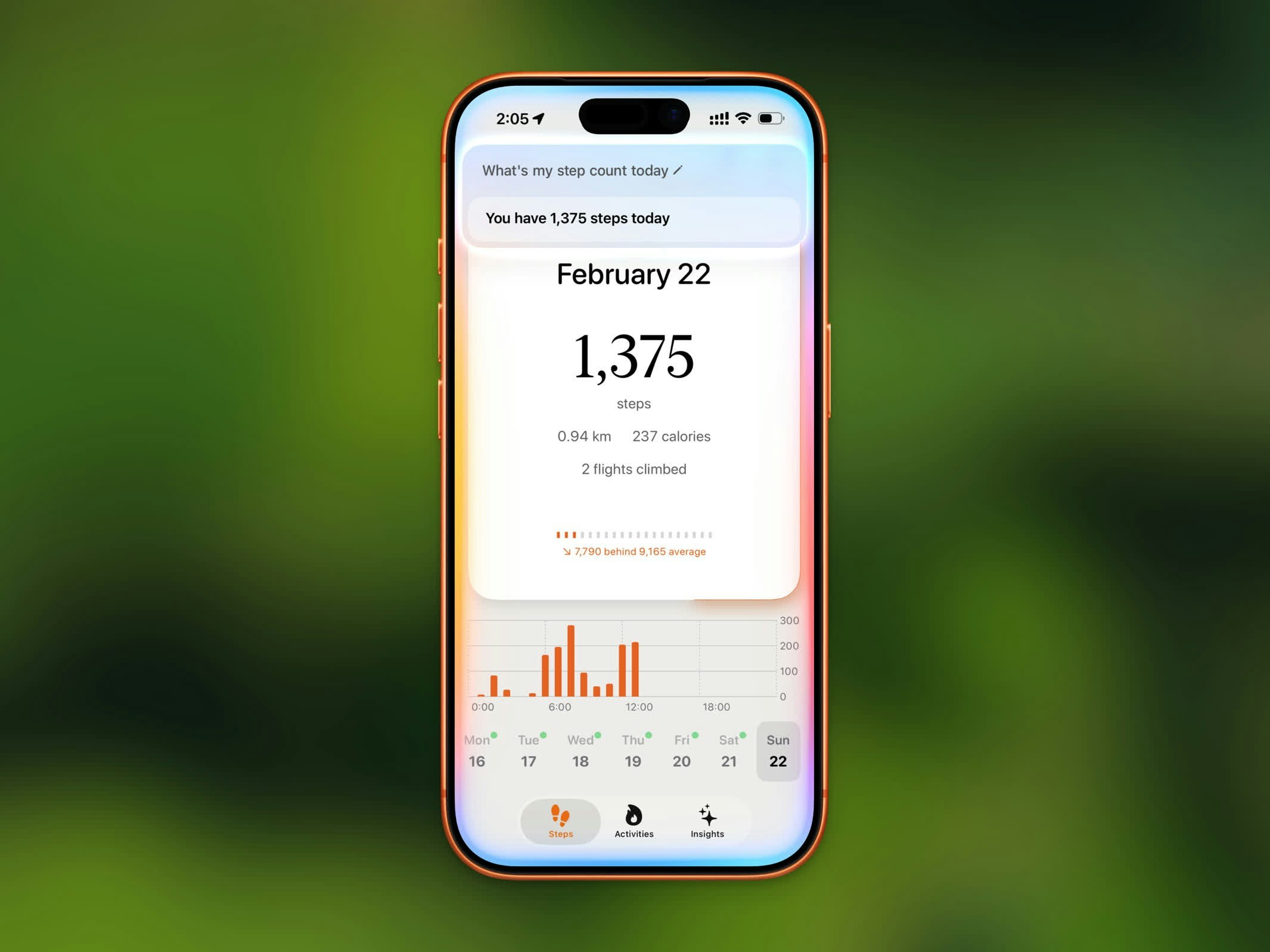
Siri showing your current step count from Steps
- “Get my steps from Steps”
- “How many steps today in Steps”
- “What’s my step count in Steps”
- “Show my steps from Steps”
- “Check my steps in Steps”
- “How far have I walked in Steps”
Setting Up
The Steps shortcut is available automatically — no setup needed. Just make sure Siri is enabled on your device. To find it in the Shortcuts app:- Open the Shortcuts app
- Tap the Apps tab
- Find Steps
- Tap Today’s Steps or Open last workout to add it to your shortcuts