

Route Map
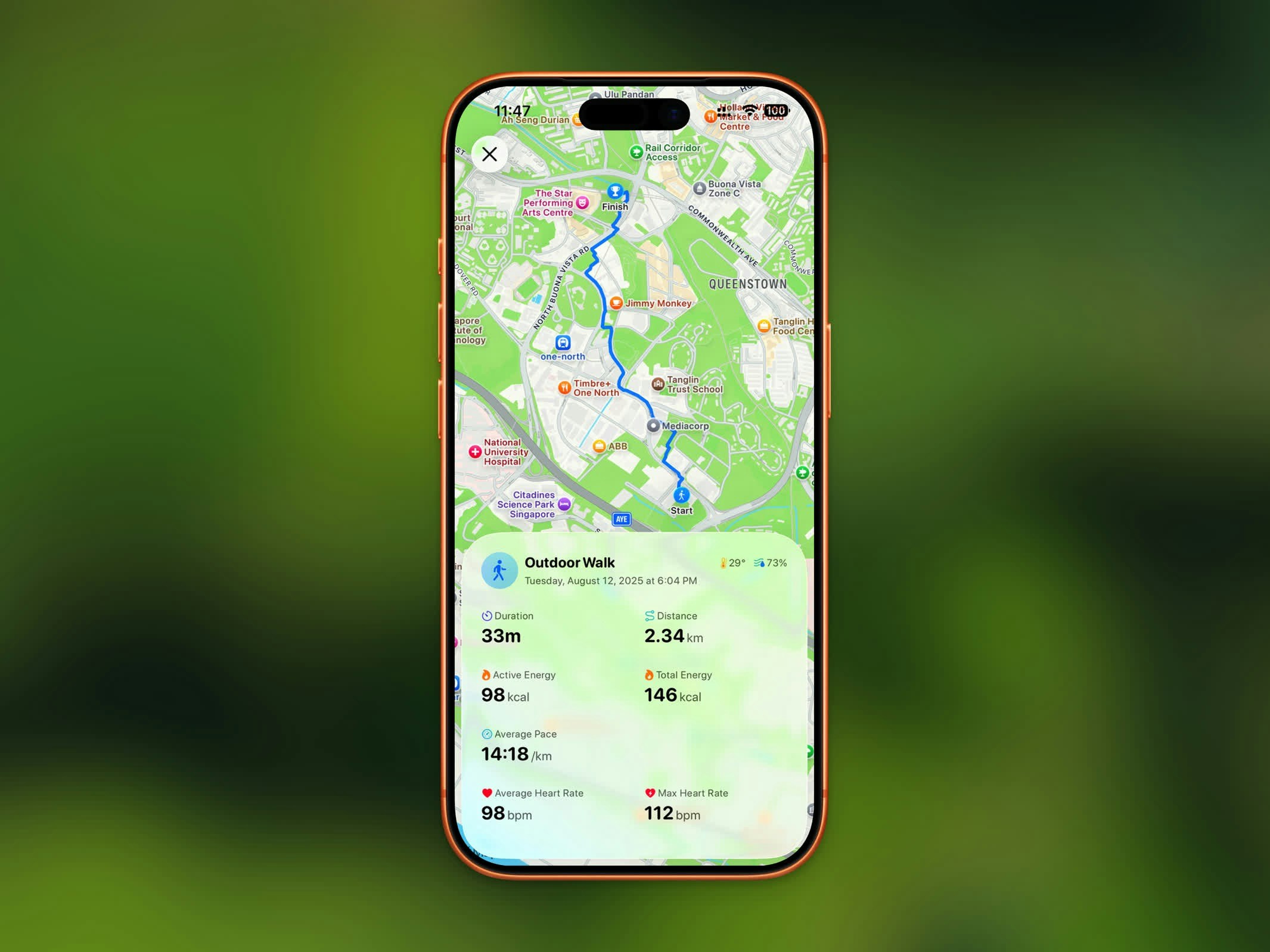
Activity detail view with GPS route map and workout statistics
- Standard map view
- Satellite imagery view
Workout Stats
Every workout detail view shows:- Duration - Total workout time
- Distance - Total distance covered
- Pace - Average pace (for walking and running)
- Elevation Gain - Total climb during the workout
- Heart Rate - Average and max heart rate
- Calories - Active energy burned
- Weather - Temperature and humidity during the workout
Comparison
When you have at least two earlier workouts of the same type, the Comparison section shows how this one stacks up against the average of your last few. Indoor and outdoor sessions are compared separately. Each row shows the recent average, how this workout differs, and a small trend where the last bar is this session. Compared metrics can include duration, distance, active energy, pace, average heart rate, and effort. The section hides itself when there is not enough history to average.Effort
Rate how hard the workout felt on a scale of 1 to 10. The score is saved to Apple Health, so it stays in sync with the Fitness app. Bands match Apple’s names:Effort ratings need iOS 18 or later, and Steps needs permission to update Effort in the Health app. If another app already owns the rating, change it there or in Health.
Heart Rate & Zones
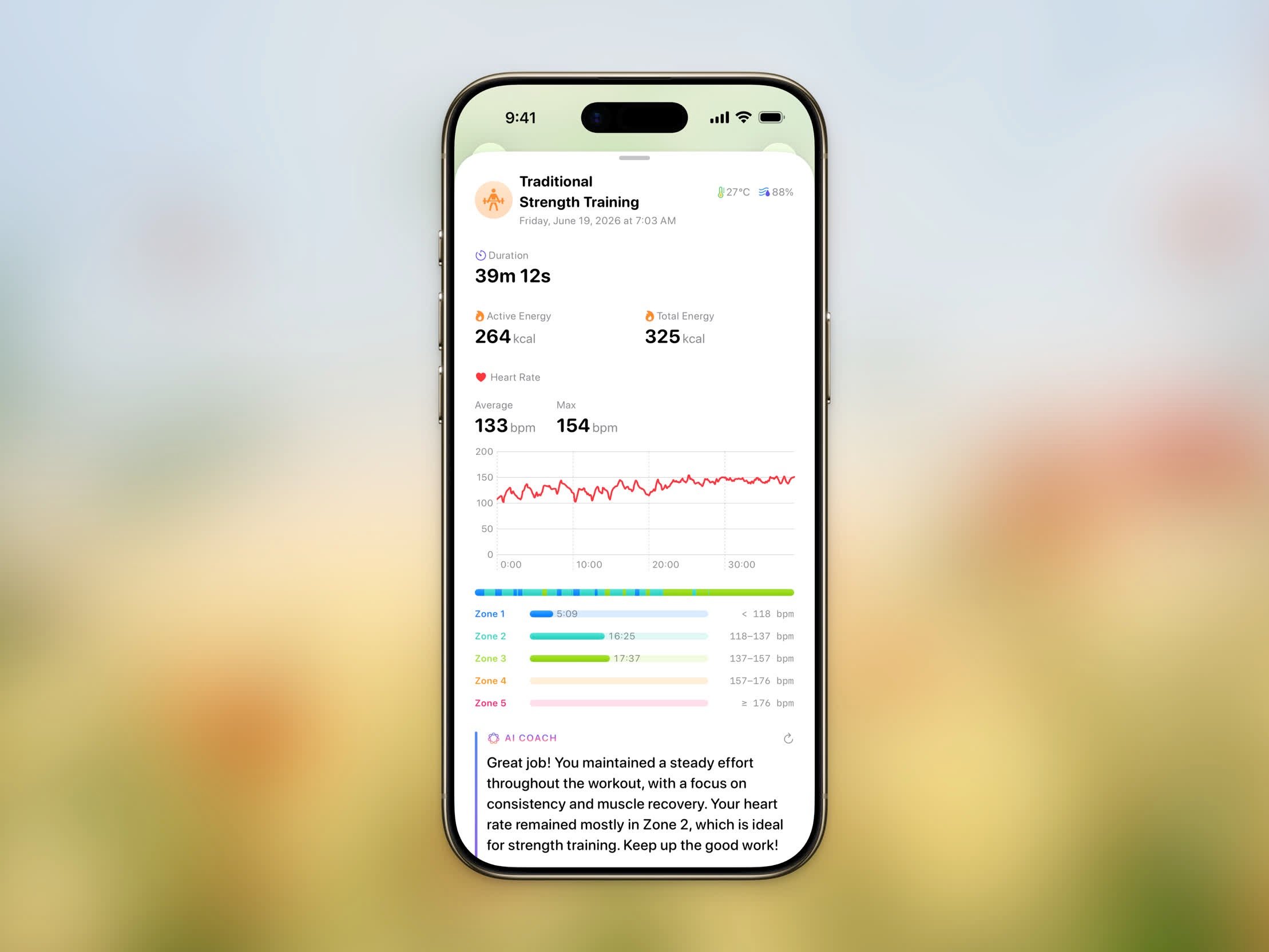
Heart rate chart with the Time in Zones breakdown
Each zone shows the time spent in it and its heart rate range in bpm.
Splits
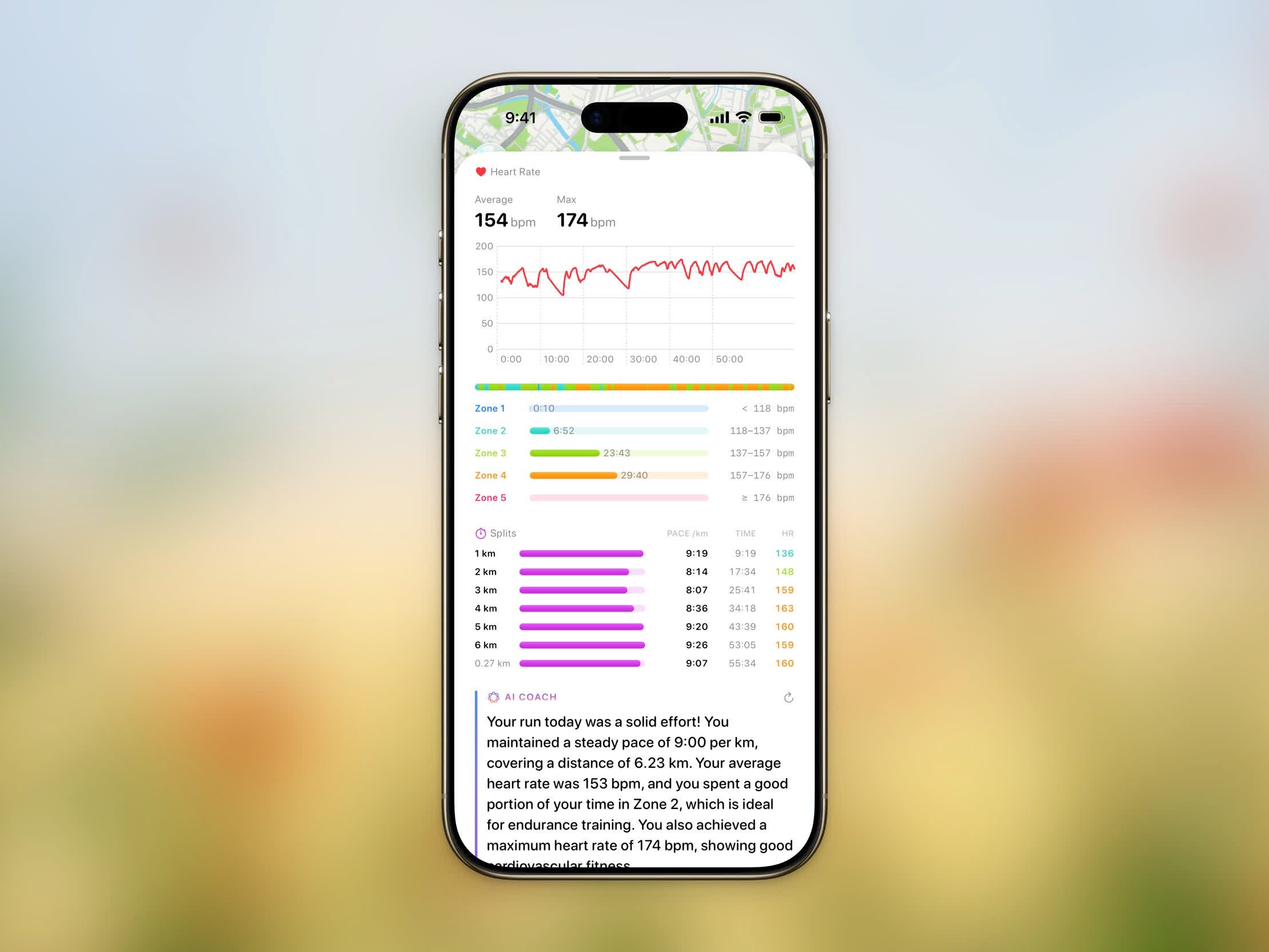
Per-split breakdown with pace, time, and average heart rate
- Pace (or Speed for cycling)
- Time — Cumulative elapsed time at the end of the split
- HR — Average heart rate for the split, when available
Route Playback
Route playback is a Pro feature.
3D route playback following the route with a cinematic camera
- Map style — switch between Standard and Satellite. Both render realistic elevation during playback for a true 3D view.
- Route color — pick the color of the path.
- Playback duration — from 15 to 180 seconds. Steps picks a sensible default based on the distance of your workout.
- North up — leave the map pointing north for the whole replay, or let the camera follow the direction you were moving.
Sharing Your Workout
Share your workout as a styled image. Steps offers four share styles:- Transparent
- Overlay
- Frame
- Photo
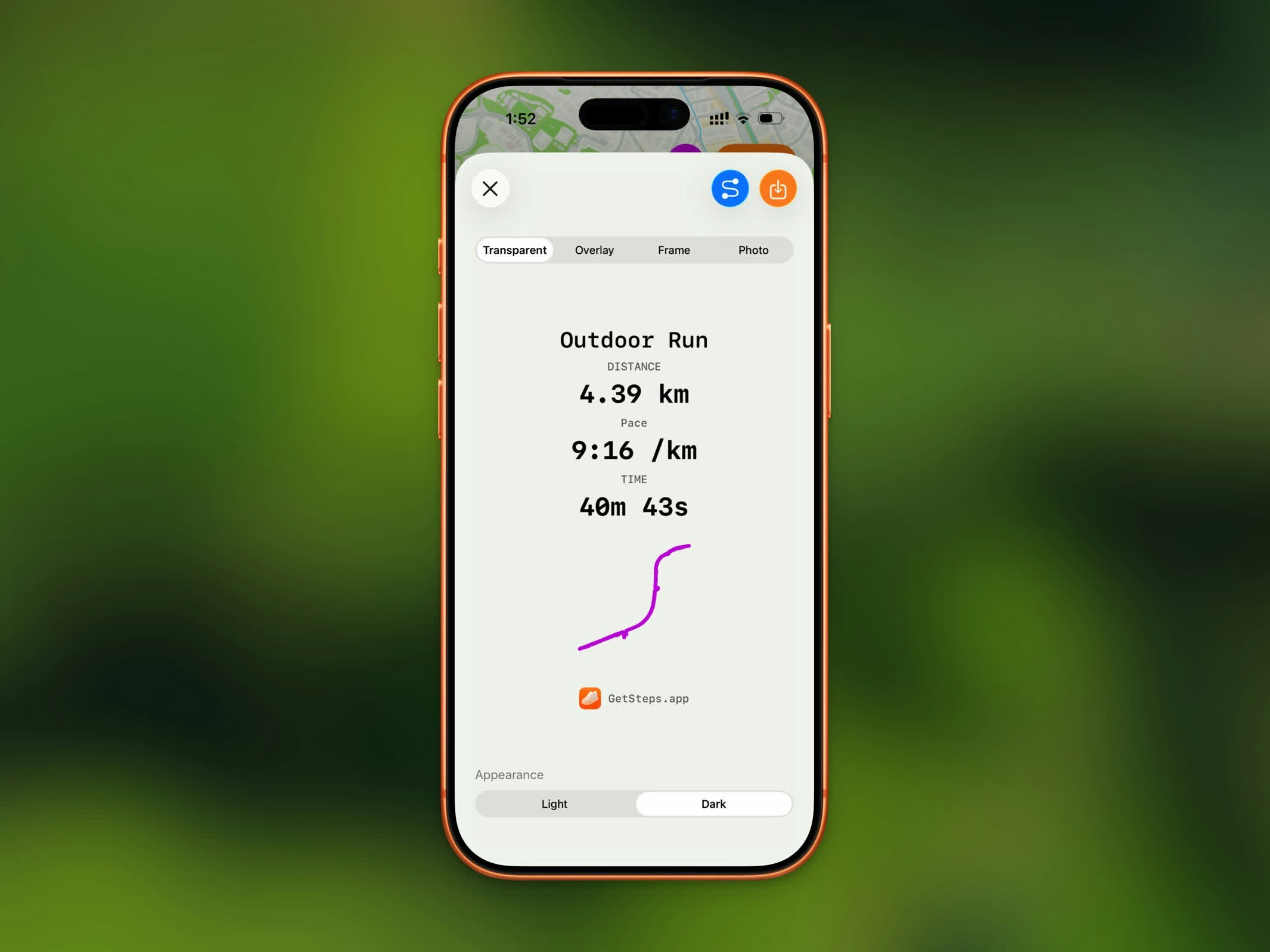
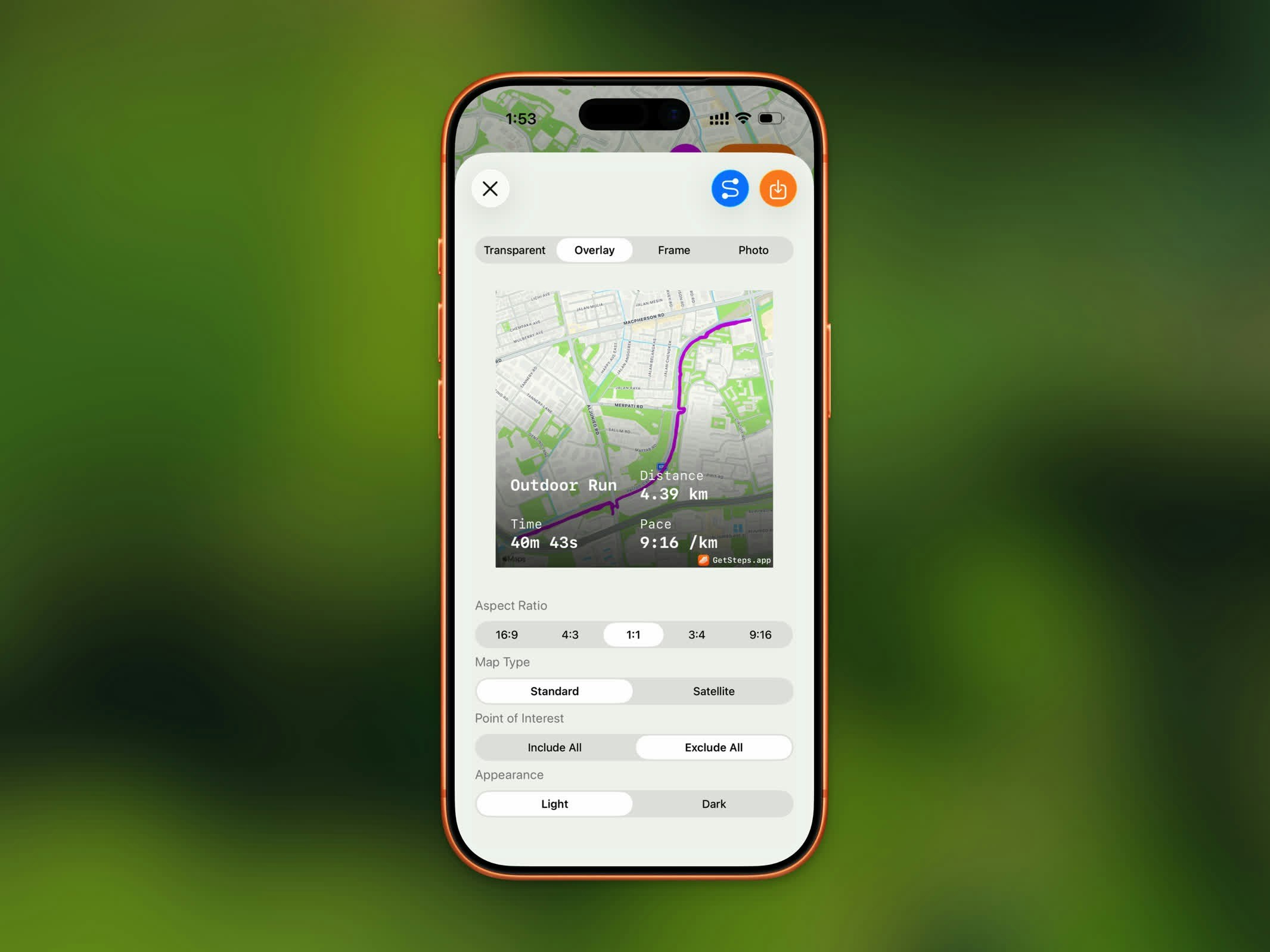
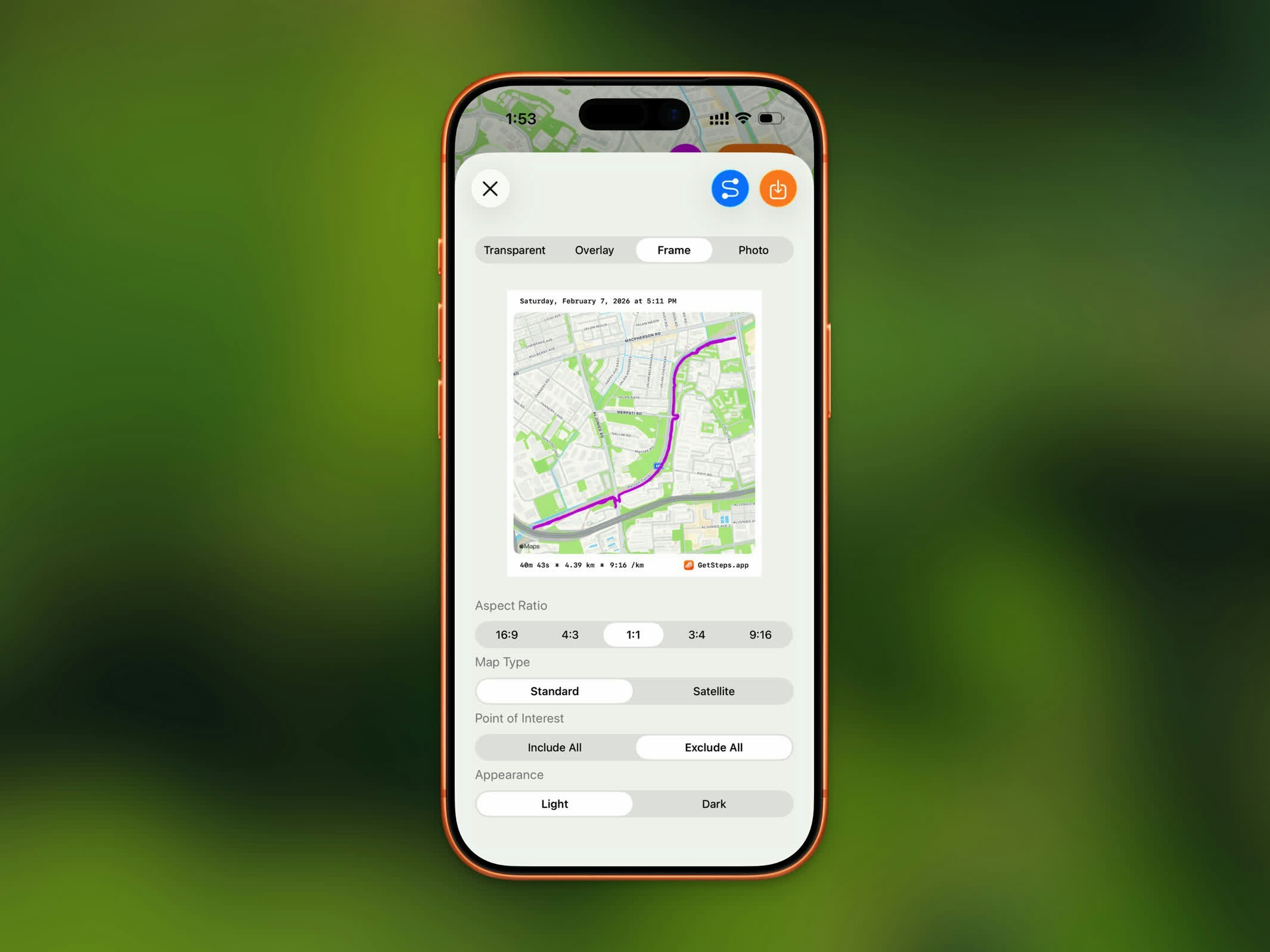
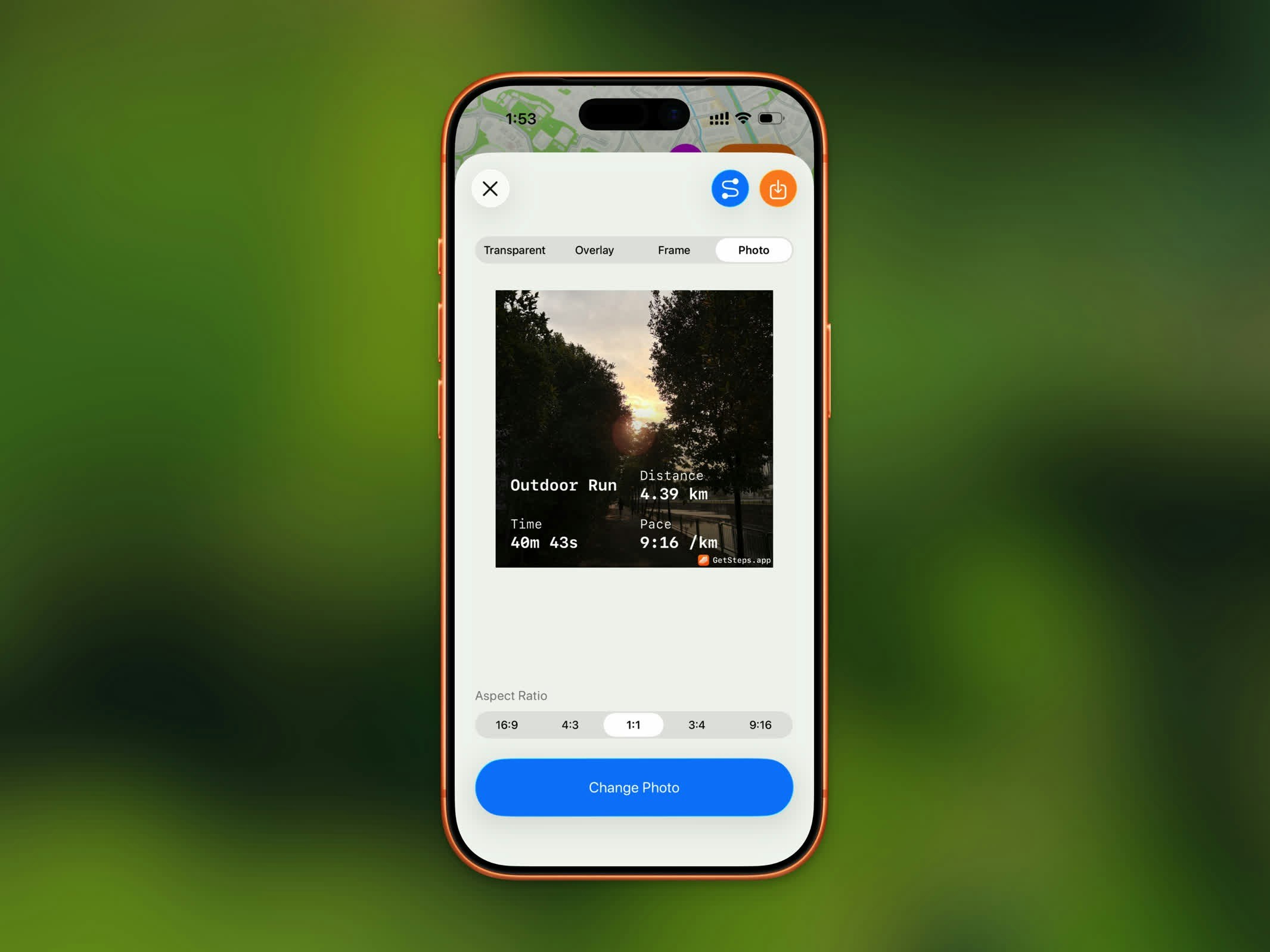
Overlay and Frame work for a traced GPS route, and also for a workout that only has a saved location. The transparent preview shows a checkerboard so you can see what will stay see-through.
You can also choose from five aspect ratios: 16:9, 4:3, 1:1, 3:4, and 9:16.
For map-based styles, additional options include map appearance (light/dark), point of interest visibility, and elevation style.
See Sharing for full details.
GPX Export
GPX export is a Pro feature.
.gpx file to use in other fitness apps or mapping tools. Tap the share button and select GPX export to save or send the file.