

Setting Your Goal
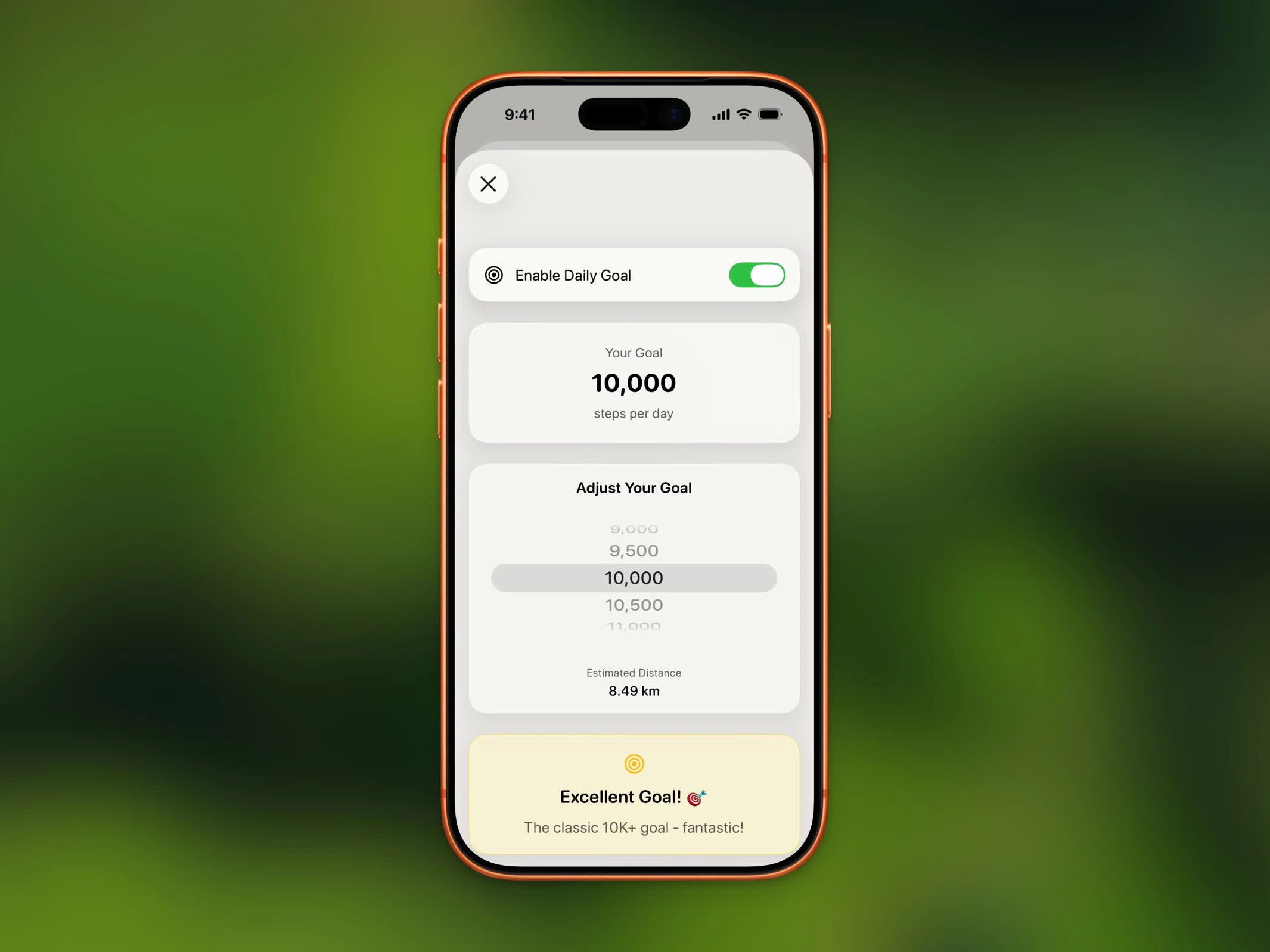
Daily goal picker with milestone tier indicator
- Open Settings
- Tap Daily goal
- Use the scroll picker to choose between 1,000 and 20,000 steps in increments of 500
- Your estimated distance is shown below the picker based on your unit preference (km or mi)
Milestone Tiers
As you adjust your goal, you’ll see a milestone message indicating the difficulty level:Goal and Streaks
Your daily goal directly affects your streak. Each day you reach your goal adds to your consecutive streak count. Missing your goal resets the streak. If you change your goal mid-day:- Lowering your goal: If your steps already exceed the new goal, the day counts as complete
- Raising your goal: You need to reach the new, higher target for the day to count
Goal Celebration
The moment your step count crosses the daily goal, Steps plays a full-screen burst of rainbow ribbons on the Home screen.Goal Progress
Your progress toward your daily goal is visible throughout Steps:- Home Dashboard - Progress ring around the step card
- Widgets - Step count widgets show progress
- Watch Complications - Goal progress on your Apple Watch
- App Lock - Blocked apps unlock when you reach your goal