

Watch Views
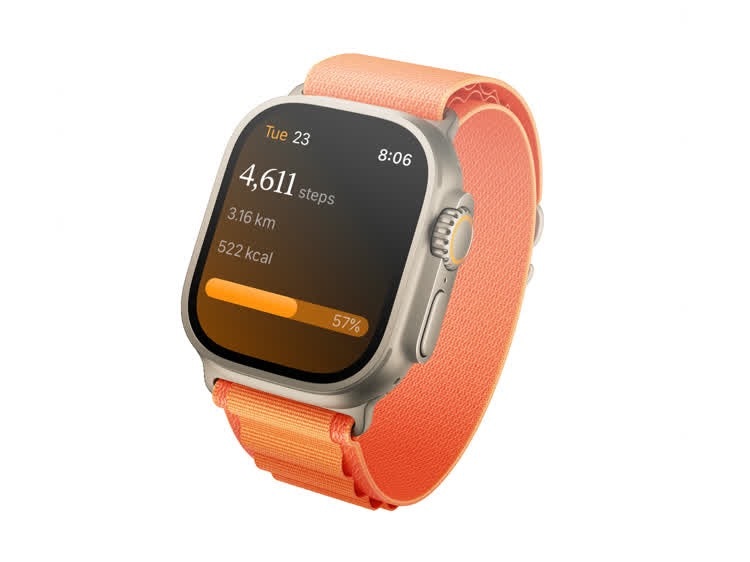
Steps on Apple Watch showing daily step count and progress
Today
Your main view showing:- Current step count
- Distance walked
- Calories burned
- Goal progress bar (color changes when goal is met)
- Current day and date
Week
Weekly step overview with:- Total or average steps (toggleable)
- 7-day bar chart
- Dashed goal line for reference
Month
Monthly step data with a summary of your activity for the current month.Workouts
A list of your recent workouts showing:- Workout type and name
- Duration
- Date
Workouts on Apple Watch
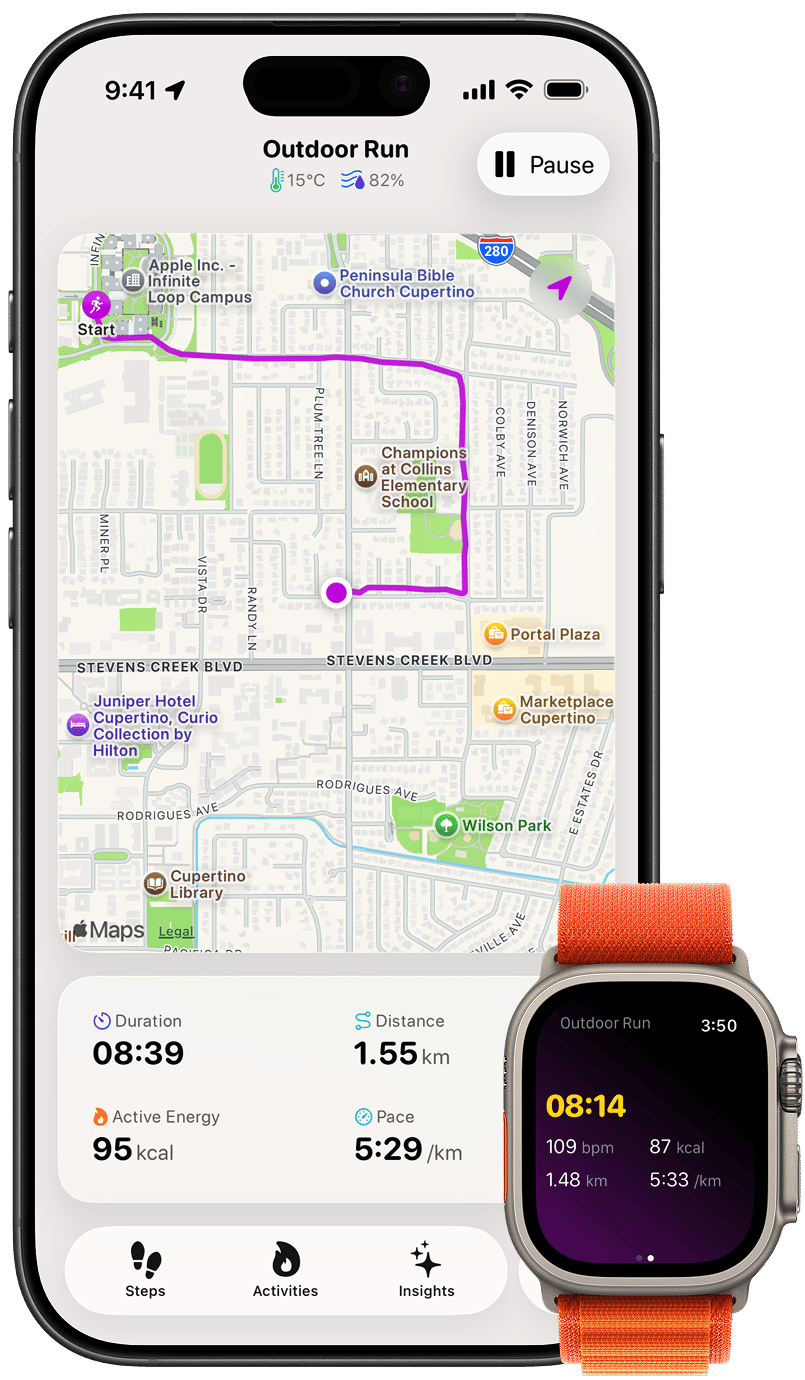
An active workout on Apple Watch with live metrics, including steps
Starting a Workout
- Open Steps on your Apple Watch and tap Start Workout
- Choose a workout type. The same types you can start on iPhone are available here, including outdoor and indoor walk, run, and cycle, plus hike, strength training, mixed cardio, soccer, elliptical, HIIT, jump rope, and yoga.
- A 3-second countdown runs before tracking begins. You can cancel it before the workout starts.
Live Metrics
During a workout, your watch shows a live grid:- Duration
- Heart Rate (bpm), colored by your live heart rate zone
- Distance and Calories, when the workout type records them
- Pace — or Speed for cycling
- Steps, updating as you move, for workouts that produce a step count
GPS Route
Outdoor workouts record your route with GPS so you can review the path you took afterward in the Activity Detail view.Mirroring to iPhone
When your iPhone is nearby, an active watch workout mirrors to your phone in real time — live metrics update on the phone as you move. If your iPhone is out of range, the watch records the complete workout on its own and syncs it once you’re reconnected.Complications
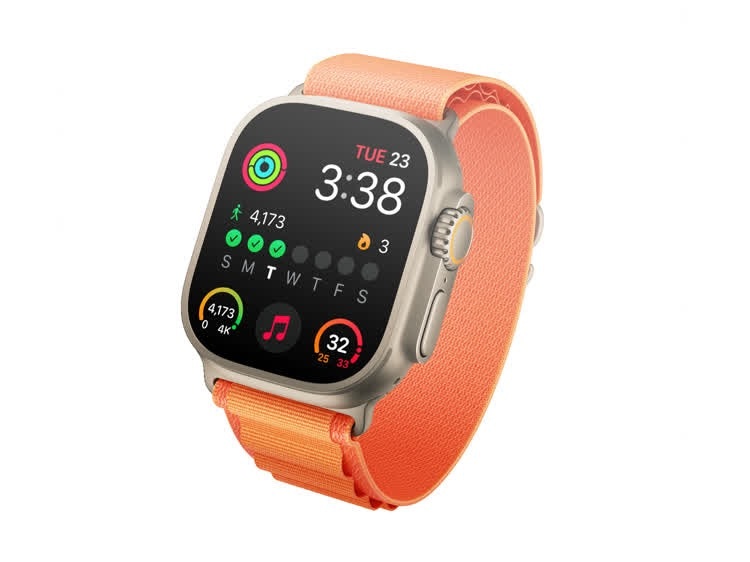
Watch face with Steps complications showing step count and streak
Adding Complications
- Long-press your watch face
- Tap Edit
- Swipe to the complication slots
- Select a slot and choose a Steps complication
- Press the Digital Crown to save