

How to Join
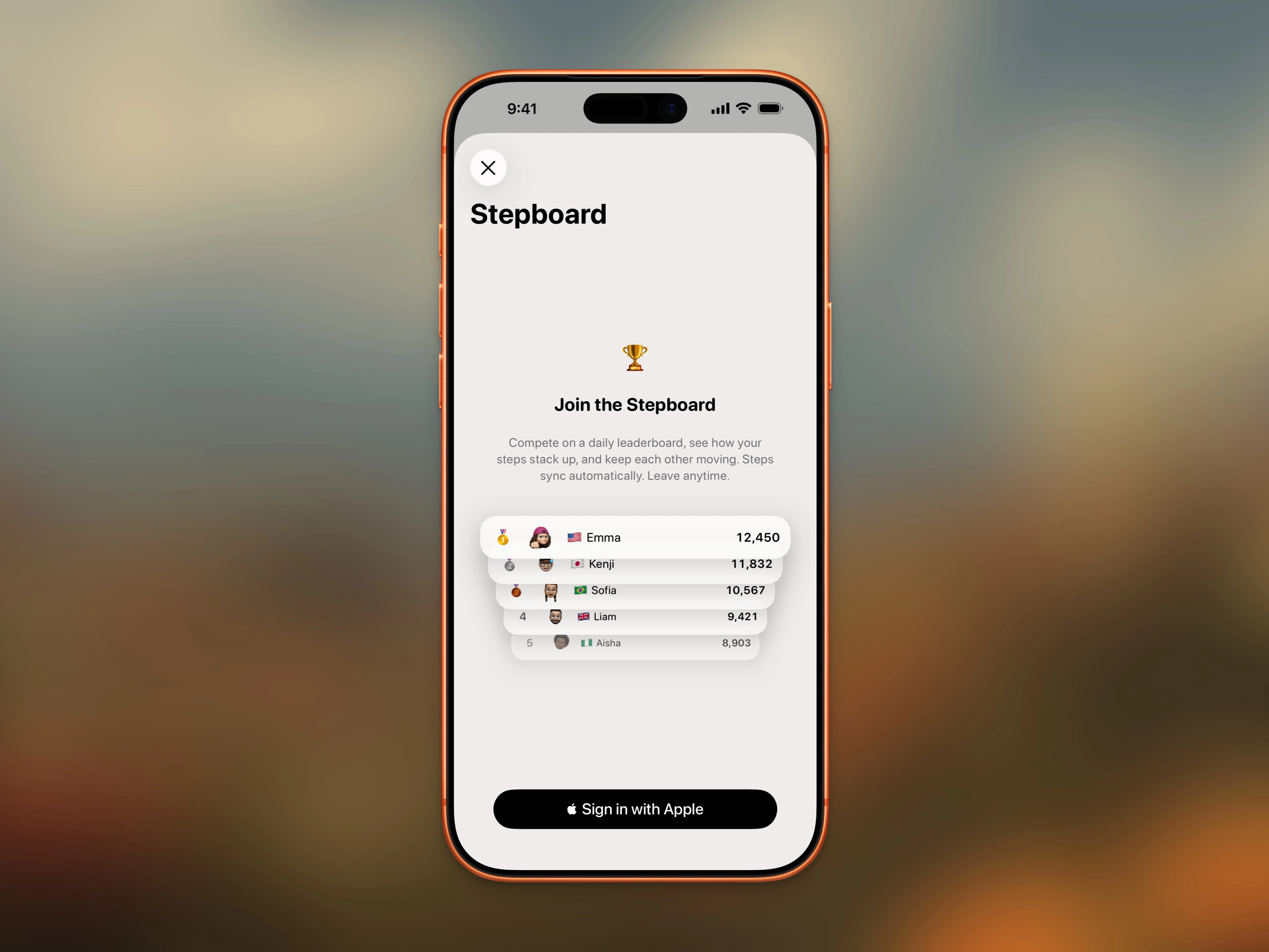
Join the Stepboard to start competing on the daily leaderboard
1
Sign In with Apple
Tap the trophy icon on the Home Dashboard, or join during onboarding. If you’re not signed in, the button reads Sign in and Join and starts Sign in with Apple. If you’re already signed in, it reads Join Stepboard. If you’re already a member, it reads Continue. The pitch names how many walkers share your country when that count is available, or how many walkers are worldwide.
2
Join Stepboard
Tap Join Stepboard to enter the daily leaderboard. Your steps sync automatically from Apple Health.
3
Set Up Your Profile
Add a display name, avatar photo, and country. Your country appears as a flag emoji next to your name. All fields are optional — you’ll show as “Anonymous” if you skip the name.
The Leaderboard
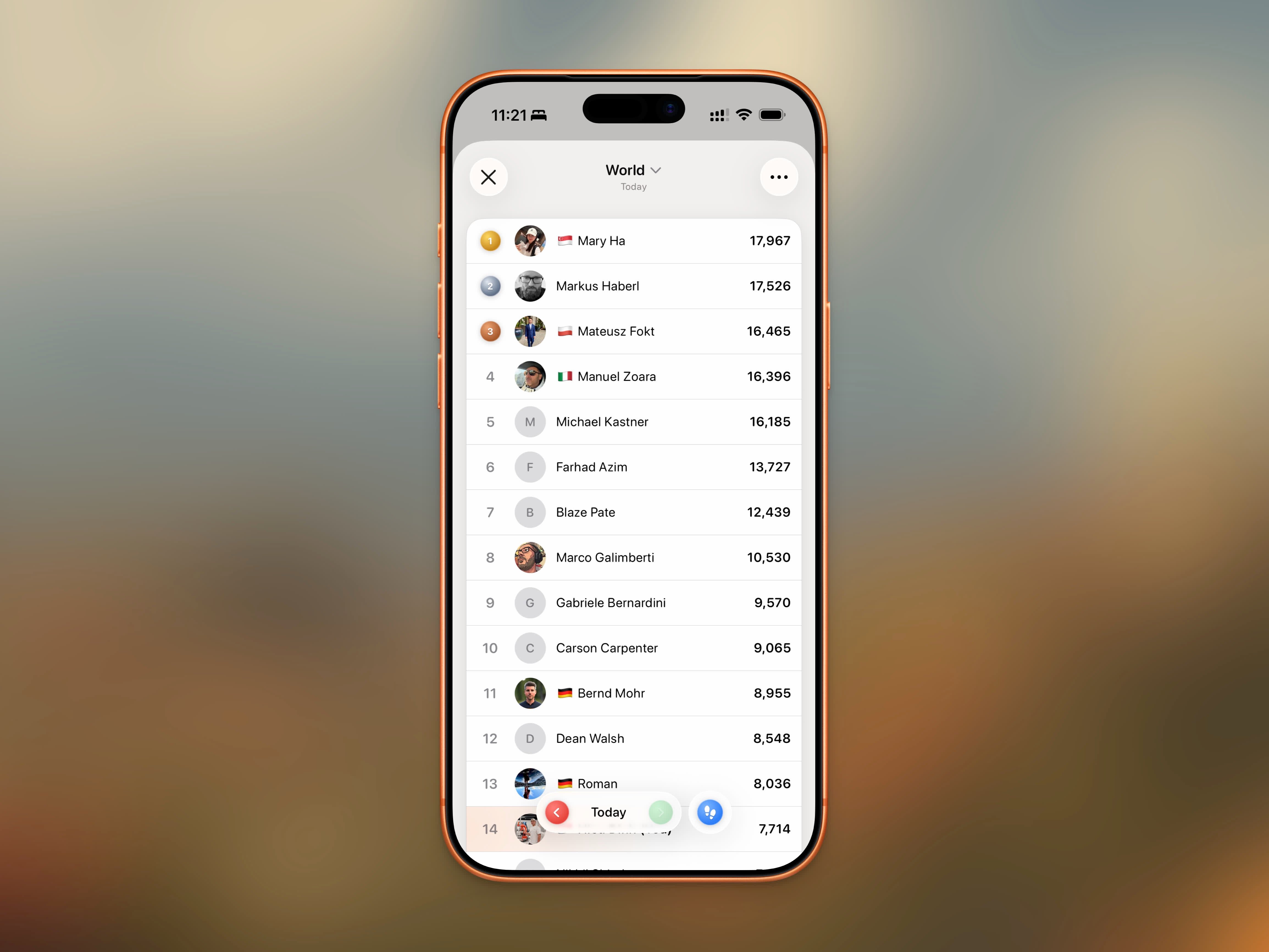
Daily leaderboard showing top walkers ranked by step count
- Rank — Top 3 get medal icons (🥇🥈🥉), others show a number
- Avatar — Your profile photo or initials placeholder
- Name & Country — Display name with country flag emoji
- Steps — Daily step count with thousands separators
Monthly Winners Calendar
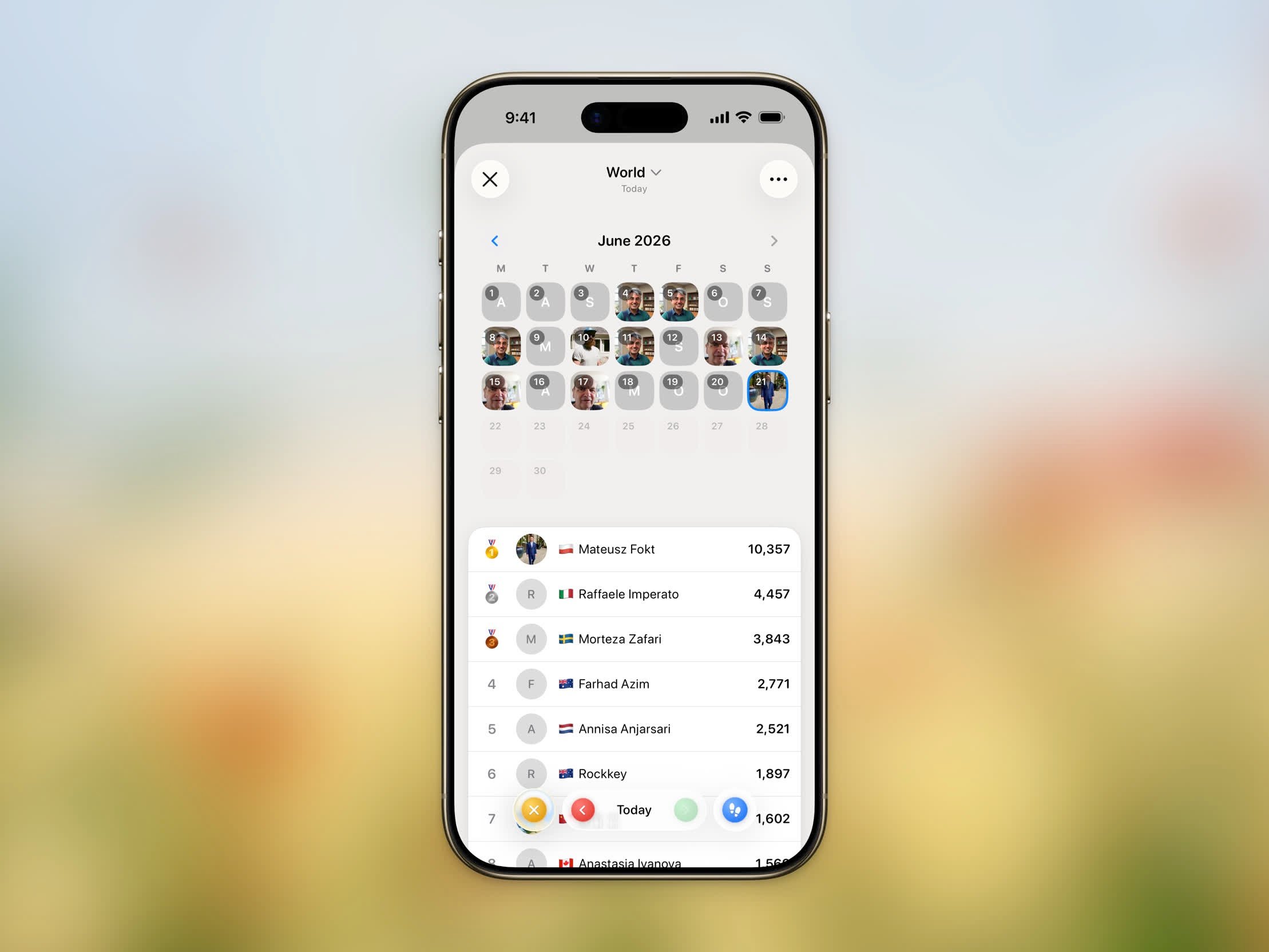
Calendar overlay showing who took first place each day of the month
World Stats
When you’re on the World board, open the menu (⋯) and tap World stats to see how the whole Steps community is moving — all-time totals, your global rank and percentile, and the top countries by steps. See World Stats for details.Your Profile
Tap your profile to edit your display name, avatar photo, and country at any time. Changes appear immediately on the leaderboard.- Display Name — Up to 50 characters. Shows “Anonymous” if not set
- Avatar — Take a photo, choose from your library, or remove it
- Country — Shown as a flag emoji next to your name
Date Navigation
Browse leaderboards from past days using the date bar at the bottom of the screen. Tap the left or right arrows to move between days, or tap the date label to jump to a specific date with the date picker.Syncing
Your steps sync automatically from Apple Health. Data for each day syncs overnight once the day is complete, so you’ll see yesterday’s final rankings the next morning. Pull down on the leaderboard to refresh and get the latest data.Leaving the Stepboard
To leave, tap the menu button (⋯) in the top-right corner and select Leave Stepboard. Your data is removed from the leaderboard. You can rejoin anytime, but your previous history won’t be restored.Privacy
The Stepboard is fully opt-in. Only these details are visible to other users:- Display name (or “Anonymous”)
- Avatar photo (if set)
- Country flag (if set)
- Daily step count
Groups
Groups turn the Stepboard into a private leaderboard for you and your friends, family, or coworkers. Each group has its own daily ranking alongside the World board — switch between them from the board selector at the top of the Stepboard.Create a Group
1
Open the Stepboard menu
Tap the menu button (⋯) in the top-right corner and choose Create group.
2
Name your group
Enter a name and tap Create. You’ll be asked to sign in with Apple if you haven’t already.
3
Share the invite
A unique 4-character invite code is generated. Copy the code or share the link with friends.
Join a Group
There are two ways to join:- Invite link — Tap a
getsteps.app/join/<code>link shared by a friend. The app opens a preview showing the group name, member count, and who invited you. Tap Join to enter. - Invite code — Open the Stepboard menu and tap Join group, then enter the 4-character code.
Group Leaderboard
Each group has its own daily leaderboard. Members are ranked by the same metric — steps or distance — that you’ve selected for the World board; change it at the top of the Stepboard and it applies everywhere. Switch boards from the title menu at the top of the Stepboard — the list shows World plus every group you belong to.Manage Members
While viewing a group, tap the menu (⋯) and choose Manage group to:- Rename the group — admin only
- Copy or share the invite code and link
- View all members with avatars, display names, and country flags
- Remove members — admin only
Sharing Invites
Use Share group from the Stepboard menu, or the share button in Manage group, to send agetsteps.app/join/<code> link through Messages, Mail, or any share sheet target. Recipients who already have Steps installed jump straight to the join preview.
Leaving or Deleting a Group
Open Manage group and tap:- Leave group — you can rejoin later with the same invite code
- Delete group — admin only; removes all members and ends the group
FAQ
Do I need an account to use the Stepboard?
Do I need an account to use the Stepboard?
Yes, you need to sign in with Apple to join the Stepboard or any group. This is used to identify your entries on the leaderboard.
How do I invite friends to a group?
How do I invite friends to a group?
Open the group in the Stepboard and tap the menu (⋯) → Share group, or open Manage group and tap Share link. Anyone who opens the link on an iPhone with Steps installed sees a preview and can join with one tap.
Can I be in multiple groups?
Can I be in multiple groups?
Yes. Switch between groups — and the World board — from the title menu at the top of the Stepboard.
How many people appear on the leaderboard?
How many people appear on the leaderboard?
The leaderboard shows the top 100 for the period you picked — a day or the month to date — ranked by steps or by distance, whichever you selected.
Can others see my personal information?
Can others see my personal information?
Only your display name, avatar, country flag, and step count are visible. No other health or personal data is shared.
What happens if I leave and rejoin?
What happens if I leave and rejoin?
You start fresh. Your previous leaderboard history is removed and won’t be restored when you rejoin.
Why don't I see today's complete data?
Why don't I see today's complete data?
Today’s steps are still being counted, so the leaderboard syncs each day’s final data overnight. Check back tomorrow for the complete rankings.