

Workout Chat uses Apple Intelligence. On iOS 26 it runs on device. On iOS 27, replies can use Private Cloud Compute when that is available. You need an iPhone that supports Apple Intelligence. Anyone can open the chat. Sending messages, coach tips, and the next-workout suggestion require Steps Pro.
Opening the Chat
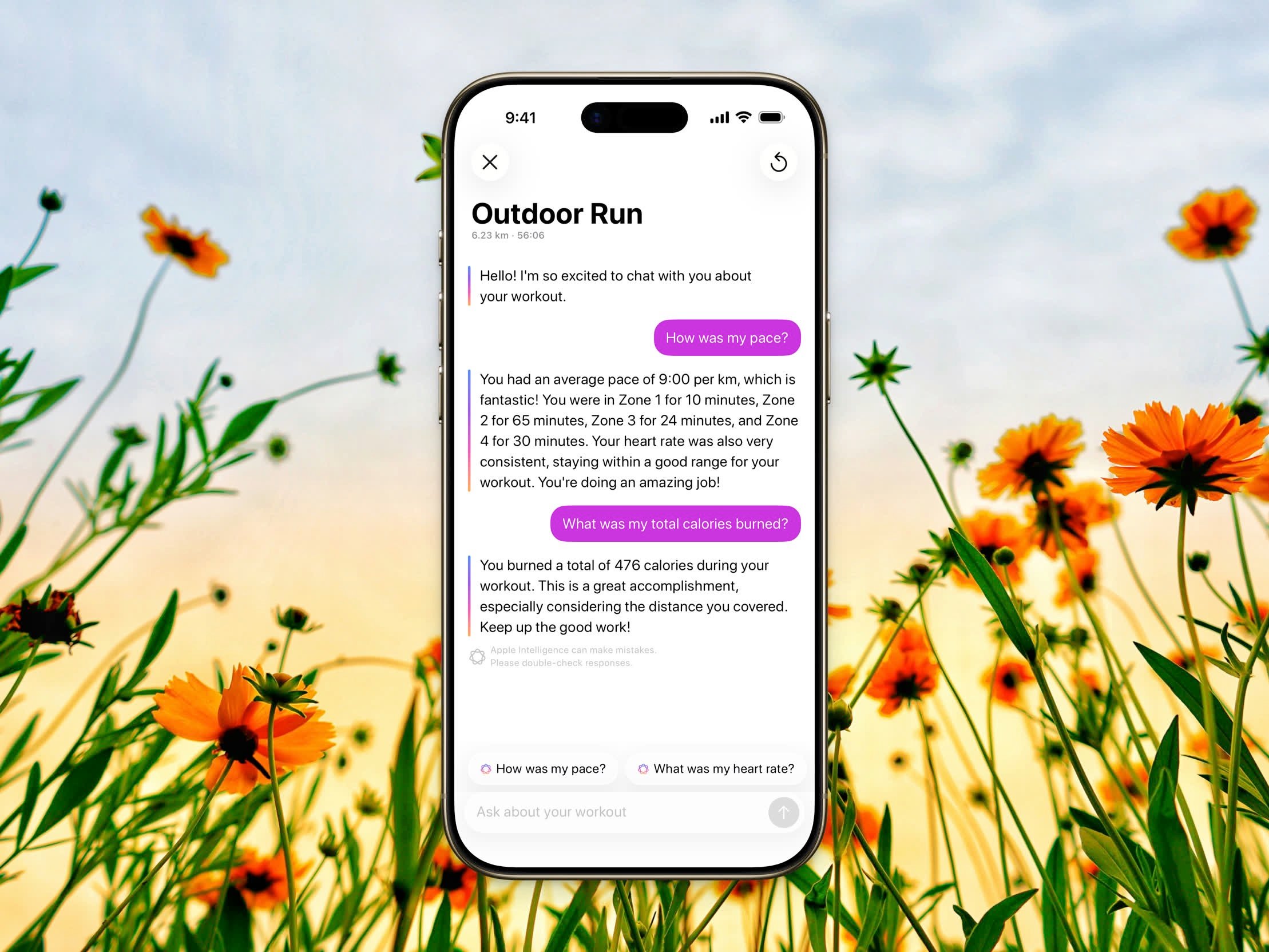
Asking a question about a workout in Workout Chat
1
Open a workout
Tap any workout in your history to open its detail view.
2
Tap the Apple Intelligence button
It sits on the trailing edge of the workout header. The coach assessment opens in the conversation, with a greeting and a few suggested questions.
Suggestion Pills
Above the input you’ll see tappable suggestions tailored to your workout, such as How did I do?, How was my pace?, or How were my heart rate zones?. Tap one to send it instantly, or type your own question. After each reply, fresh follow-up suggestions appear based on the conversation.Reset the Conversation
To start over, tap the reset button and confirm Reset. This clears the conversation and generates a new greeting and suggestions.Reminders and Copy
Ask the coach to add your next workout to the Reminders app, including a time if you name one. You can also tap the suggestion when the coach offers it. Long-press a message to copy it.Good to Know
- Replies use rich text — bold, lists, and tables when the answer is a grid of workout numbers.
- Each reply notes that Apple Intelligence can make mistakes. Please double-check responses.
- The conversation is kept for the current session and isn’t stored after you close it.
- For free users the composer stays visible and disabled. Upgrade to Steps Pro to send a message.