

Widget Types
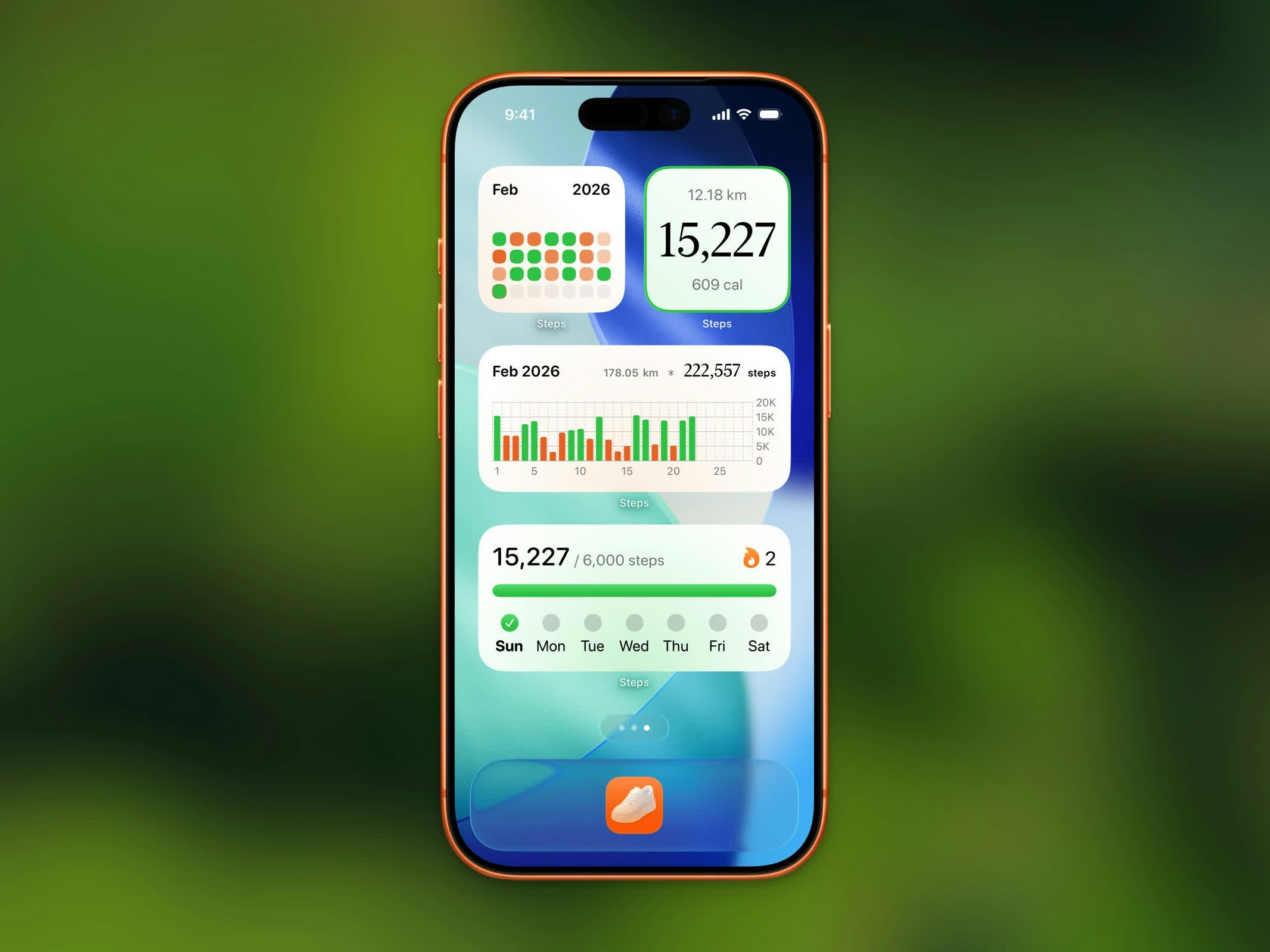
| Widget | Sizes | Description |
|---|---|---|
| Today Steps | Small, Lock Screen (rectangular, inline, circular) | Current step count and goal progress |
| Monthly Calendar | Medium | Calendar grid showing daily goal completion for the month |
| Yearly Calendar | Medium, Large | Year-at-a-glance calendar with goal completion heatmap |
| Yearly Goal | Small, Medium | Progress toward your yearly step goal with status and stats |
| Hourly Chart | Medium | Bar chart of steps by hour for today |
| Weekly Chart | Medium | Bar chart of steps for the past 7 days |
| Monthly Chart | Medium | Bar chart of steps for the current month |
| Streak | Small, Medium | Current streak count and weekly goal progress |
| Workout Highlights | Small | Your most recent workout stats |
| Stepboard Ranking | Small | Today’s top 5 on the leaderboard plus your rank |
Stepboard Ranking Widget

Yearly Goal Widget
The Yearly Goal widget tracks your progress toward your yearly step goal. It shows a progress bar, whether you’re on track or behind, and supporting stats. It’s available in small and medium sizes.Live Activity
During an active workout, a Live Activity appears on your Lock Screen and in the Dynamic Island (iOS 26+). It shows:- Workout type icon
- Elapsed time
- Distance covered
- Calories burned
- Current pace
Adding Widgets
Long-press your Home Screen
Touch and hold an empty area on your Home Screen until the apps start jiggling.
Lock Screen Widgets
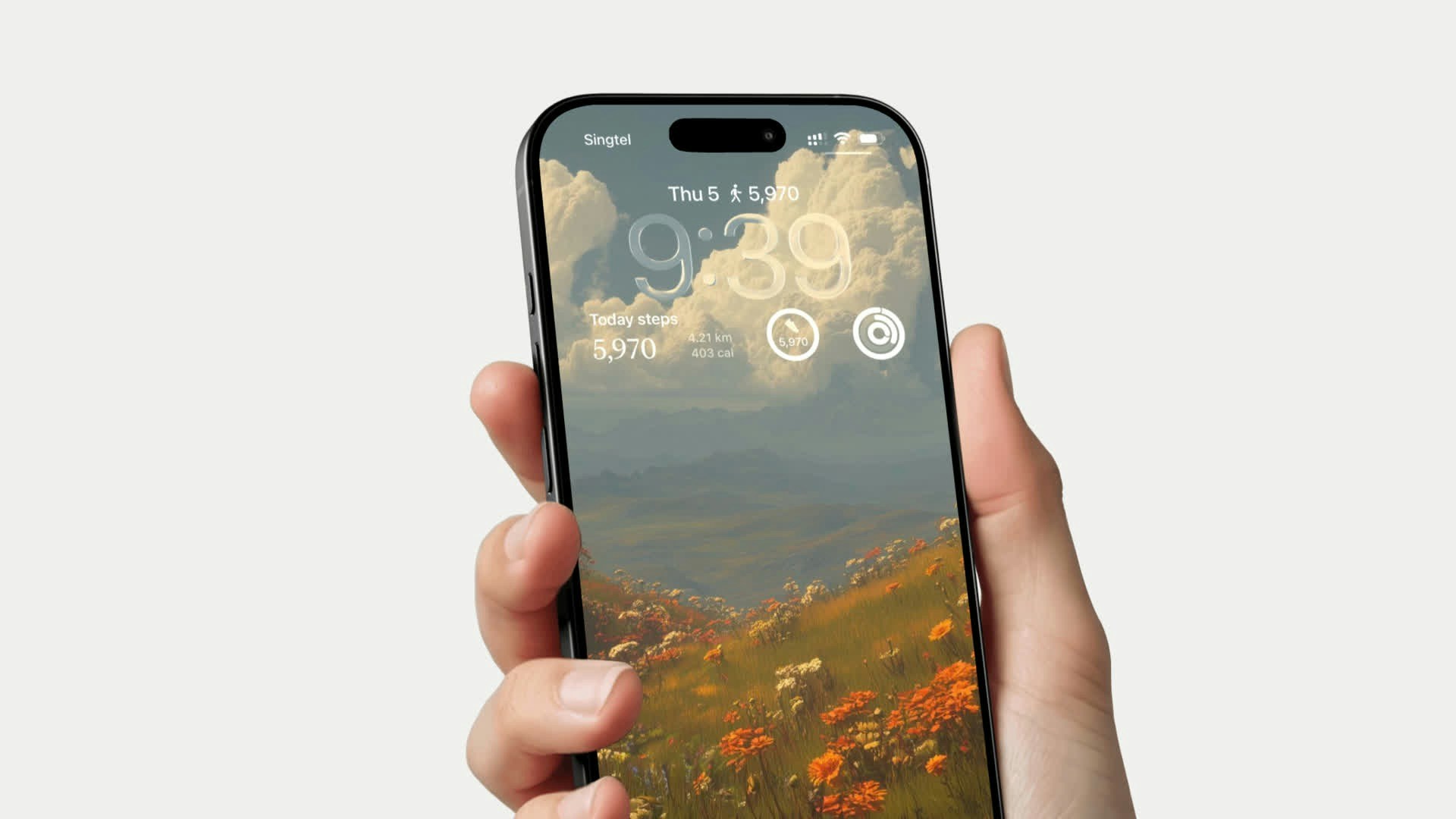
- Rectangular - Shows step count and progress bar
- Inline - Compact step count in the date line
- Circular - Step count in a round gauge