Your First Step Counter App
No gym, no gear, no experience needed. Just walk and watch your progress grow.


Getting started with fitness feels overwhelming when every app assumes you already know what you're doing. Walking requires nothing — no equipment, no membership, no prior experience. It's the most accessible form of exercise on earth, and it works. Studies show that even 30 minutes of daily walking reduces the risk of heart disease, improves mood, and helps manage weight. Steps makes your first step into fitness as easy as possible: open the app, see your step count, set a realistic first goal. That's it. No complicated setup, no confusing metrics to decode, just a clear number you can build on each day.
Sound Familiar?
- ✓Complex fitness apps feel intimidating when you're just starting out
- ✓You don't know what a good daily step count actually looks like
- ✓Previous fitness attempts ended quickly due to overwhelming programs
- ✓No clear starting point makes it hard to take the first step
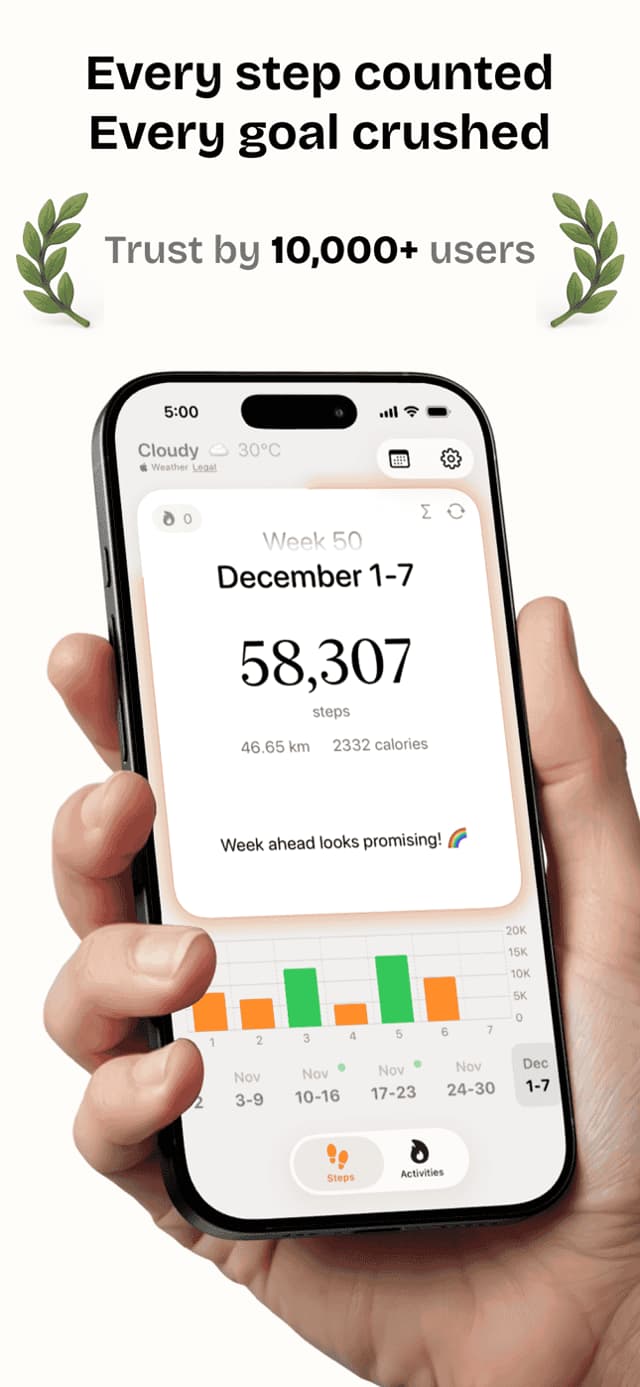
Steps makes getting started as simple as downloading the app and walking out your front door. The app suggests a starting goal based on your current activity level and gradually builds from there. Daily streaks make small wins feel significant, and beautiful weekly charts show real progress — even when the numbers feel small. You don't need to be fit to start. You start to get fit.
Everything You Need
Simple Setup
Open the app and your steps start counting immediately — no account, no questionnaire, no tutorial required.
Personalized Goals
Set a beginner-friendly step goal and adjust it gradually as your fitness builds week by week.
Encouraging Streaks
Hit your goal each day and watch your streak grow — a satisfying way to build the habit of daily walking.
Beautiful Charts
See your weekly progress in clear, simple charts that make early progress visible and motivating.
Home Widgets
Check your step count from your home screen without even opening the app — keeps your goal top of mind.
See It In Action
What People Are Saying
“I've never been into fitness at all. My friend suggested Steps because it was simple. Three months in and I'm walking 8,000 steps a day. I actually enjoy it now.”
“I started with just a 3,000 step goal and worked my way up. Steps made it feel achievable instead of depressing. Now I'm at 9,000 steps a day and feel completely different.”
“At 55 I figured it was too late to start. My doctor disagreed, and Steps proved her right. The app made the whole thing feel manageable from day one.”
Frequently Asked Questions
How many steps should a beginner aim for?+
Start with a goal that's slightly above your current daily average — often 5,000 steps is a great first target. Once that feels easy, increase by 500-1,000 steps every couple of weeks. The right goal is one you can actually hit most days.
Is walking enough exercise for a beginner?+
Absolutely. Walking is one of the most effective exercises for improving cardiovascular health, managing weight, and building endurance. For most beginners, consistent daily walking delivers better results than sporadic intense workouts.
How do I get started with the app?+
Download Steps, open it, and your phone immediately starts counting steps. You can set a daily goal from the main screen in under a minute. No account creation or setup required.
What's a good first step goal for a beginner?+
If you're completely sedentary, starting at 5,000 steps per day is reasonable and achievable. If you're lightly active, 7,500 steps gives you something to work toward without being discouraging. The key is consistency over intensity.
Do I need any equipment to get started?+
No. Your iPhone counts your steps automatically using its built-in motion sensor. Just carry your phone in your pocket or purse and walk — that's all you need to start.
Can Steps track my steps without an Apple Watch?+
Yes. Steps works entirely from your iPhone's accelerometer. An Apple Watch is optional and adds hands-free tracking, but the app works just as well with your phone alone.
More Fitness Guides
Take Your First Step Today
Free on the App Store. No subscriptions required to get started.