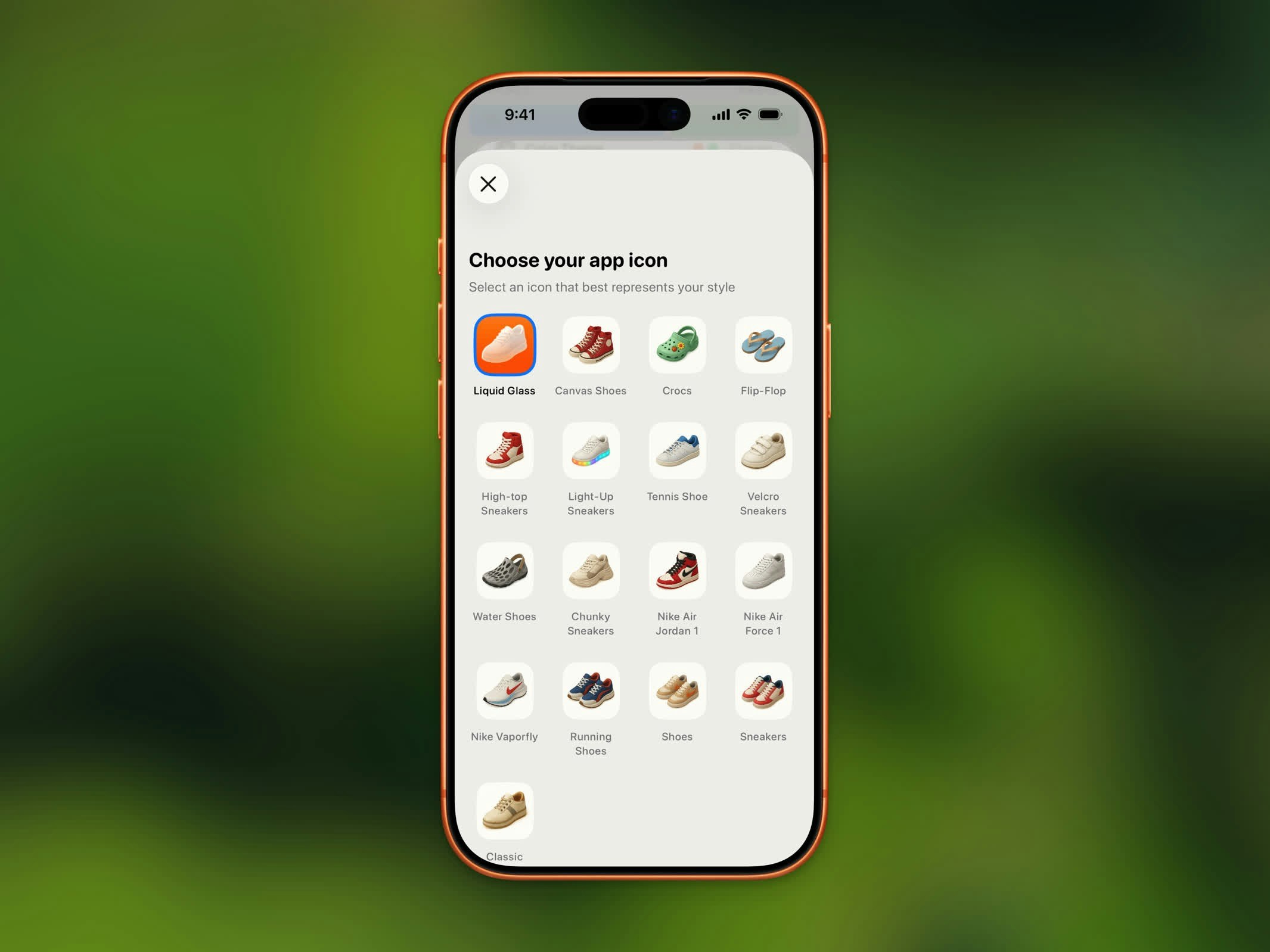
Steps ermöglicht es dir, das App-Icon auf deinem Startbildschirm aus einer Sammlung schuh-thematischer Designs auszutauschen. Diese Funktion ist für alle Nutzer kostenlos.Documentation Index
Fetch the complete documentation index at: https://getsteps.app/docs/llms.txt
Use this file to discover all available pages before exploring further.
Verfügbare Icons

| Icon | Beschreibung |
|---|---|
| Liquid Glass | Standard-Icon |
| Canvas Shoes | Klassische Canvas-Sneaker |
| Crocs | Lässige Crocs |
| Flip-Flop | Sommer-Flip-Flops |
| High-top Sneakers | High-Top-Basketballschuhe |
| Light-Up Sneakers | Kinderschuhe mit Licht |
| Tennis Shoe | Tennisschuhe |
| Velcro Sneakers | Sneaker mit Klettverschluss |
| Water Shoes | Wasserschuhe |
| Chunky Sneakers | Plateau-Chunky-Sneaker |
| Nike Air Jordan 1 | Ikonische Jordan 1s |
| Nike Air Force 1 | Klassische Air Force 1s |
| Nike Vaporfly | Rennschuhe |
| Running Shoes | Standard-Laufschuhe |
| Shoes | Einfache Schuhe |
| Sneakers | Alltags-Sneaker |
| Classic | Klassisches Steps-Icon |
Icon ändern
- Öffne Einstellungen
- Tippe auf App-Icon
- Durchsuche das Icon-Raster und tippe auf deine Wahl
- iOS bestätigt die Icon-Änderung