Fitness Wrapped: How to Get Your Yearly Fitness Recap in 2026
Discover how to get your own Fitness Wrapped with yearly insights, personal records, and beautiful shareable stats. See your step count, calories, and workouts summarized.
 Hieu Dinh•
Fitness Wrapped: How to Get Your Yearly Fitness Recap in 2026
Remember how exciting it is to see your Spotify Wrapped each year? Now imagine that same experience for your fitness journey. A fitness wrapped feature shows you everything you accomplished—total steps, calories burned, personal records, and more—all beautifully visualized and ready to share.
What is Fitness Wrapped?
Fitness wrapped (also called yearly recap or year in review) compiles your entire year of fitness data into shareable, visually stunning insights. Think of it as your personal highlight reel for health and fitness.
A great fitness wrapped includes:
- Total steps walked throughout the year
- Calories burned from all your activities
- Distance traveled on foot
- Personal records you achieved
- Workout statistics broken down by type
- Streaks and consistency metrics
- Fun comparisons and equivalents
Why Your Fitness Wrapped Matters
Celebrate Your Achievements
It's easy to forget how much you've accomplished. Walking 3 million steps sounds abstract—but seeing it visualized as "equivalent to walking from New York to Miami" makes it real and shareable.
Stay Motivated for Next Year
Reviewing your progress creates natural motivation:
- Beat last year's total steps
- Extend your longest streak
- Set new personal records
Share Your Journey
Fitness wrapped graphics are designed for sharing. Post your stats on social media, compare with friends, or simply save them as a personal milestone.
What a Great Fitness Wrapped Shows You
Total Year Statistics
The headline numbers that define your year:
| Metric | What It Tells You |
|---|---|
| Total Steps | Your overall activity volume |
| Total Distance | How far you've traveled on foot |
| Calories Burned | Energy expenditure from activity |
| Active Days | Consistency throughout the year |
| Workouts Completed | Dedicated exercise sessions |
Personal Records
Your fitness wrapped should highlight your best performances:
- Farthest Distance — Your longest single-day walk or workout
- Most Steps in a Day — Your peak step count
- Longest Workout — Your marathon session
- Most Calories Burned — Your highest burn day
- Fastest Pace — Your speed record
- Highest Elevation Gain — Your hilliest adventure
- Earliest Workout — Your most ambitious morning
- Latest Workout — Your dedication after dark
Interesting Insights
The best fitness wrapped features go beyond basic stats:
- Best month — When you were most active
- Peak hour — Your favorite time to exercise
- Weekday vs. weekend — Activity pattern analysis
- Goal achievement rate — How often you hit your targets
- Longest streak — Your best consistency run
Fun Equivalents
Numbers become memorable when compared to real-world references:
- "You walked the equivalent of crossing Japan"
- "Calories burned equals 847 slices of pizza"
- "Distance traveled could circle Central Park 156 times"
How to Get Your Fitness Wrapped
Option 1: Use Steps: Workout & Pedometer (Recommended)
The Steps app includes a built-in Yearly Insights feature with beautifully designed shareable cards:
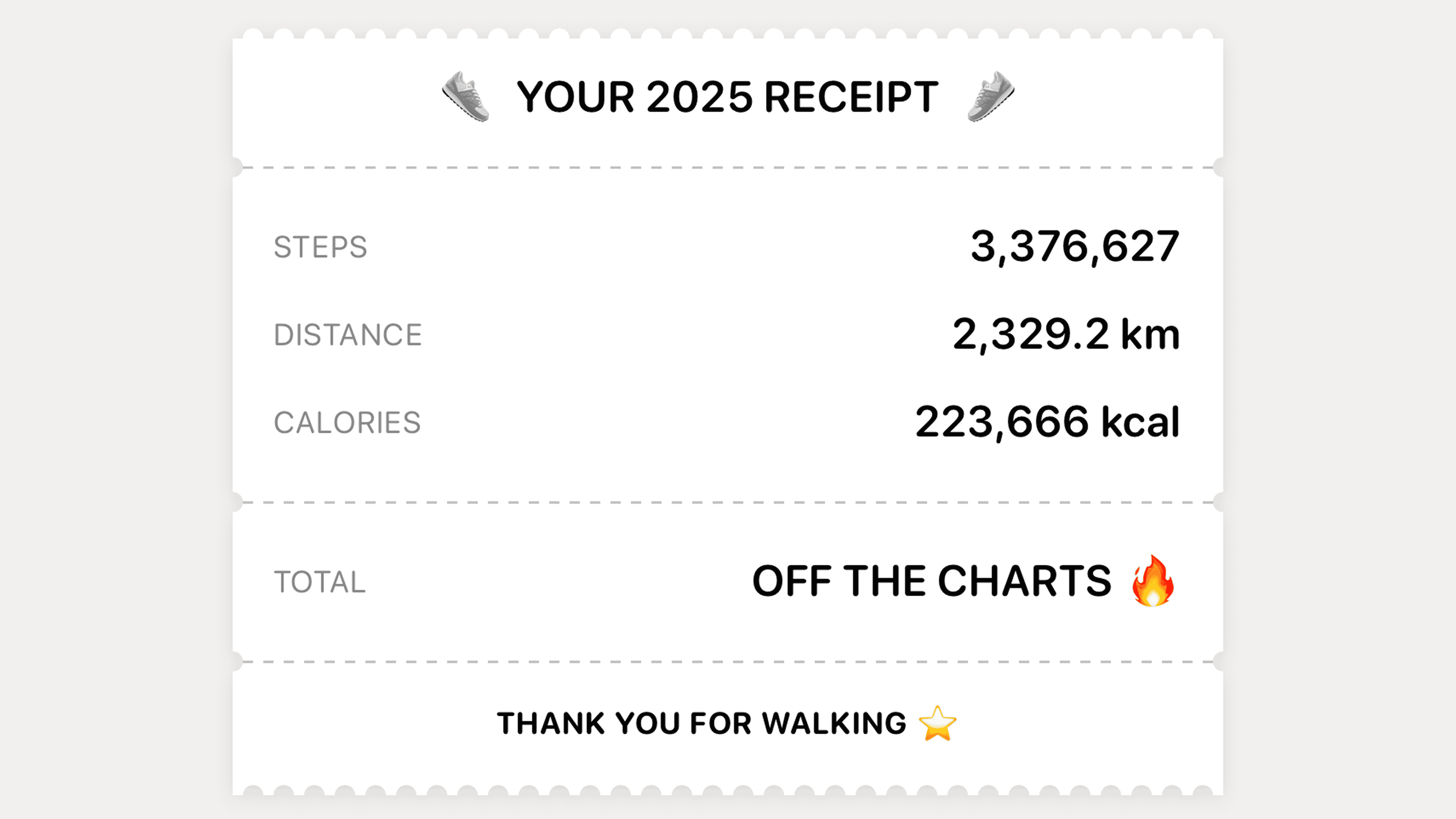
Receipt-Style Summary A creative visualization showing your stats formatted like a store receipt—with your yearly totals and a "PRICELESS" grand total.
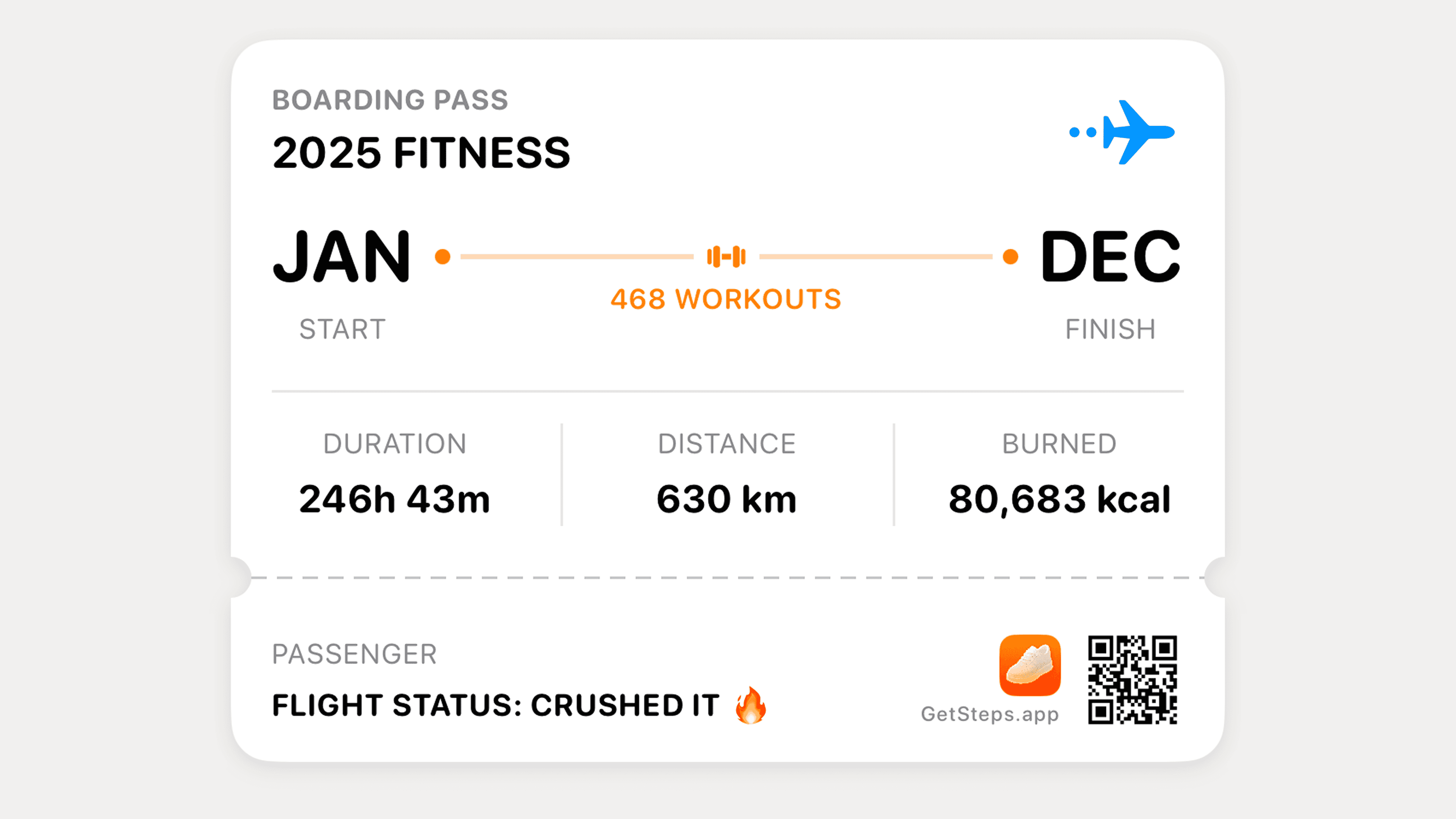
Flight Ticket Workouts Card Your workout statistics presented as a boarding pass, perfect for sharing your fitness journey.
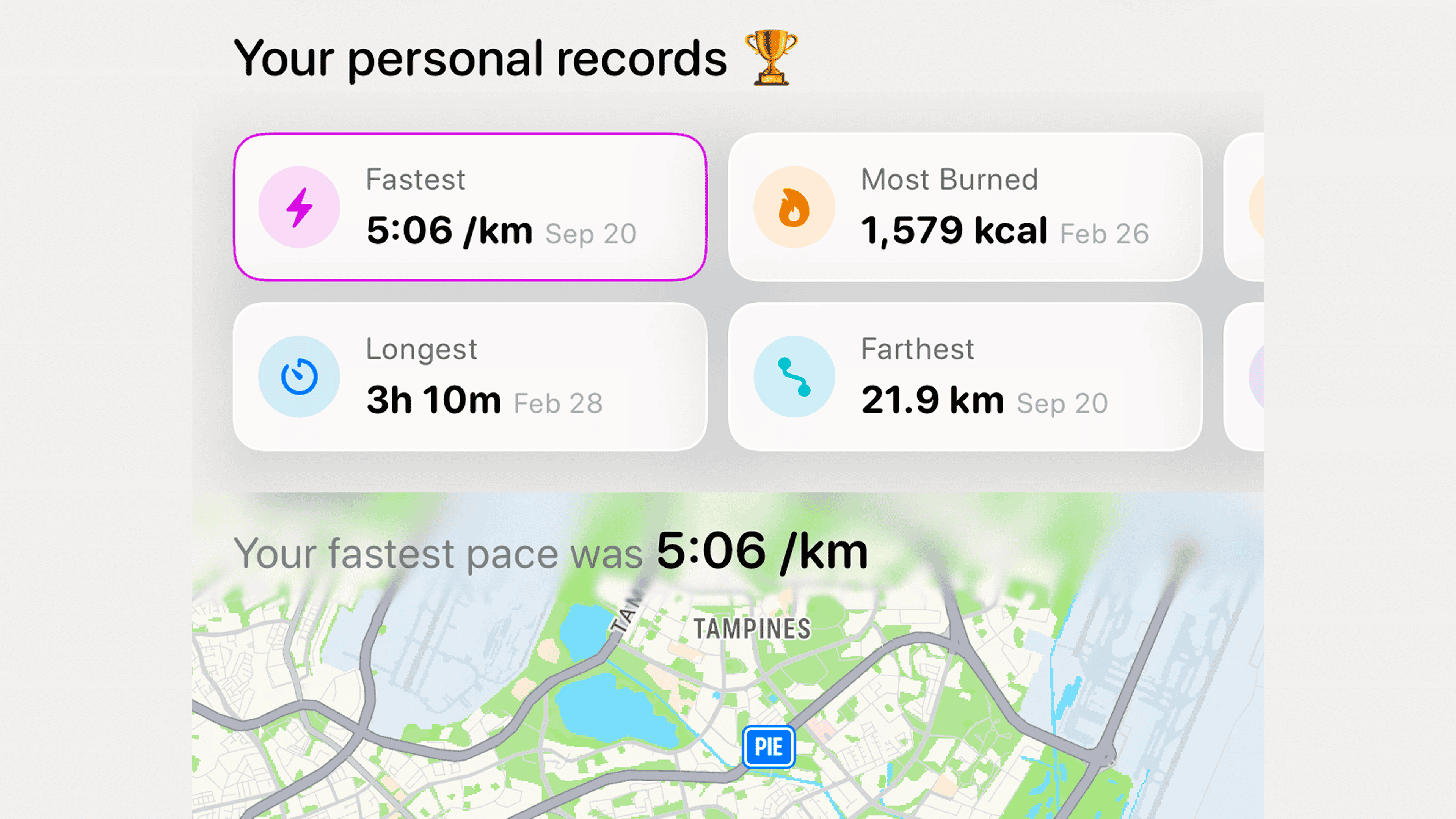
Personal Record Cards Movie ticket-style cards highlighting each of your 8 personal records from the year.
Passport Stamp View A unique stamp-style visualization commemorating your fitness achievements.
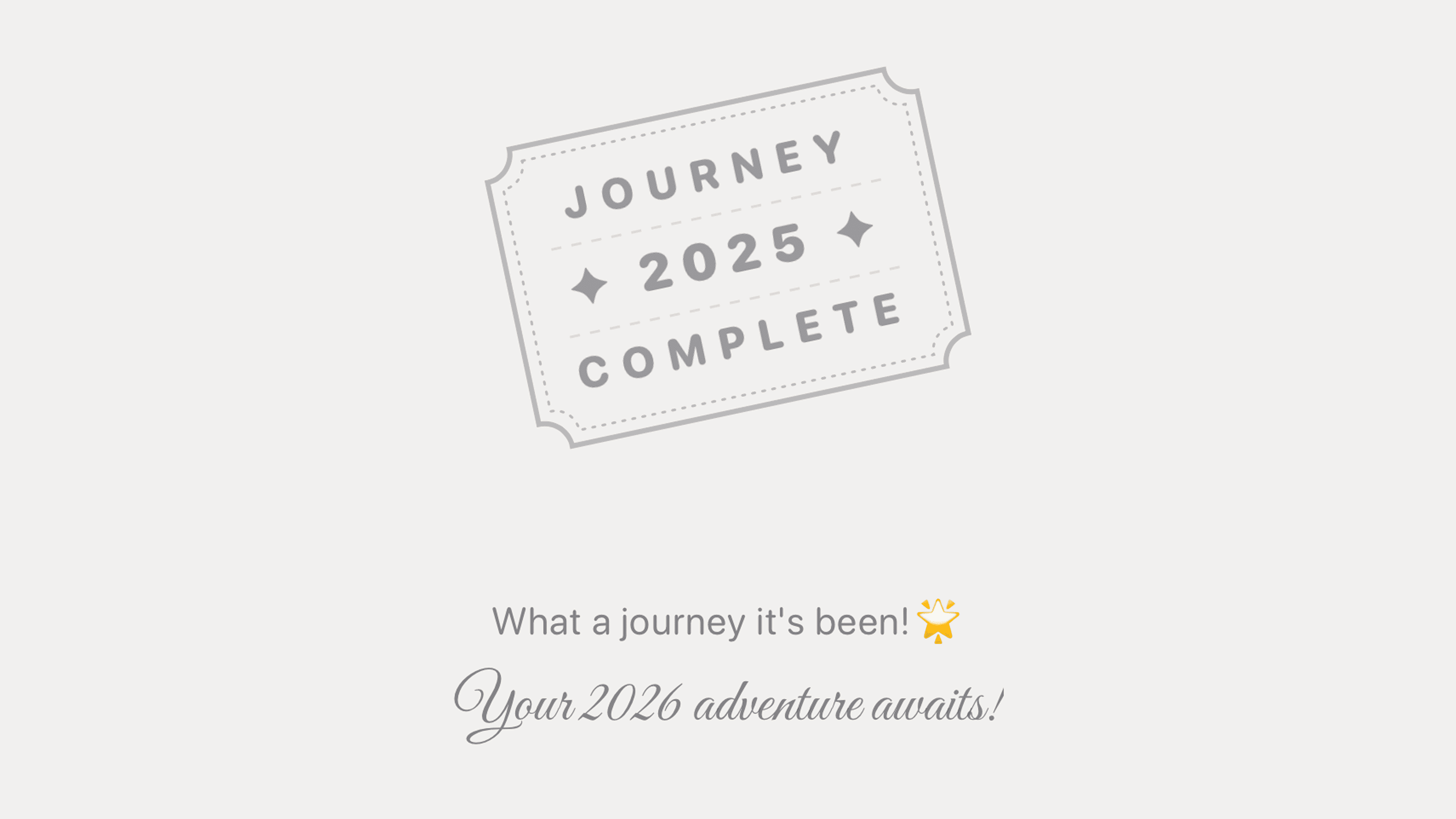
How to Access in Steps
- Open the Steps app
- Navigate to the Insights tab
- Select "Yearly Recap" or scroll to Insights section
- Browse through your personalized cards
- Tap any card to share directly to social media
Option 2: Apple Fitness App
Apple's built-in Fitness app offers basic yearly summaries:
- Total move calories
- Exercise minutes
- Stand hours
- Award badges earned
However, it lacks the shareable, visually appealing format that dedicated apps provide.
Option 3: Third-Party Fitness Wrapped Apps
Some apps specialize in creating wrapped-style summaries:
- Pull data from Apple Health
- Generate shareable graphics
- May require one-time purchase
The downside: You need a separate app just for yearly recaps, and they don't track your daily progress throughout the year.
Making the Most of Your Fitness Wrapped
Review It Thoughtfully
Don't just glance at the numbers. Ask yourself:
- What month was I most active? What made it work?
- When did I fall off track? What happened?
- Which personal records surprise me?
- What patterns do I notice?
Set Next Year's Goals
Use this year's data to set realistic targets:
| If This Year... | Consider Next Year... |
|---|---|
| 2.5M steps | Target 3M steps |
| 180 active days | Aim for 220 active days |
| 15-day best streak | Push for 30-day streak |
| 25,000 steps best day | Train for a 30K day |
Share Strategically
Your fitness wrapped is worth sharing:
- Instagram Stories — Use the shareable card formats
- Group chats — Challenge friends to beat your stats
- Personal journal — Document your annual progress
- Goal-setting — Reference when planning next year
Common Questions
When can I see my fitness wrapped?
With the Steps app, you can view your yearly insights anytime—not just at year end. Check your progress in June to see your first-half stats, or wait until December for the full picture.
Do I need to track all year to get a fitness wrapped?
You'll get the most complete picture with a full year of data, but partial year insights are still valuable. The Steps app shows whatever data is available from Apple Health.
Can I see previous years' fitness wrapped?
Yes. The Steps app lets you browse yearly insights from any previous year that has data in Apple Health. Compare your 2024, 2025, and 2026 stats side by side.
How accurate is the data?
Fitness wrapped pulls directly from Apple Health, which aggregates data from your iPhone and Apple Watch. The accuracy depends on how consistently you carry your devices.
Can I customize what my fitness wrapped shows?
The Steps app's yearly insights are thoughtfully curated, but you can choose which cards to share. Select the stats that matter most to you.
Is fitness wrapped free?
The Steps app's core features including yearly insights are free. Some advanced analytics and historical data require Steps Pro.
Why Steps Has the Best Fitness Wrapped
While several apps offer year-end summaries, Steps stands out with:
- Creative Visualizations — Receipt, flight ticket, passport stamp styles
- 8 Personal Records — Comprehensive achievement tracking
- Shareable Design — Made for Instagram, not just data display
- Year-Round Access — Check anytime, not just December
- Deep Integration — Pulls all HealthKit workout data
- Fun Equivalents — Makes numbers memorable and shareable
Start Building Your 2026 Fitness Wrapped
The best fitness wrapped comes from consistent tracking throughout the year. Start now and watch your stats accumulate:
- Daily step counting with beautiful widgets
- Automatic workout detection
- Streak tracking for motivation
- Personal records highlighted as you achieve them
By December, you'll have a complete picture of your fitness journey ready to share and celebrate.
Ready to earn your fitness wrapped? Download Steps and start tracking your journey today. Your future self will thank you when those yearly insights roll in.
You Might Also Like
Try Our Calculators
Steps is built by runners who wanted a step counter that felt right. Read our story