> ## Documentation Index
> Fetch the complete documentation index at: https://getsteps.app/docs/llms.txt
> Use this file to discover all available pages before exploring further.
# 锻炼记录
> 通过实时数据、GPS 路线和 Live Activity 开始并追踪锻炼
Steps 让您可以直接从 iPhone 记录锻炼,提供实时追踪、GPS 路线地图和实时统计数据。
## 锻炼类型
您可以开始四种类型的锻炼,每种都有室内和室外变体:
| 类型 | 变体 | 颜色 |
| ------ | --------- | --- |
| **步行** | 户外步行、室内步行 | 蓝色 |
| **跑步** | 户外跑步、室内跑步 | 紫色 |
| **骑行** | 户外骑行、室内骑行 | 绿色 |
| **远足** | 仅限户外 | 薄荷色 |
户外锻炼会在地图上记录您的 GPS 路线。室内锻炼追踪时长、卡路里和心率,不使用 GPS。
## 开始锻炼
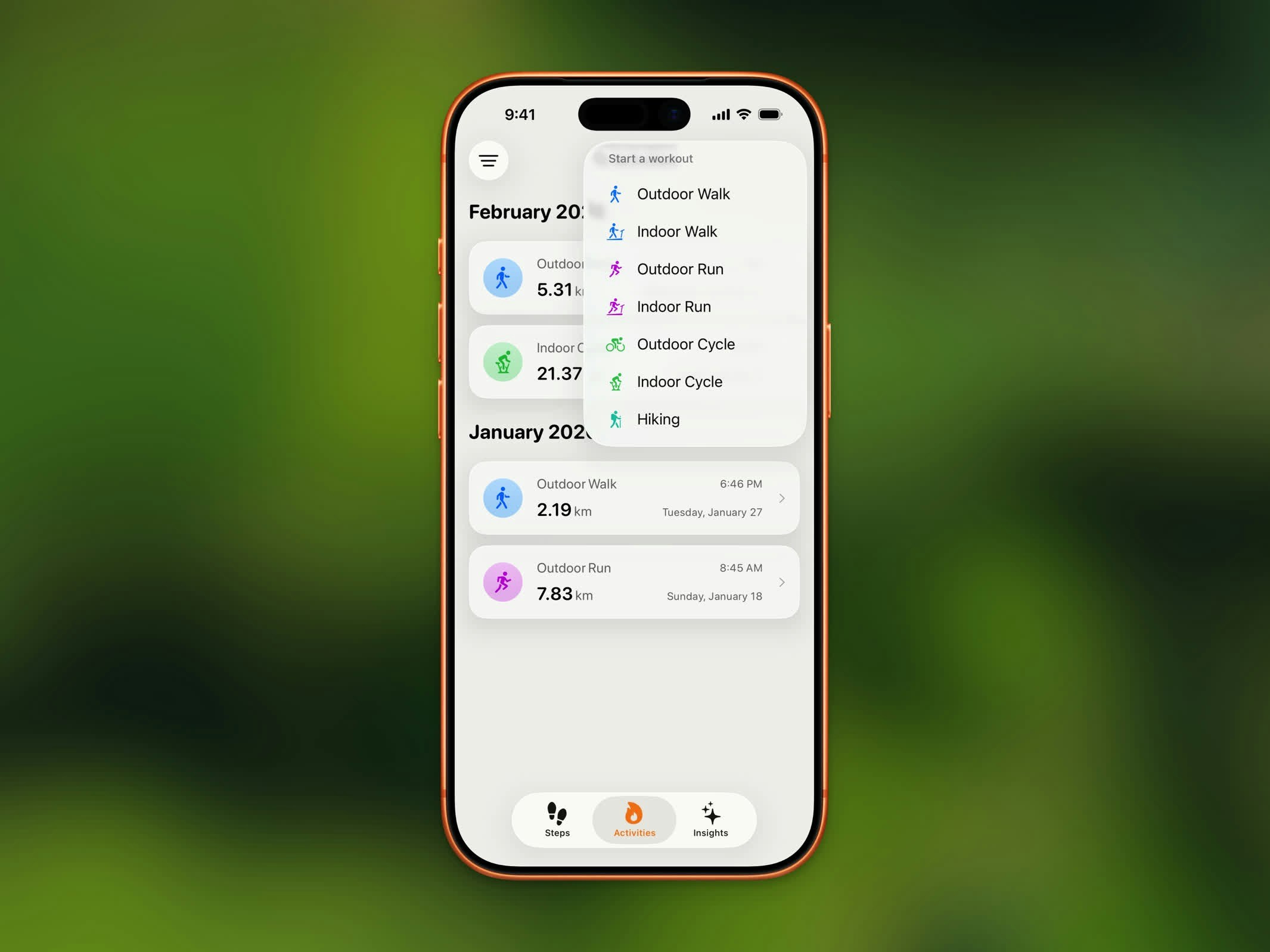 1. 从主页仪表盘点击锻炼按钮
2. 选择您的锻炼类型和变体
3. 追踪开始前出现倒计时
4. 开始运动!
## 实时追踪
1. 从主页仪表盘点击锻炼按钮
2. 选择您的锻炼类型和变体
3. 追踪开始前出现倒计时
4. 开始运动!
## 实时追踪
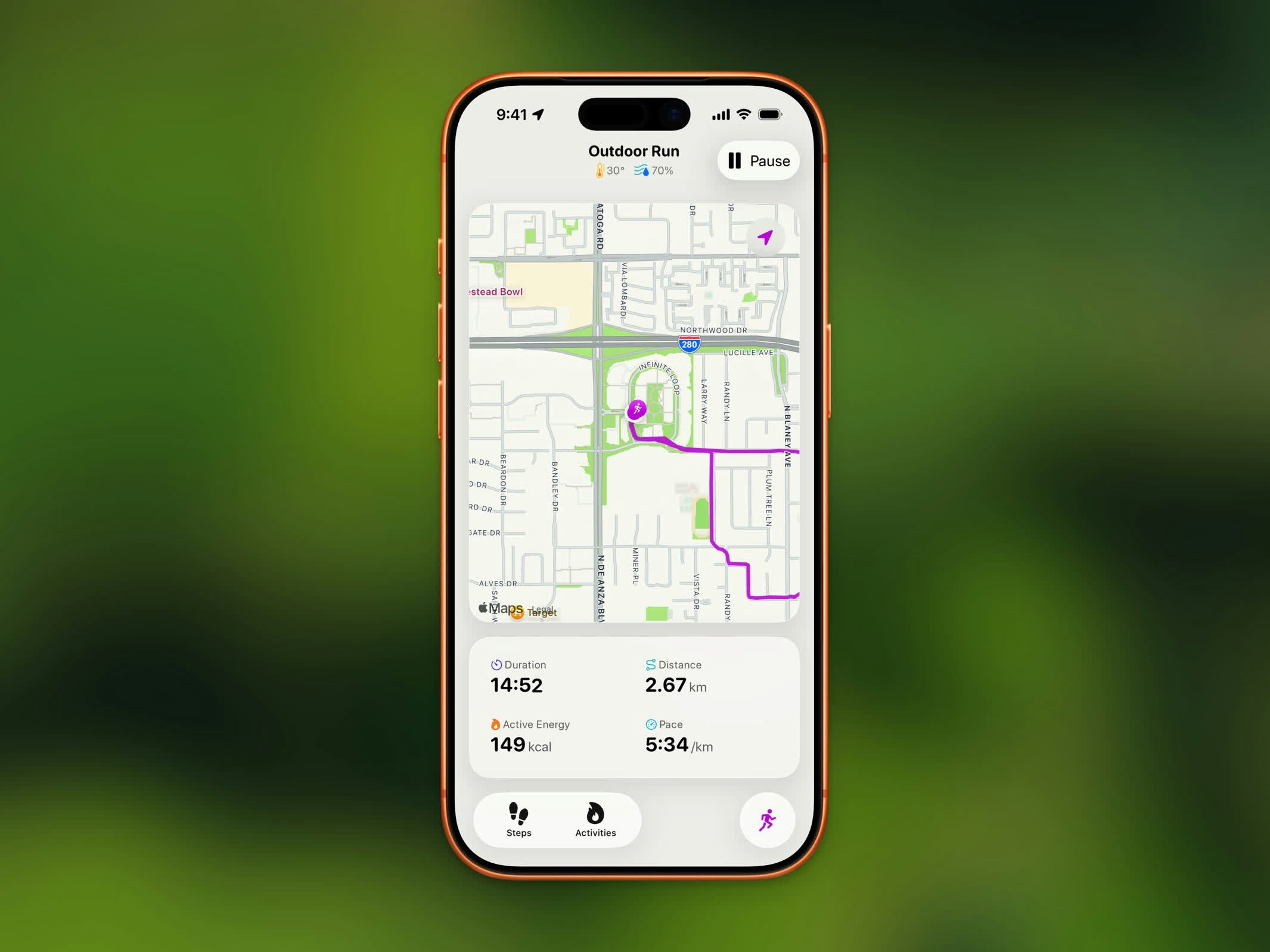 户外锻炼期间,您将看到:
* **实时地图** - 以锻炼颜色实时绘制的路线
* **时长** - 已用时间
* **距离** - 总覆盖距离
* **卡路里** - 主动消耗的能量
* **配速或速度** - 步行/跑步显示配速;骑行显示速度;远足显示心率
当前天气(温度和湿度)显示在工具栏中。
## 暂停、继续和结束
* 点击**暂停**临时停止追踪
* 点击**继续**恢复锻炼
* 点击**结束**(暂停时可用)完成并保存
## Live Activity
户外锻炼期间,您将看到:
* **实时地图** - 以锻炼颜色实时绘制的路线
* **时长** - 已用时间
* **距离** - 总覆盖距离
* **卡路里** - 主动消耗的能量
* **配速或速度** - 步行/跑步显示配速;骑行显示速度;远足显示心率
当前天气(温度和湿度)显示在工具栏中。
## 暂停、继续和结束
* 点击**暂停**临时停止追踪
* 点击**继续**恢复锻炼
* 点击**结束**(暂停时可用)完成并保存
## Live Activity
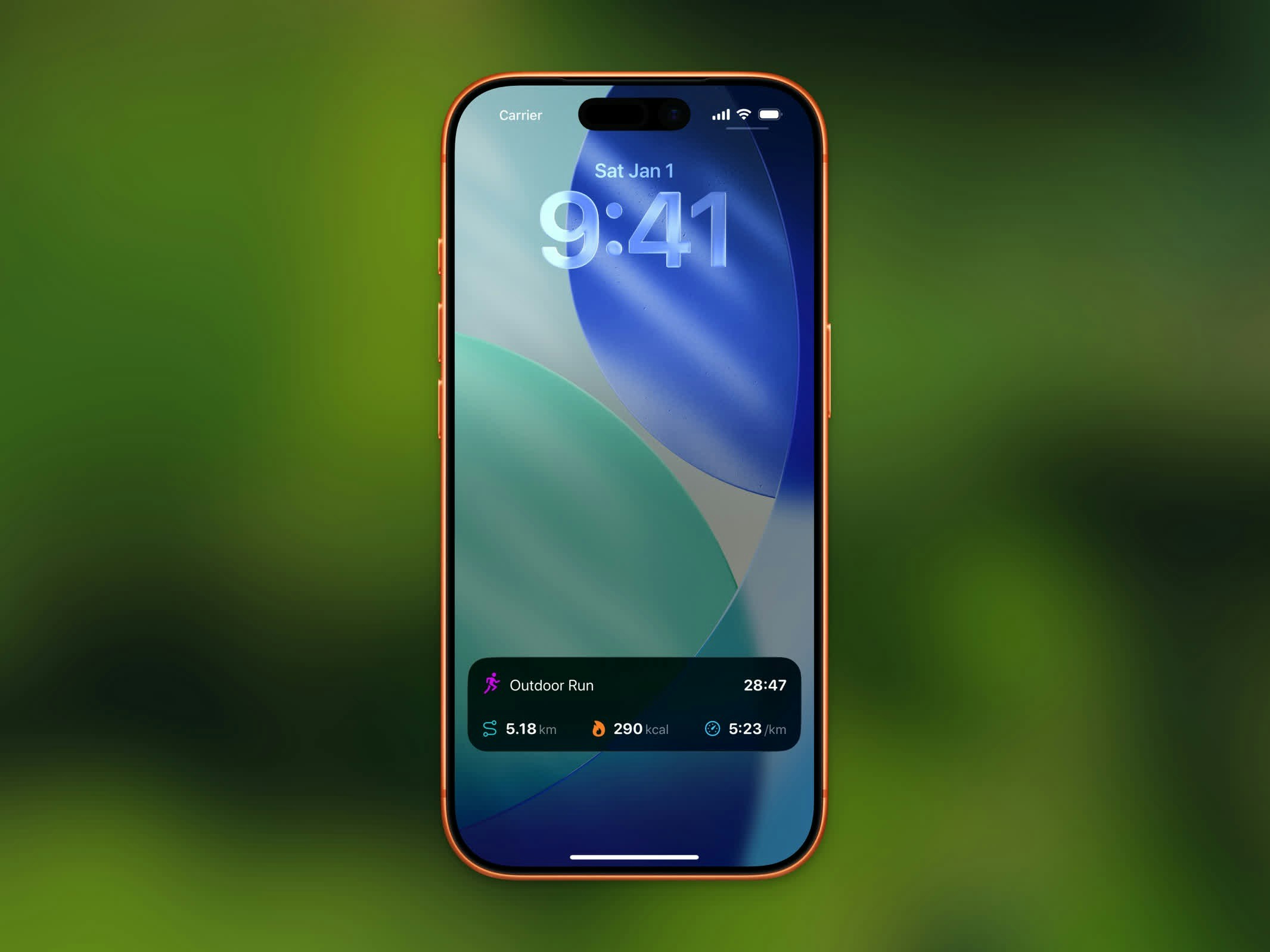 在 iOS 26 及更高版本上,进行中的锻炼会出现在 **Dynamic Island** 和您的**锁屏**上:
* Dynamic Island 每 30 秒循环显示卡路里、距离和已用时间
* 展开视图显示距离、主动能量、配速和已用时间
锻炼 Live Activity 需要 iOS 26 或更高版本。
## 自动检测的锻炼
Steps 还会读取其他应用和 Apple Watch 通过 Apple Health 记录的锻炼。这些会自动出现在您的活动列表中,包括游泳、瑜伽、HIIT、力量训练等类型。
在 iOS 26 及更高版本上,进行中的锻炼会出现在 **Dynamic Island** 和您的**锁屏**上:
* Dynamic Island 每 30 秒循环显示卡路里、距离和已用时间
* 展开视图显示距离、主动能量、配速和已用时间
锻炼 Live Activity 需要 iOS 26 或更高版本。
## 自动检测的锻炼
Steps 还会读取其他应用和 Apple Watch 通过 Apple Health 记录的锻炼。这些会自动出现在您的活动列表中,包括游泳、瑜伽、HIIT、力量训练等类型。