> ## Documentation Index
> Fetch the complete documentation index at: https://getsteps.app/docs/llms.txt
> Use this file to discover all available pages before exploring further.
# Siri 快捷指令
> 使用语音命令向 Siri 询问您的步数
Steps 与 Siri 集成,让您无需打开应用即可通过语音命令查看每日步数。
## 可用快捷指令
### 今日步数
向 Siri 询问您当前的步数。Steps 将回应您今天的总步数。
## 使用方法
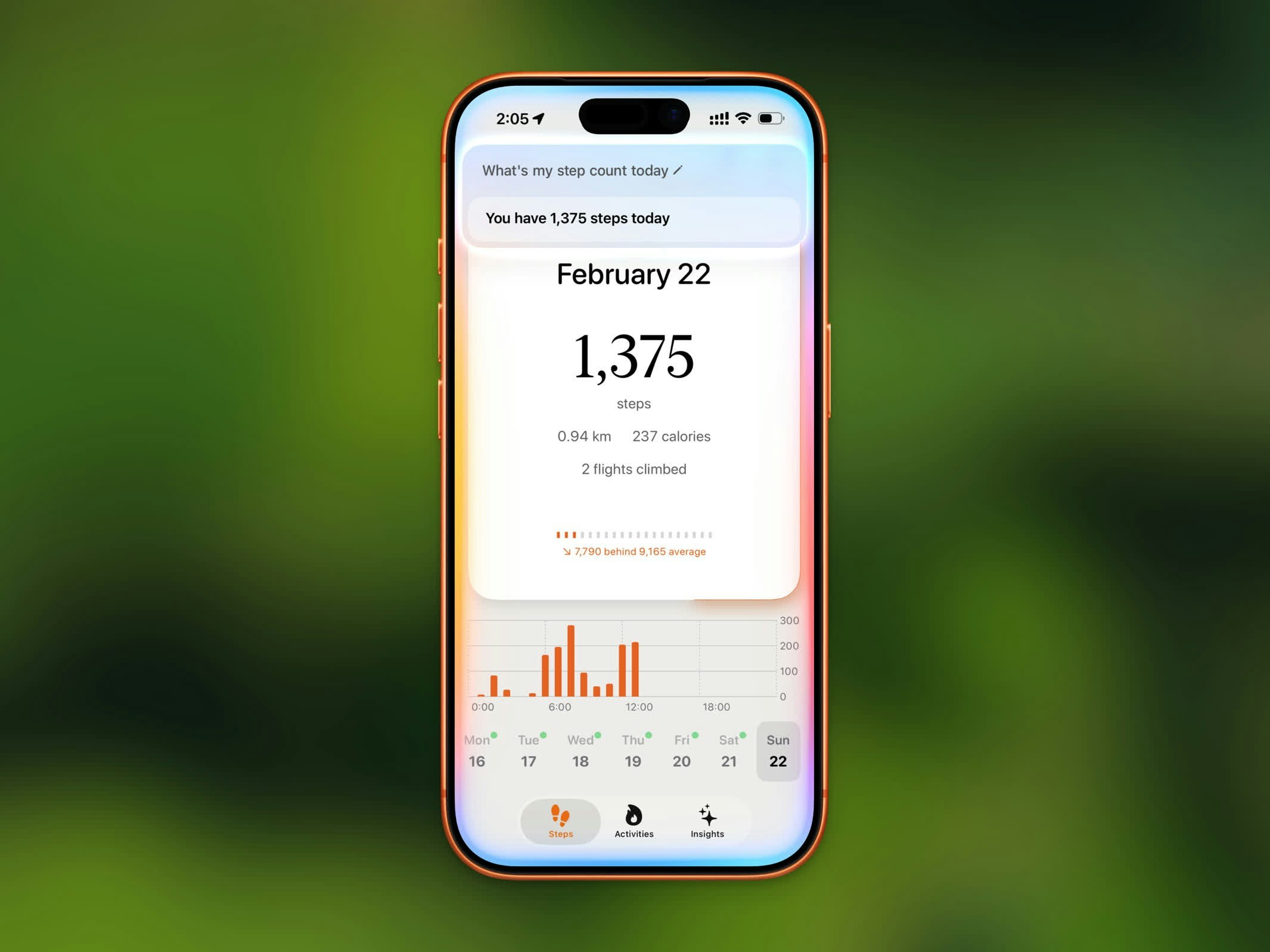 只需向 Siri 说以下任意短语:
* "Get my steps from Steps"
* "How many steps today in Steps"
* "What's my step count in Steps"
* "Show my steps from Steps"
* "Check my steps in Steps"
* "How far have I walked in Steps"
Siri 能识别这些短语的多种自然变体,因此您无需完全照字面措辞说出。
您也可以将"今日步数"添加到快捷指令应用中,创建自定义自动化流程或将其添加到主屏幕。
## 设置
Steps 快捷指令自动可用——无需任何设置。只需确保您的设备上已启用 Siri。
要在快捷指令应用中找到它:
1. 打开**快捷指令**应用
2. 点击**应用**标签页
3. 找到 **Steps**
4. 点击**今日步数**将其添加到您的快捷指令
只需向 Siri 说以下任意短语:
* "Get my steps from Steps"
* "How many steps today in Steps"
* "What's my step count in Steps"
* "Show my steps from Steps"
* "Check my steps in Steps"
* "How far have I walked in Steps"
Siri 能识别这些短语的多种自然变体,因此您无需完全照字面措辞说出。
您也可以将"今日步数"添加到快捷指令应用中,创建自定义自动化流程或将其添加到主屏幕。
## 设置
Steps 快捷指令自动可用——无需任何设置。只需确保您的设备上已启用 Siri。
要在快捷指令应用中找到它:
1. 打开**快捷指令**应用
2. 点击**应用**标签页
3. 找到 **Steps**
4. 点击**今日步数**将其添加到您的快捷指令