> ## Documentation Index
> Fetch the complete documentation index at: https://getsteps.app/docs/llms.txt
> Use this file to discover all available pages before exploring further.
# 历史记录
> 以日历和列表视图查看您的每日步数记录
历史记录标签页让您可以通过日历视图或时间顺序列表浏览您过去的每日步数记录。
## 日历视图
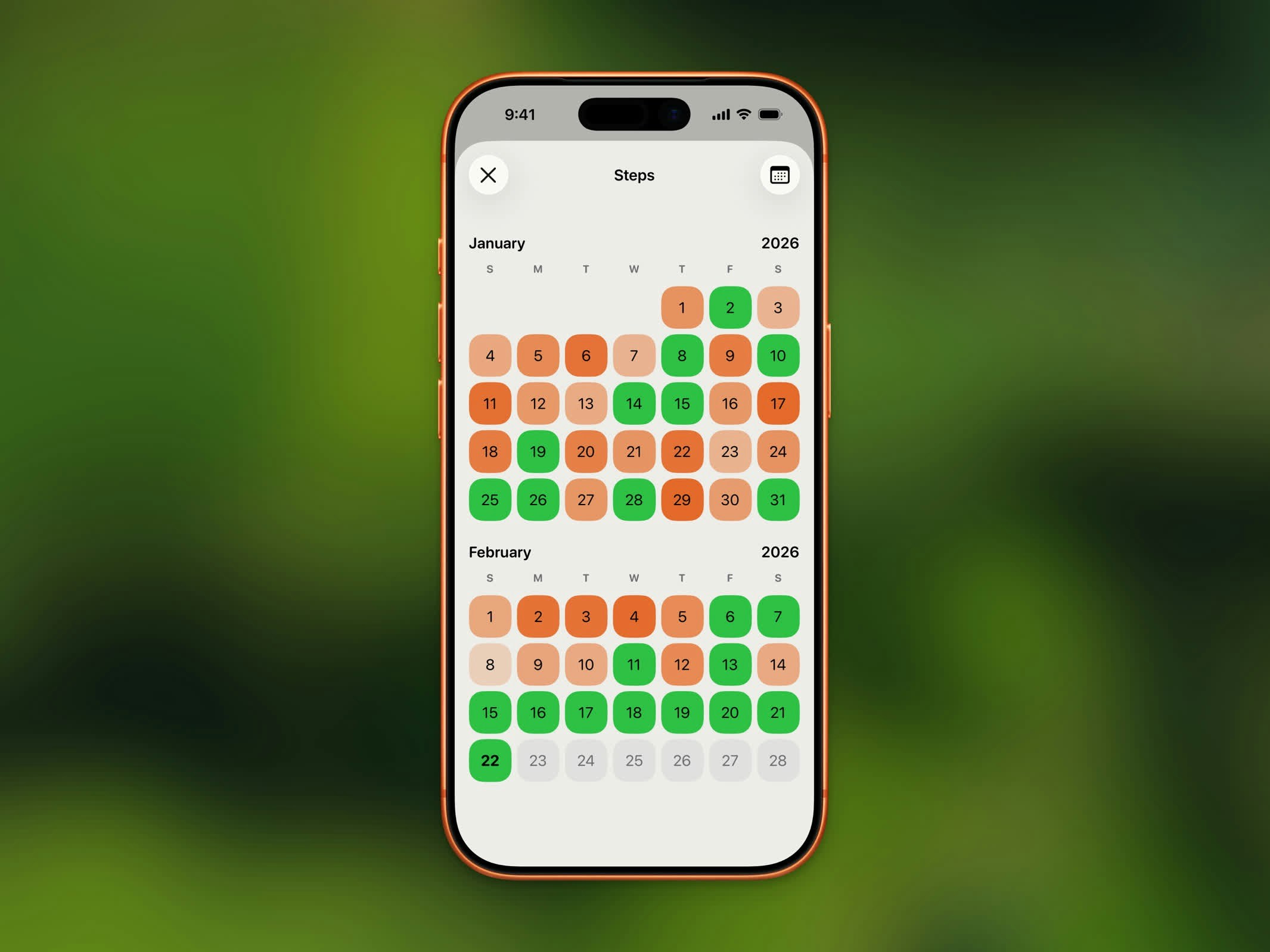 日历以颜色编码指示器显示每天的进度:
* **达成目标** - 以您的已完成主题色高亮显示
* **部分进度** - 根据完成百分比显示较浅的色调
* **无数据** - 无高亮显示
使用日历顶部的箭头按钮在月份之间导航。
## 列表视图
日历以颜色编码指示器显示每天的进度:
* **达成目标** - 以您的已完成主题色高亮显示
* **部分进度** - 根据完成百分比显示较浅的色调
* **无数据** - 无高亮显示
使用日历顶部的箭头按钮在月份之间导航。
## 列表视图
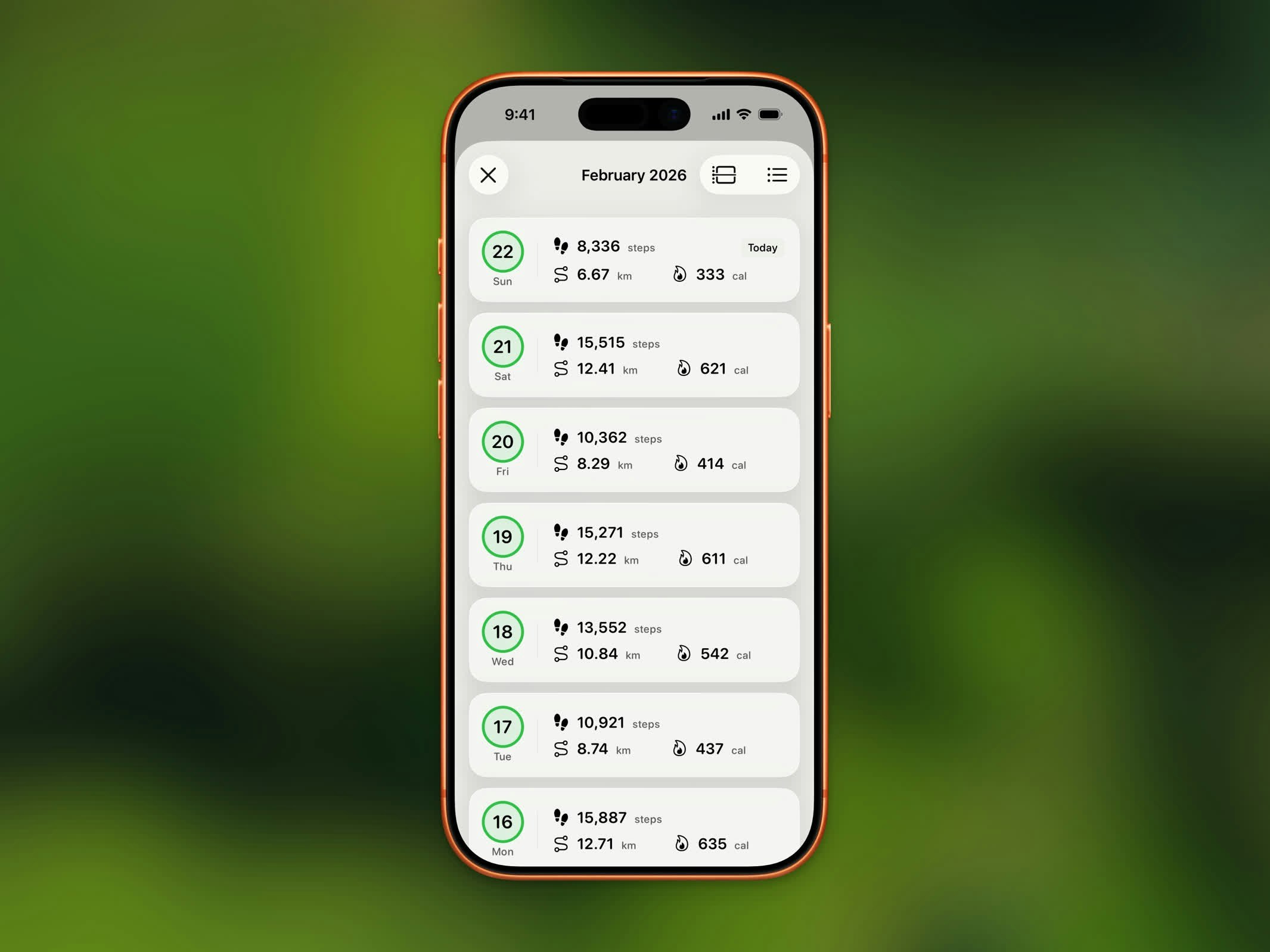 切换到列表视图,以可滚动列表查看每日记录,显示:
* 日期
* 步数
* 距离
* 是否达成目标
## 月份导航
使用月份导航控件在月份之间跳转。每个月份显示该时间段内活动的摘要。
## 历史记录限制
| 计划 | 历史访问权限 |
| ------- | ------- |
| **免费** | 最近 3 个月 |
| **Pro** | 无限历史记录 |
升级到 Steps Pro 可浏览超过最近 3 个月的完整步数历史记录。
## 切换视图
使用右上角的菜单按钮在两种布局之间切换:
* **日历** - 按月排列的网格,每天进度以颜色编码显示
* **列表** - 按时间顺序排列的每日记录列表
切换到列表视图,以可滚动列表查看每日记录,显示:
* 日期
* 步数
* 距离
* 是否达成目标
## 月份导航
使用月份导航控件在月份之间跳转。每个月份显示该时间段内活动的摘要。
## 历史记录限制
| 计划 | 历史访问权限 |
| ------- | ------- |
| **免费** | 最近 3 个月 |
| **Pro** | 无限历史记录 |
升级到 Steps Pro 可浏览超过最近 3 个月的完整步数历史记录。
## 切换视图
使用右上角的菜单按钮在两种布局之间切换:
* **日历** - 按月排列的网格,每天进度以颜色编码显示
* **列表** - 按时间顺序排列的每日记录列表