> ## Documentation Index
> Fetch the complete documentation index at: https://getsteps.app/docs/llms.txt
> Use this file to discover all available pages before exploring further.
# 活动列表
> 浏览锻炼历史记录、按类型筛选并回顾过往记录
活动列表将您所有已记录的锻炼集中显示,按月份整理,方便浏览。
## 查看锻炼记录
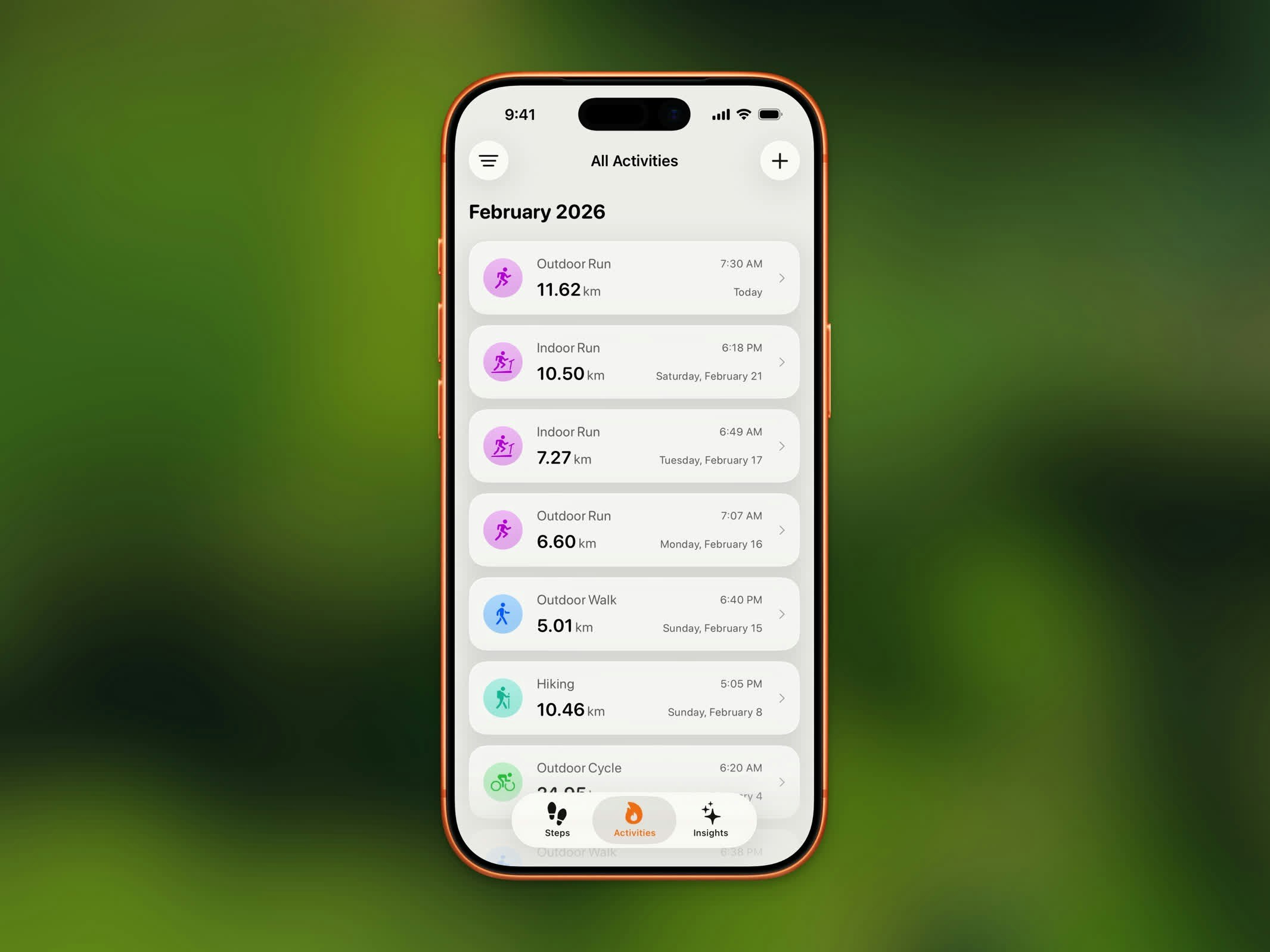 您的锻炼按月份分组,最近的排在最上方。每条记录显示:
* 锻炼类型和图标
* 时长
* 日期和时间
* 距离(户外锻炼)
## 按类型筛选
使用筛选选项仅显示特定锻炼类型:
* 步行
* 跑步
* 骑行
* 远足
* 所有其他 HealthKit 锻炼类型(游泳、瑜伽、HIIT 等)
当您有较长历史记录时,这有助于快速找到特定锻炼。
## 历史记录限制
| 计划 | 历史访问权限 |
| ------- | ------- |
| **免费** | 最近 3 个月 |
| **Pro** | 无限历史记录 |
升级到 Steps Pro 可访问超过最近 3 个月的完整锻炼历史记录。
## 锻炼详情
点击列表中的任意锻炼,打开其[活动详情](/features/activity-detail)视图,查看完整统计数据、路线地图和分享选项。
您的锻炼按月份分组,最近的排在最上方。每条记录显示:
* 锻炼类型和图标
* 时长
* 日期和时间
* 距离(户外锻炼)
## 按类型筛选
使用筛选选项仅显示特定锻炼类型:
* 步行
* 跑步
* 骑行
* 远足
* 所有其他 HealthKit 锻炼类型(游泳、瑜伽、HIIT 等)
当您有较长历史记录时,这有助于快速找到特定锻炼。
## 历史记录限制
| 计划 | 历史访问权限 |
| ------- | ------- |
| **免费** | 最近 3 个月 |
| **Pro** | 无限历史记录 |
升级到 Steps Pro 可访问超过最近 3 个月的完整锻炼历史记录。
## 锻炼详情
点击列表中的任意锻炼,打开其[活动详情](/features/activity-detail)视图,查看完整统计数据、路线地图和分享选项。