> ## Documentation Index
> Fetch the complete documentation index at: https://getsteps.app/docs/llms.txt
> Use this file to discover all available pages before exploring further.
# World Stats
> See how the whole Steps community is moving, including your global rank and percentile
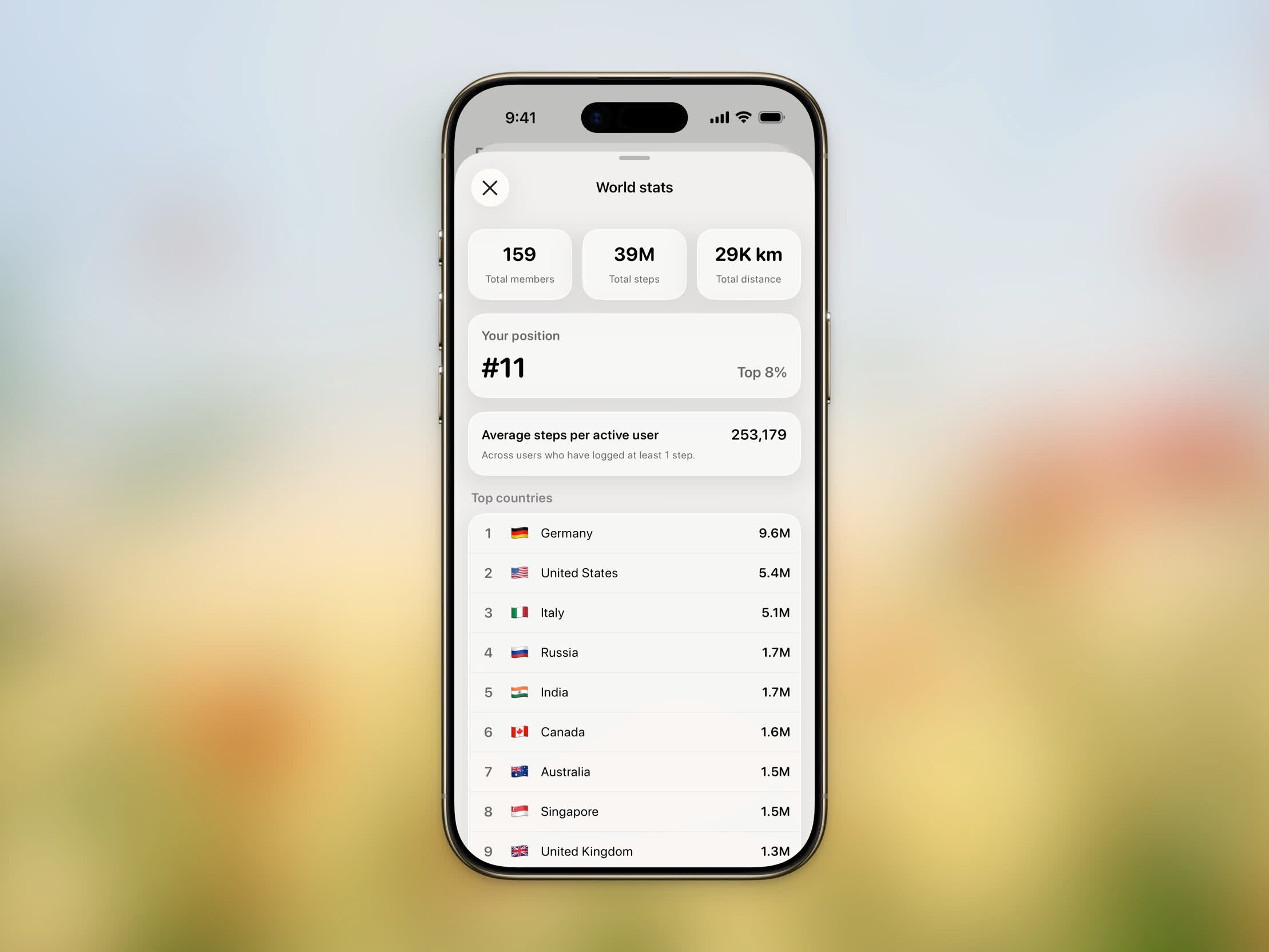
World Stats shows how the entire Steps community is moving — all-time totals, your global rank, and the top countries by steps.
## Opening World Stats
 Tap the trophy emoji (🏆) on the Home Dashboard. You'll need to be signed in and on the **World** board (not a group).
Tap the menu button (⋯) in the top-right corner and choose **World stats**.
## What You'll See
* **Total members** — How many people are part of the Steps community.
* **Total steps** — All steps logged by the community combined.
* **Total distance** — The combined distance walked, shown in your preferred units.
* **Your position** — Your global rank (for example, **#5**) and your percentile (for example, **Top 5%**). If you haven't logged steps yet, you'll see **Not ranked yet**.
* **Average steps per active user** — The average across everyone who has logged at least one step.
* **Top countries** — The leading countries by total steps, each with its flag and step count.
Log some steps to appear on the leaderboard and earn your global rank.
See [Stepboard](/docs/features/stepboard) for more on the daily leaderboard and private groups.
Tap the trophy emoji (🏆) on the Home Dashboard. You'll need to be signed in and on the **World** board (not a group).
Tap the menu button (⋯) in the top-right corner and choose **World stats**.
## What You'll See
* **Total members** — How many people are part of the Steps community.
* **Total steps** — All steps logged by the community combined.
* **Total distance** — The combined distance walked, shown in your preferred units.
* **Your position** — Your global rank (for example, **#5**) and your percentile (for example, **Top 5%**). If you haven't logged steps yet, you'll see **Not ranked yet**.
* **Average steps per active user** — The average across everyone who has logged at least one step.
* **Top countries** — The leading countries by total steps, each with its flag and step count.
Log some steps to appear on the leaderboard and earn your global rank.
See [Stepboard](/docs/features/stepboard) for more on the daily leaderboard and private groups.