> ## Documentation Index
> Fetch the complete documentation index at: https://getsteps.app/docs/llms.txt
> Use this file to discover all available pages before exploring further.
# Workout Session
> Start and track workouts with real-time metrics, GPS routes, and Live Activity
Steps lets you record workouts with live tracking, GPS route mapping, and real-time stats directly from your iPhone.
## Workout Types
You can start four types of workouts, each with indoor and outdoor variants:
| Type | Variants | Color |
| ----------- | --------------------------- | ------ |
| **Walking** | Outdoor Walk, Indoor Walk | Blue |
| **Running** | Outdoor Run, Indoor Run | Purple |
| **Cycling** | Outdoor Cycle, Indoor Cycle | Green |
| **Hiking** | Outdoor only | Mint |
Outdoor workouts record your GPS route on a map. Indoor workouts track duration, calories, and heart rate without GPS.
## Starting a Workout
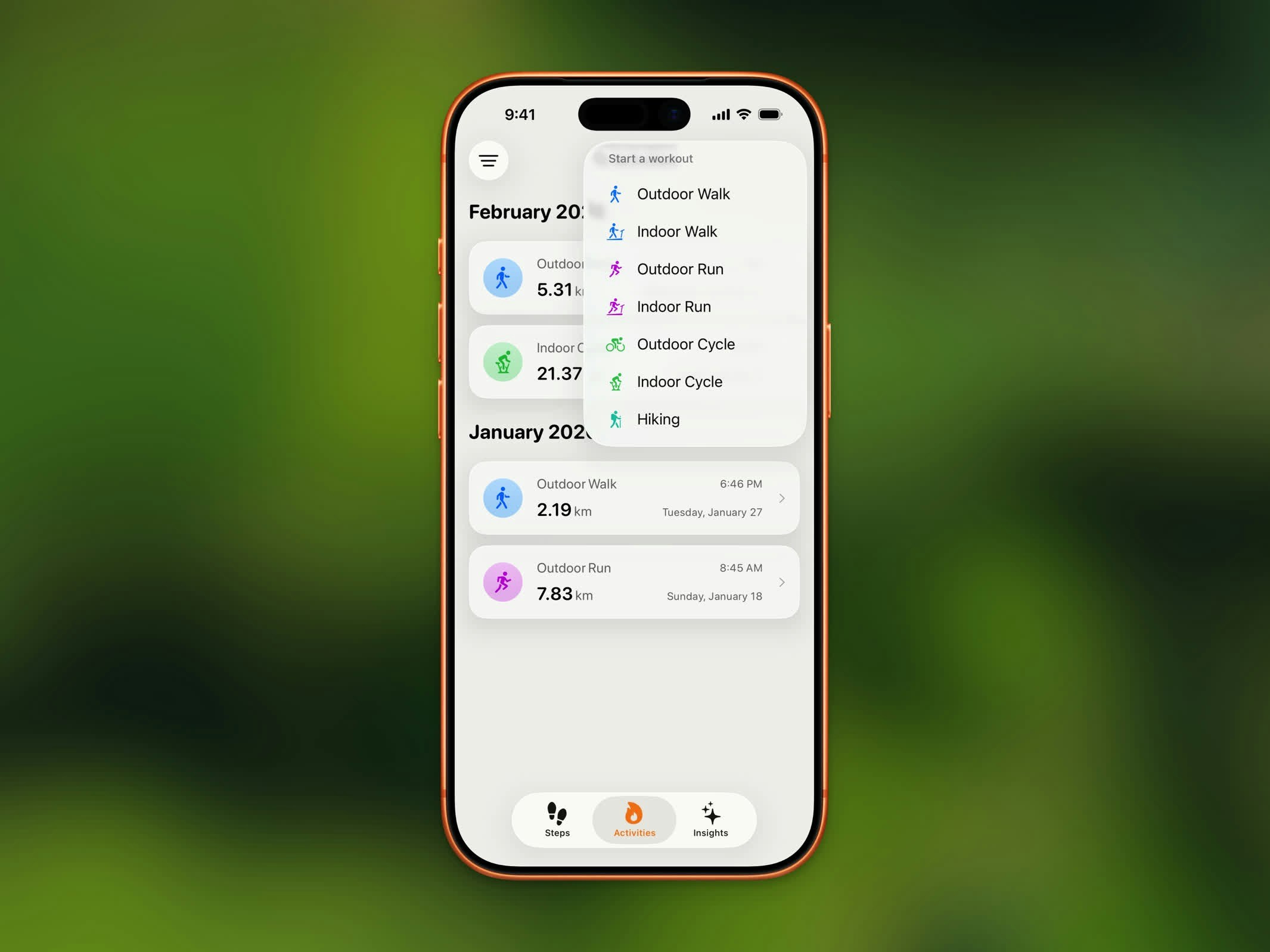 1. Tap the workout button from the Home Dashboard
2. Select your workout type and variant
3. A countdown appears before tracking begins
4. Start moving!
## Live Tracking
1. Tap the workout button from the Home Dashboard
2. Select your workout type and variant
3. A countdown appears before tracking begins
4. Start moving!
## Live Tracking
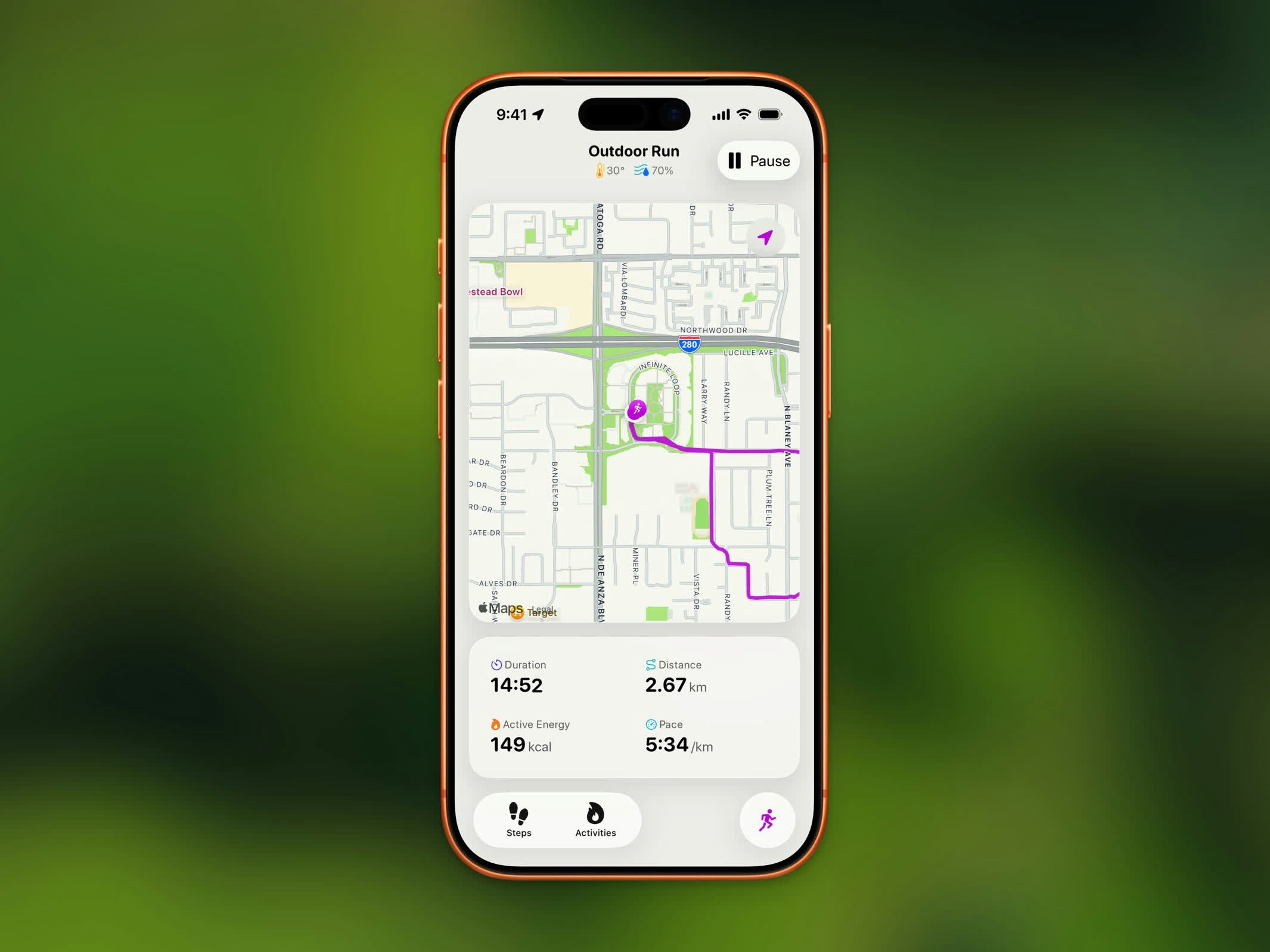 During an outdoor workout, you'll see:
* **Live Map** - Your route drawn in real-time with the workout's color
* **Duration** - Elapsed time
* **Distance** - Total distance covered
* **Calories** - Active energy burned
* **Pace or Speed** - Walking/Running shows pace; Cycling shows speed; Hiking shows heart rate
Current weather (temperature and humidity) is displayed in the toolbar.
## Pause, Resume, and End
* Tap **Pause** to temporarily stop tracking
* Tap **Resume** to continue your workout
* Tap **End** (available when paused) to finish and save
## Live Activity
During an outdoor workout, you'll see:
* **Live Map** - Your route drawn in real-time with the workout's color
* **Duration** - Elapsed time
* **Distance** - Total distance covered
* **Calories** - Active energy burned
* **Pace or Speed** - Walking/Running shows pace; Cycling shows speed; Hiking shows heart rate
Current weather (temperature and humidity) is displayed in the toolbar.
## Pause, Resume, and End
* Tap **Pause** to temporarily stop tracking
* Tap **Resume** to continue your workout
* Tap **End** (available when paused) to finish and save
## Live Activity
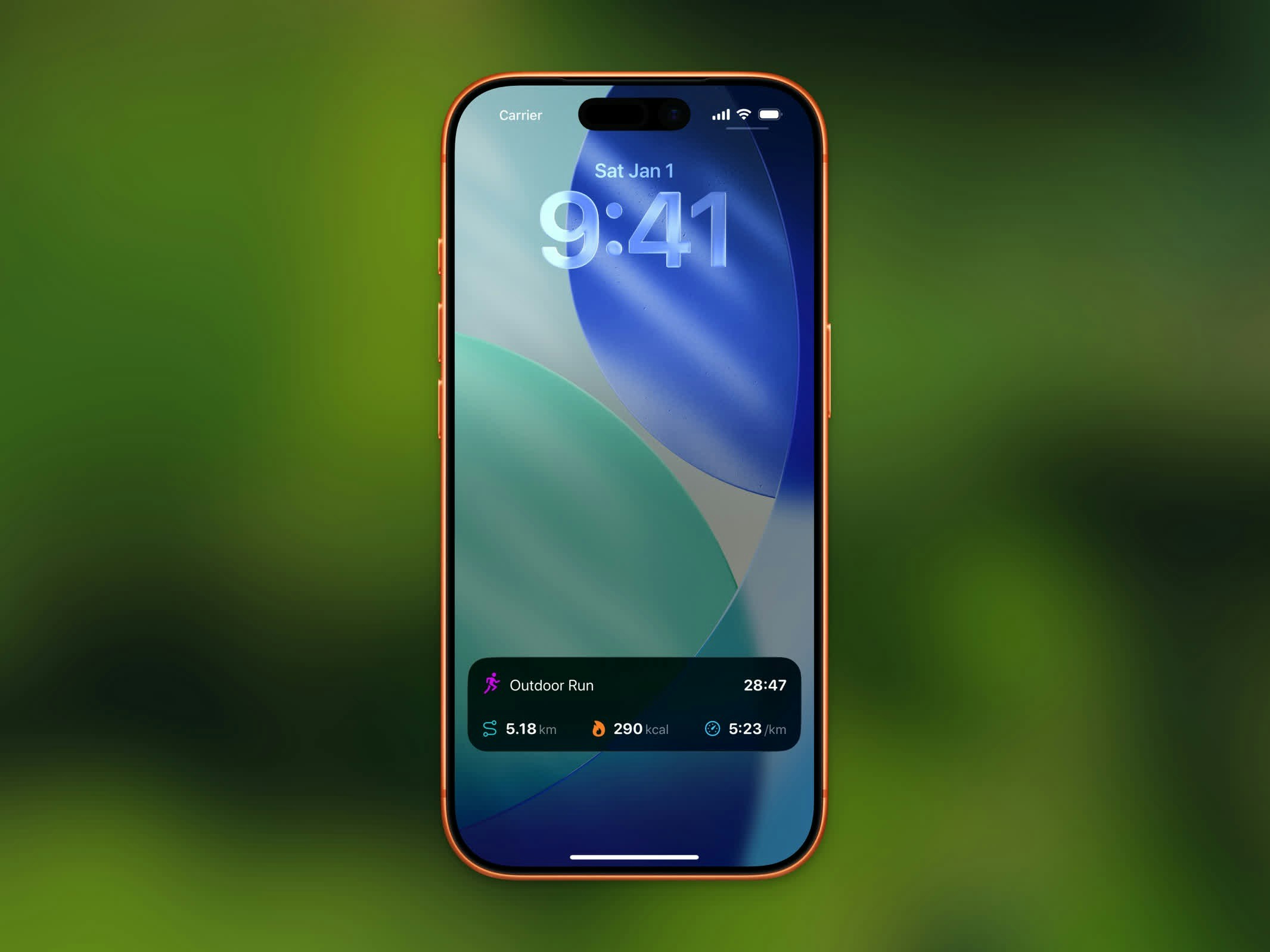 On iOS 26+, an active workout appears in the **Dynamic Island** and on your **Lock Screen**:
* The Dynamic Island cycles between calories, distance, and elapsed time every 30 seconds
* The expanded view shows distance, active energy, pace, and elapsed time
Live Activity for workouts requires iOS 26 or later.
## Auto-Detected Workouts
Steps also reads workouts recorded by Apple Health from other apps and your Apple Watch. These appear in your Activity List automatically, including types like swimming, yoga, HIIT, strength training, and more.
On iOS 26+, an active workout appears in the **Dynamic Island** and on your **Lock Screen**:
* The Dynamic Island cycles between calories, distance, and elapsed time every 30 seconds
* The expanded view shows distance, active energy, pace, and elapsed time
Live Activity for workouts requires iOS 26 or later.
## Auto-Detected Workouts
Steps also reads workouts recorded by Apple Health from other apps and your Apple Watch. These appear in your Activity List automatically, including types like swimming, yoga, HIIT, strength training, and more.