> ## Documentation Index
> Fetch the complete documentation index at: https://getsteps.app/docs/llms.txt
> Use this file to discover all available pages before exploring further.
# Workout Chat
> Ask questions about any workout and get answers powered by on-device Apple Intelligence
Workout Chat lets you have a conversation about any recorded workout. Ask how you did, how your pace compared to last week, or what to improve — and get answers based on your own activity data.
Workout Chat runs entirely on-device using Apple Intelligence. It requires Steps Pro and an iPhone that supports Apple Intelligence on iOS 26 or later.
## Opening the Chat
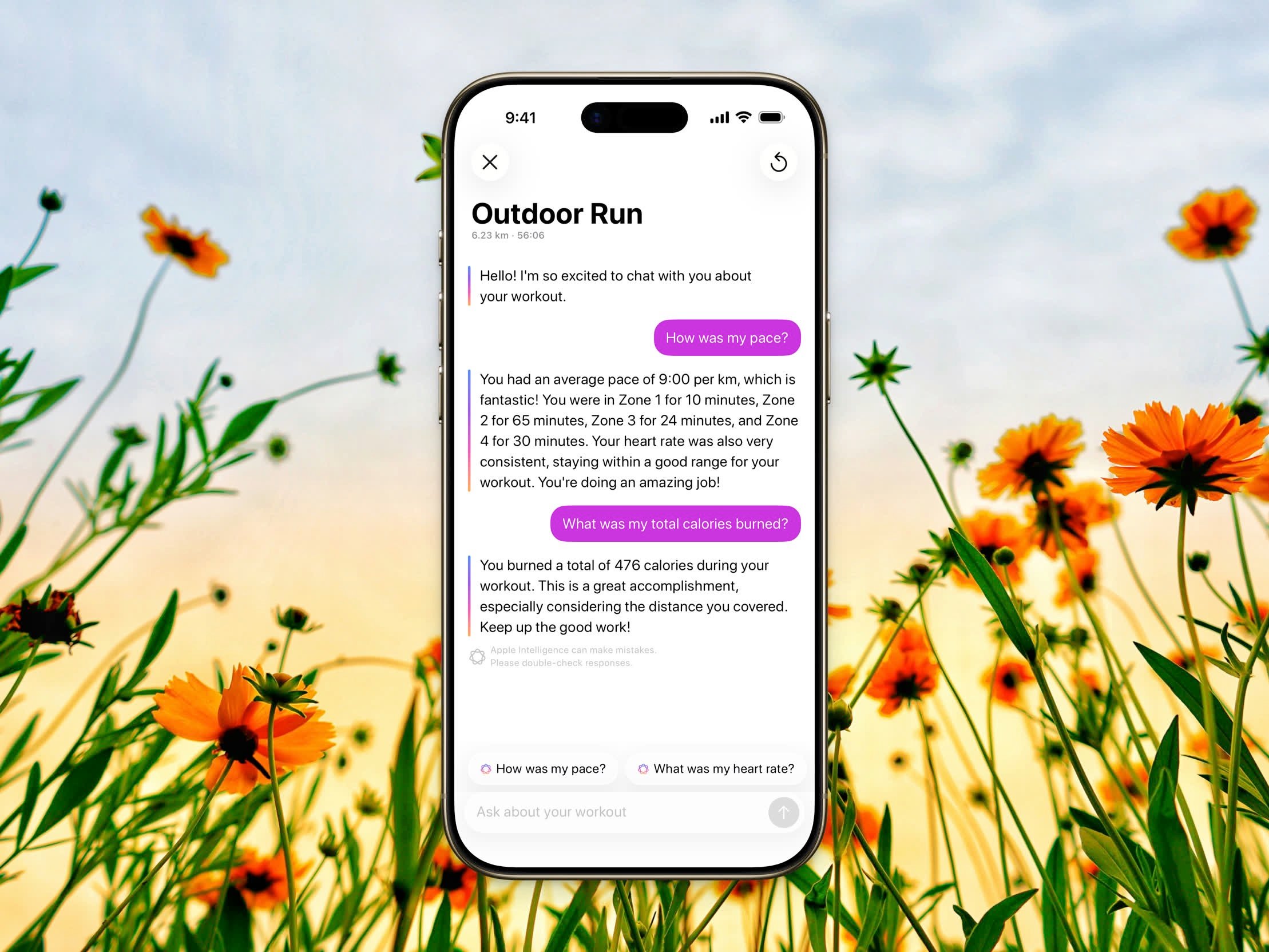 Tap any workout in your history to open its detail view.
Wait for the [AI Coach](/docs/features/ai-coach) feedback to finish generating.
The chat opens with a greeting and a few suggested questions to get you started.
## Suggestion Pills
Above the input you'll see tappable suggestions tailored to your workout, such as **How did I do?**, **How was my pace?**, or **How were my heart rate zones?**. Tap one to send it instantly, or type your own question. After each reply, fresh follow-up suggestions appear based on the conversation.
## Reset the Conversation
To start over, tap the reset button and confirm **Reset**. This clears the conversation and generates a new greeting and suggestions.
## Good to Know
* Replies are formatted with rich text — bold, lists, and more.
* Each reply notes that **Apple Intelligence can make mistakes. Please double-check responses.**
* The conversation is kept for the current session and isn't stored after you close it.
Workout Chat only sees the data from the workout you opened it from, so your questions and answers stay focused on that session.
Tap any workout in your history to open its detail view.
Wait for the [AI Coach](/docs/features/ai-coach) feedback to finish generating.
The chat opens with a greeting and a few suggested questions to get you started.
## Suggestion Pills
Above the input you'll see tappable suggestions tailored to your workout, such as **How did I do?**, **How was my pace?**, or **How were my heart rate zones?**. Tap one to send it instantly, or type your own question. After each reply, fresh follow-up suggestions appear based on the conversation.
## Reset the Conversation
To start over, tap the reset button and confirm **Reset**. This clears the conversation and generates a new greeting and suggestions.
## Good to Know
* Replies are formatted with rich text — bold, lists, and more.
* Each reply notes that **Apple Intelligence can make mistakes. Please double-check responses.**
* The conversation is kept for the current session and isn't stored after you close it.
Workout Chat only sees the data from the workout you opened it from, so your questions and answers stay focused on that session.