> ## Documentation Index
> Fetch the complete documentation index at: https://getsteps.app/docs/llms.txt
> Use this file to discover all available pages before exploring further.
# Steps Pro
> Unlock premium features with a Steps Pro subscription
Steps Pro gives you access to the full set of features — AI Coach, weekly and monthly charts, advanced workout analytics, color themes, app lock, and more.
## Pro Features
 Personalized feedback on every workout, plus on-device chat to ask questions about your activity.
View your step trends by week and month on the home dashboard.
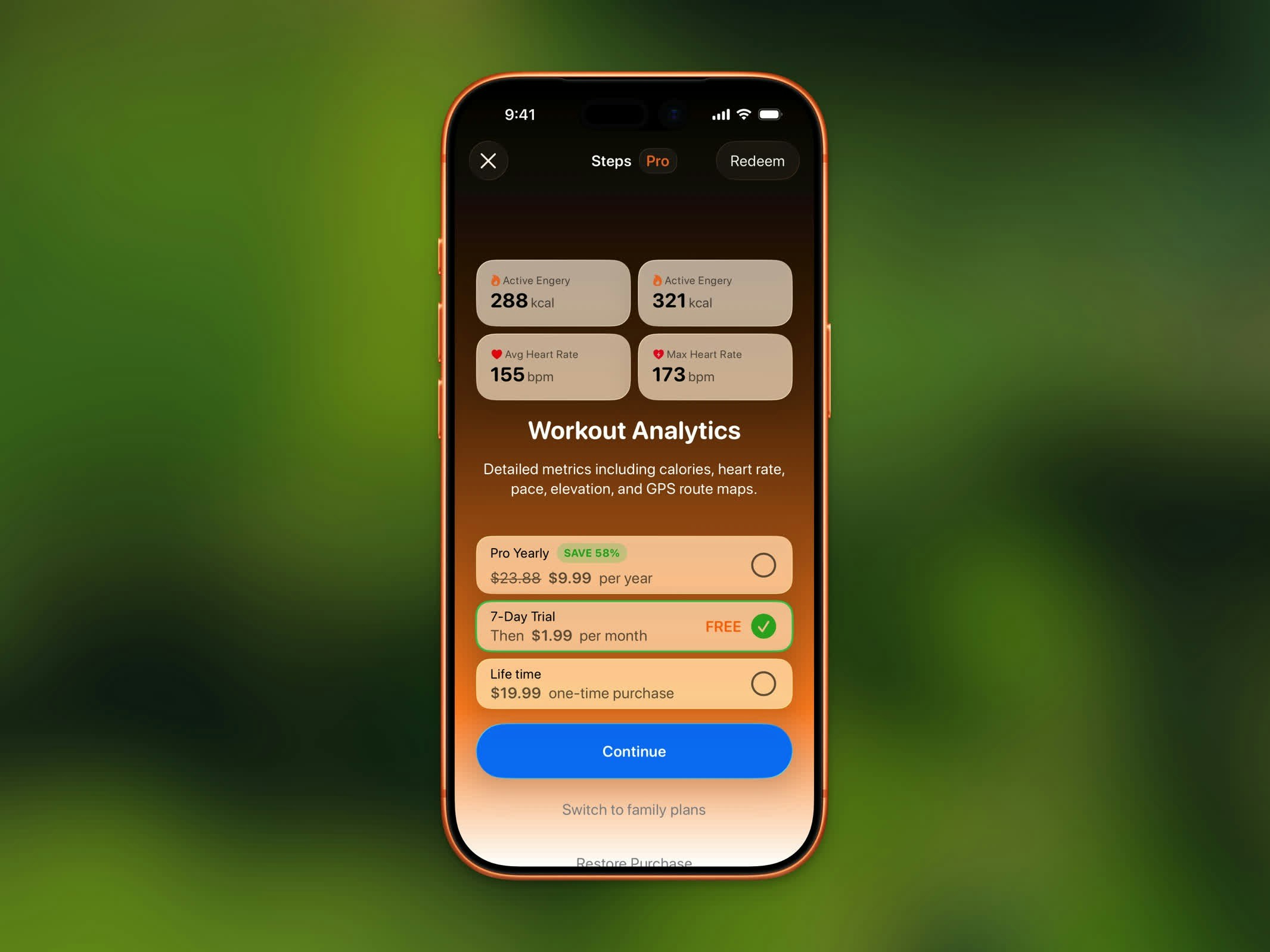
3D route playback, GPX export, detailed splits and heart rate zones, and saving workout images to Photos.
Access your full step and workout history. Free users are limited to the last 3 months.
Personalize the app with rich color presets beyond the default.
Choose from the full set of alternate app icons.
All widget types — including analytics and chart widgets — for your Home Screen and Lock Screen.
Block distracting apps until you reach your step goal.
## Subscription Plans
Steps Pro is available as individual or family plans:
| Plan | Billing | Trial |
| ------------ | ---------------------------- | ---------------- |
| **Monthly** | Billed monthly | 7-day free trial |
| **Yearly** | Billed annually (best value) | None |
| **Lifetime** | One-time purchase | None |
Family plans let you share your Steps Pro subscription with up to 5 family members through Apple's Family Sharing.
## Free Trial
The Monthly plan includes a **7-day free trial**. You won't be charged until the trial ends, and you can cancel anytime during the trial period.
## Restore Purchase
If you've previously purchased Steps Pro:
1. Open the Steps Pro screen
2. Tap **Restore Purchase** at the bottom
3. Your subscription will be restored automatically
## Redeem a Code
If you have a promo or offer code:
1. Open the Steps Pro screen
2. Tap **Redeem** to enter your code
3. The subscription will be applied to your account
## Manage Your Subscription
To change or cancel your subscription, go to **Settings > Manage Subscription** in the Steps app. This opens your Apple subscription management page.
Personalized feedback on every workout, plus on-device chat to ask questions about your activity.
View your step trends by week and month on the home dashboard.
3D route playback, GPX export, detailed splits and heart rate zones, and saving workout images to Photos.
Access your full step and workout history. Free users are limited to the last 3 months.
Personalize the app with rich color presets beyond the default.
Choose from the full set of alternate app icons.
All widget types — including analytics and chart widgets — for your Home Screen and Lock Screen.
Block distracting apps until you reach your step goal.
## Subscription Plans
Steps Pro is available as individual or family plans:
| Plan | Billing | Trial |
| ------------ | ---------------------------- | ---------------- |
| **Monthly** | Billed monthly | 7-day free trial |
| **Yearly** | Billed annually (best value) | None |
| **Lifetime** | One-time purchase | None |
Family plans let you share your Steps Pro subscription with up to 5 family members through Apple's Family Sharing.
## Free Trial
The Monthly plan includes a **7-day free trial**. You won't be charged until the trial ends, and you can cancel anytime during the trial period.
## Restore Purchase
If you've previously purchased Steps Pro:
1. Open the Steps Pro screen
2. Tap **Restore Purchase** at the bottom
3. Your subscription will be restored automatically
## Redeem a Code
If you have a promo or offer code:
1. Open the Steps Pro screen
2. Tap **Redeem** to enter your code
3. The subscription will be applied to your account
## Manage Your Subscription
To change or cancel your subscription, go to **Settings > Manage Subscription** in the Steps app. This opens your Apple subscription management page.