> ## Documentation Index
> Fetch the complete documentation index at: https://getsteps.app/docs/llms.txt
> Use this file to discover all available pages before exploring further.
# Siri Shortcuts
> Ask Siri for your step count with voice commands
Steps integrates with Siri so you can check your daily step count using voice commands without opening the app.
## Available Shortcut
### Today's Steps
Ask Siri for your current step count. Steps will respond with your total steps for today.
## How to Use
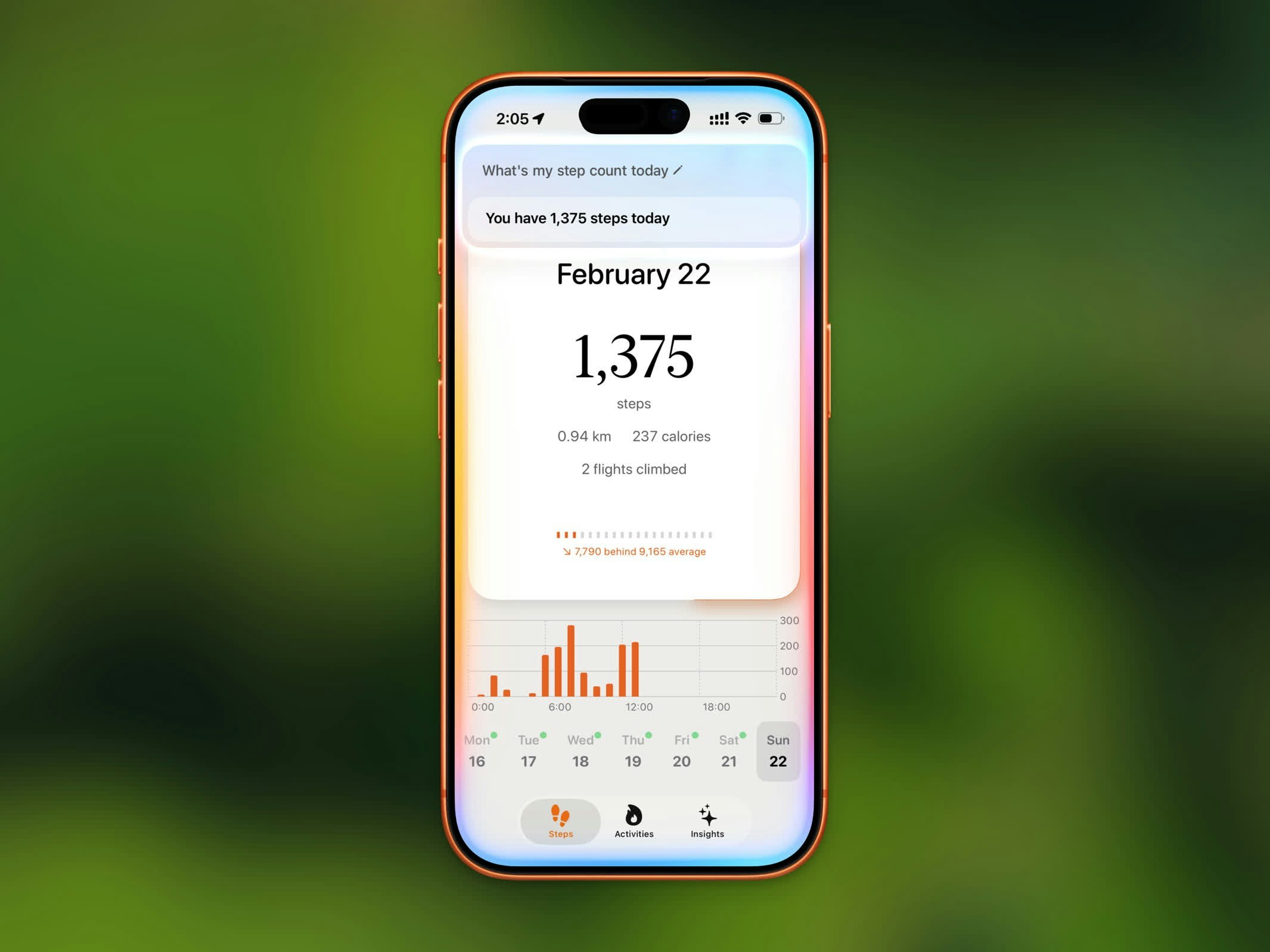 Simply say any of these phrases to Siri:
* "Get my steps from Steps"
* "How many steps today in Steps"
* "What's my step count in Steps"
* "Show my steps from Steps"
* "Check my steps in Steps"
* "How far have I walked in Steps"
Siri recognizes many natural variations of these phrases, so you don't have to match the wording exactly.
You can also add "Today's Steps" to the Shortcuts app to create custom automations or add it to your Home Screen.
## Setting Up
The Steps shortcut is available automatically — no setup needed. Just make sure Siri is enabled on your device.
To find it in the Shortcuts app:
1. Open the **Shortcuts** app
2. Tap the **Apps** tab
3. Find **Steps**
4. Tap **Today's Steps** to add it to your shortcuts
Simply say any of these phrases to Siri:
* "Get my steps from Steps"
* "How many steps today in Steps"
* "What's my step count in Steps"
* "Show my steps from Steps"
* "Check my steps in Steps"
* "How far have I walked in Steps"
Siri recognizes many natural variations of these phrases, so you don't have to match the wording exactly.
You can also add "Today's Steps" to the Shortcuts app to create custom automations or add it to your Home Screen.
## Setting Up
The Steps shortcut is available automatically — no setup needed. Just make sure Siri is enabled on your device.
To find it in the Shortcuts app:
1. Open the **Shortcuts** app
2. Tap the **Apps** tab
3. Find **Steps**
4. Tap **Today's Steps** to add it to your shortcuts