> ## Documentation Index
> Fetch the complete documentation index at: https://getsteps.app/docs/llms.txt
> Use this file to discover all available pages before exploring further.
# History
> View your daily step records in calendar and list views
The History tab lets you browse your daily step records over time using a calendar view or chronological list.
## Calendar View
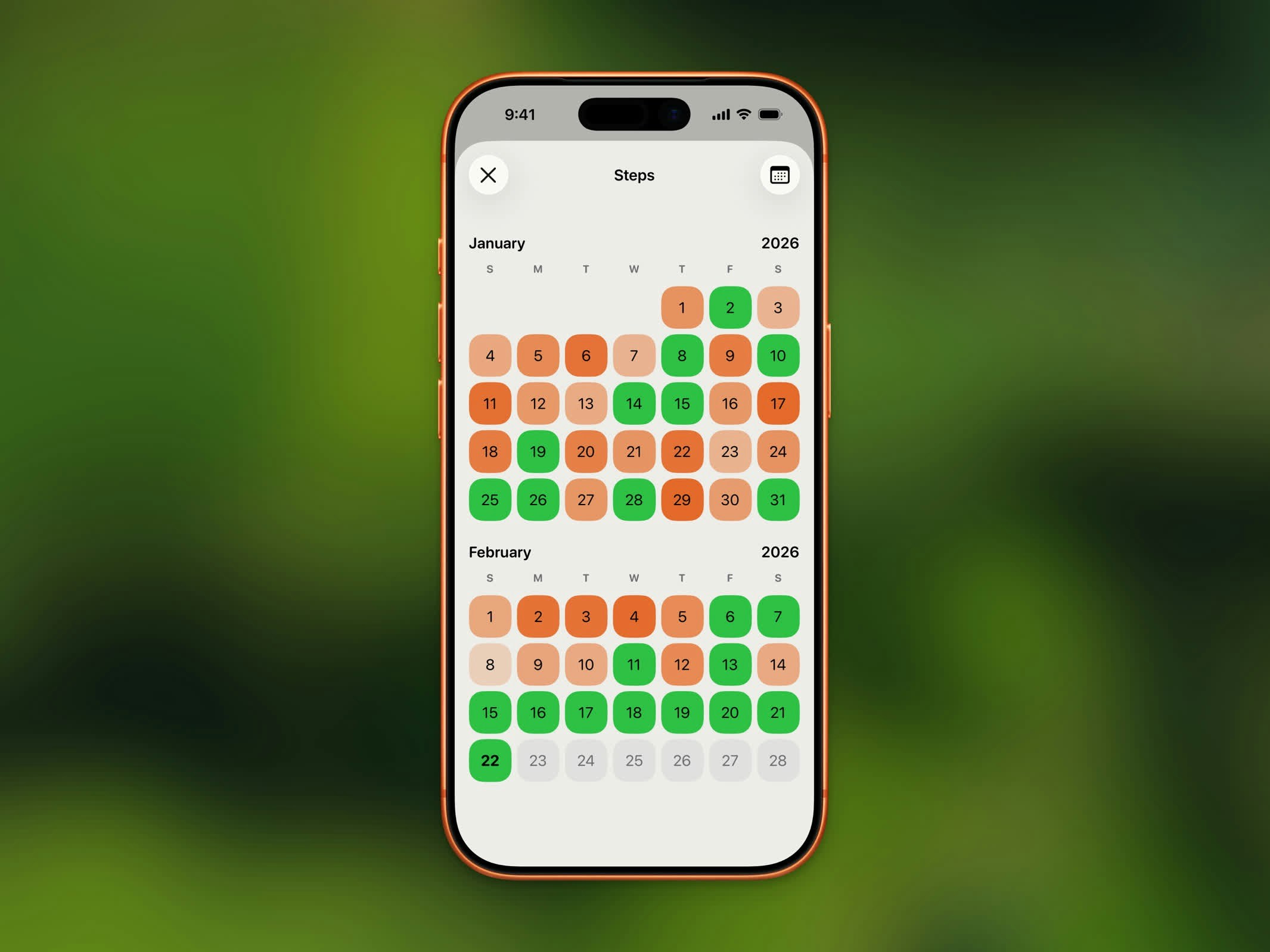 The calendar displays each day with a color-coded indicator showing your progress:
* **Goal met** - Highlighted in your completed theme color
* **Partial progress** - Lighter shade based on percentage completed
* **No data** - No highlight
Navigate between months using the arrow buttons at the top of the calendar.
## List View
The calendar displays each day with a color-coded indicator showing your progress:
* **Goal met** - Highlighted in your completed theme color
* **Partial progress** - Lighter shade based on percentage completed
* **No data** - No highlight
Navigate between months using the arrow buttons at the top of the calendar.
## List View
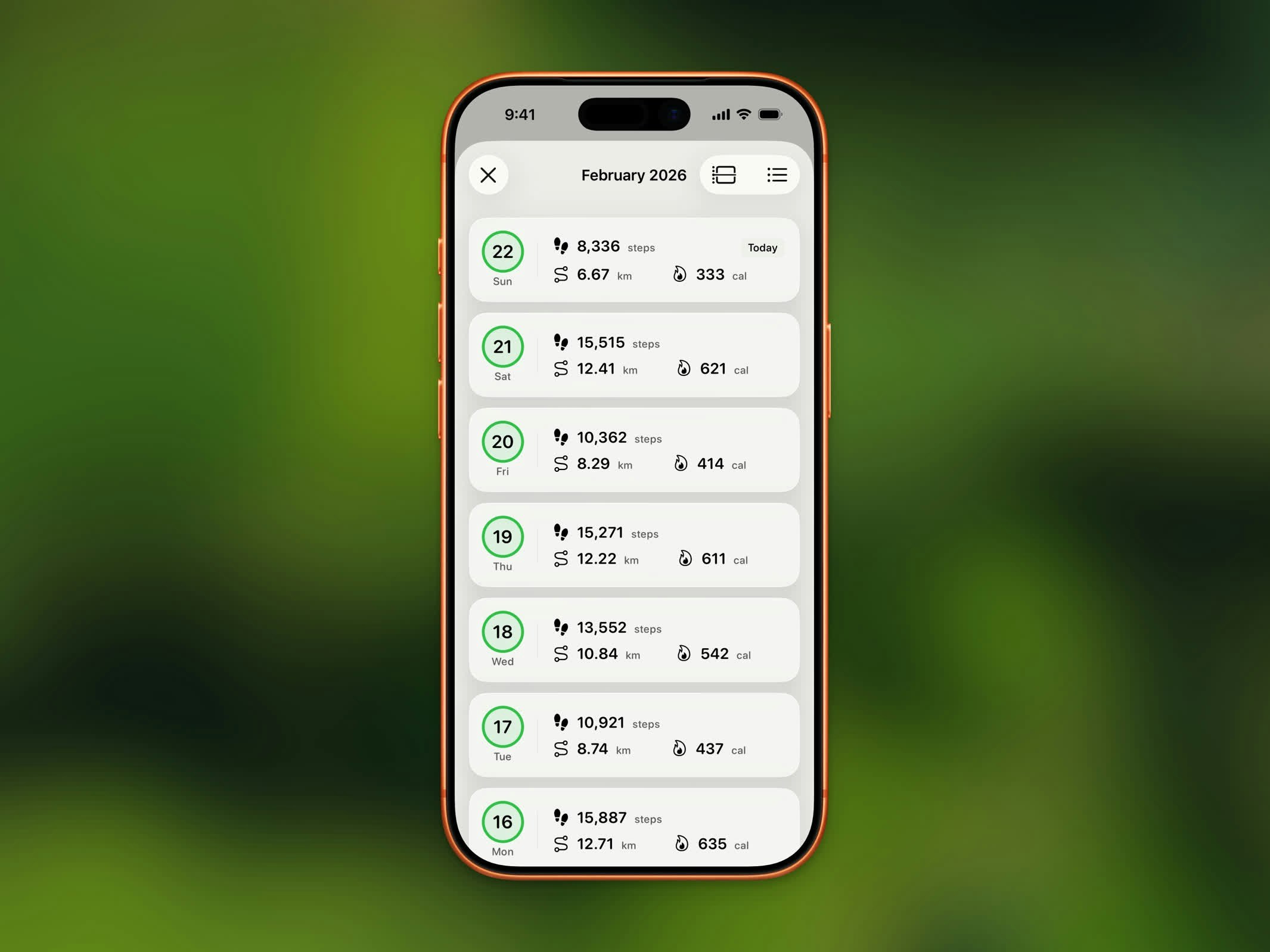 Switch to list view to see your daily records in a scrollable list, showing:
* Date
* Step count
* Distance
* Whether you met your goal
## Month Navigation
Use the month navigation controls to jump between months. Each month shows a summary of your activity for that period.
## History Limits
| Plan | History Access |
| -------- | ----------------- |
| **Free** | Last 3 months |
| **Pro** | Unlimited history |
Upgrade to Steps Pro to browse your complete step history beyond the last 3 months.
## Switching Views
Use the menu button in the top-right corner to switch between the two layouts:
* **Calendar** - Month-by-month grid with color-coded daily progress
* **List** - Chronological list of your daily records
Switch to list view to see your daily records in a scrollable list, showing:
* Date
* Step count
* Distance
* Whether you met your goal
## Month Navigation
Use the month navigation controls to jump between months. Each month shows a summary of your activity for that period.
## History Limits
| Plan | History Access |
| -------- | ----------------- |
| **Free** | Last 3 months |
| **Pro** | Unlimited history |
Upgrade to Steps Pro to browse your complete step history beyond the last 3 months.
## Switching Views
Use the menu button in the top-right corner to switch between the two layouts:
* **Calendar** - Month-by-month grid with color-coded daily progress
* **List** - Chronological list of your daily records