> ## Documentation Index
> Fetch the complete documentation index at: https://getsteps.app/docs/llms.txt
> Use this file to discover all available pages before exploring further.
# Color Themes
> Personalize Steps with 12 preset themes or create your own custom colors
Color themes let you customize the look of Steps by changing the colors used for your progress ring, charts, and widgets.
Color themes are a Pro feature. Free users use the default Classic theme.
## Preset Themes
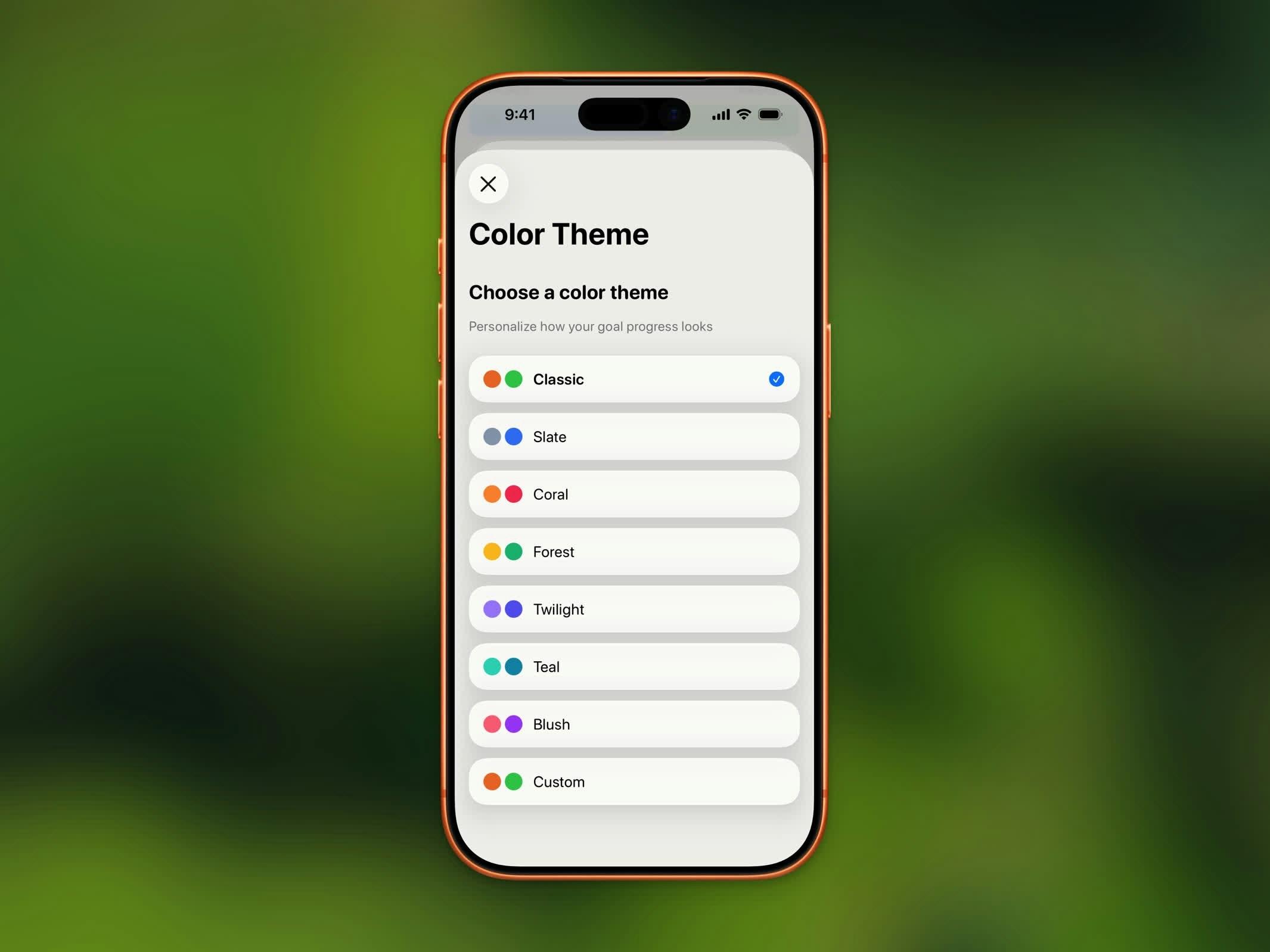 Steps includes 12 built-in color themes. Each theme has two colors: one for in-progress and one for goal-completed states.
| Theme | In Progress | Completed |
| ------------ | ----------- | ---------- |
| **Classic** | Orange | Green |
| **Ruby** | Crimson | Dark Red |
| **Sapphire** | Royal Blue | Dark Blue |
| **Emerald** | Green | Dark Green |
| **Burgundy** | Dark Red | Deep Red |
| **Onyx** | Gray | Black |
| **Slate** | Slate Blue | Blue |
| **Coral** | Coral | Rose |
| **Forest** | Amber | Emerald |
| **Twilight** | Violet | Indigo |
| **Teal** | Teal | Cyan |
| **Blush** | Pink | Purple |
## Custom Colors
Choose your own colors with the custom theme option. You can set separate colors for:
* **In Progress** - The color shown while you're working toward your goal
* **Completed** - The color shown once you've reached your goal
* **Rest Day** - The color shown on days you've marked as rest days
Use the iOS color picker to select any color you like.
## Where Themes Apply
Your selected theme colors appear throughout the app:
* Progress ring on the Home Dashboard
* Chart bars and highlights
* Home Screen and Lock Screen widgets
* Streak badge accents
Changing your theme automatically updates your widgets to match.
## How to Change Your Theme
1. Open **Settings**
2. Tap **Color Theme**
3. Select a preset or tap **Custom** to pick your own colors
Steps includes 12 built-in color themes. Each theme has two colors: one for in-progress and one for goal-completed states.
| Theme | In Progress | Completed |
| ------------ | ----------- | ---------- |
| **Classic** | Orange | Green |
| **Ruby** | Crimson | Dark Red |
| **Sapphire** | Royal Blue | Dark Blue |
| **Emerald** | Green | Dark Green |
| **Burgundy** | Dark Red | Deep Red |
| **Onyx** | Gray | Black |
| **Slate** | Slate Blue | Blue |
| **Coral** | Coral | Rose |
| **Forest** | Amber | Emerald |
| **Twilight** | Violet | Indigo |
| **Teal** | Teal | Cyan |
| **Blush** | Pink | Purple |
## Custom Colors
Choose your own colors with the custom theme option. You can set separate colors for:
* **In Progress** - The color shown while you're working toward your goal
* **Completed** - The color shown once you've reached your goal
* **Rest Day** - The color shown on days you've marked as rest days
Use the iOS color picker to select any color you like.
## Where Themes Apply
Your selected theme colors appear throughout the app:
* Progress ring on the Home Dashboard
* Chart bars and highlights
* Home Screen and Lock Screen widgets
* Streak badge accents
Changing your theme automatically updates your widgets to match.
## How to Change Your Theme
1. Open **Settings**
2. Tap **Color Theme**
3. Select a preset or tap **Custom** to pick your own colors