> ## Documentation Index
> Fetch the complete documentation index at: https://getsteps.app/docs/llms.txt
> Use this file to discover all available pages before exploring further.
# AI Coach
> Get personalized, on-device feedback and tips on every workout
AI Coach reads your workout and gives you personalized feedback right in the workout detail view — a short assessment, numbered tips to improve, and a suggestion for next time.
AI Coach runs entirely on-device using Apple Intelligence. It requires an iPhone that supports Apple Intelligence on iOS 26 or later. The assessment is free for everyone; **Tips** and **Try next time** require Steps Pro.
## How It Works
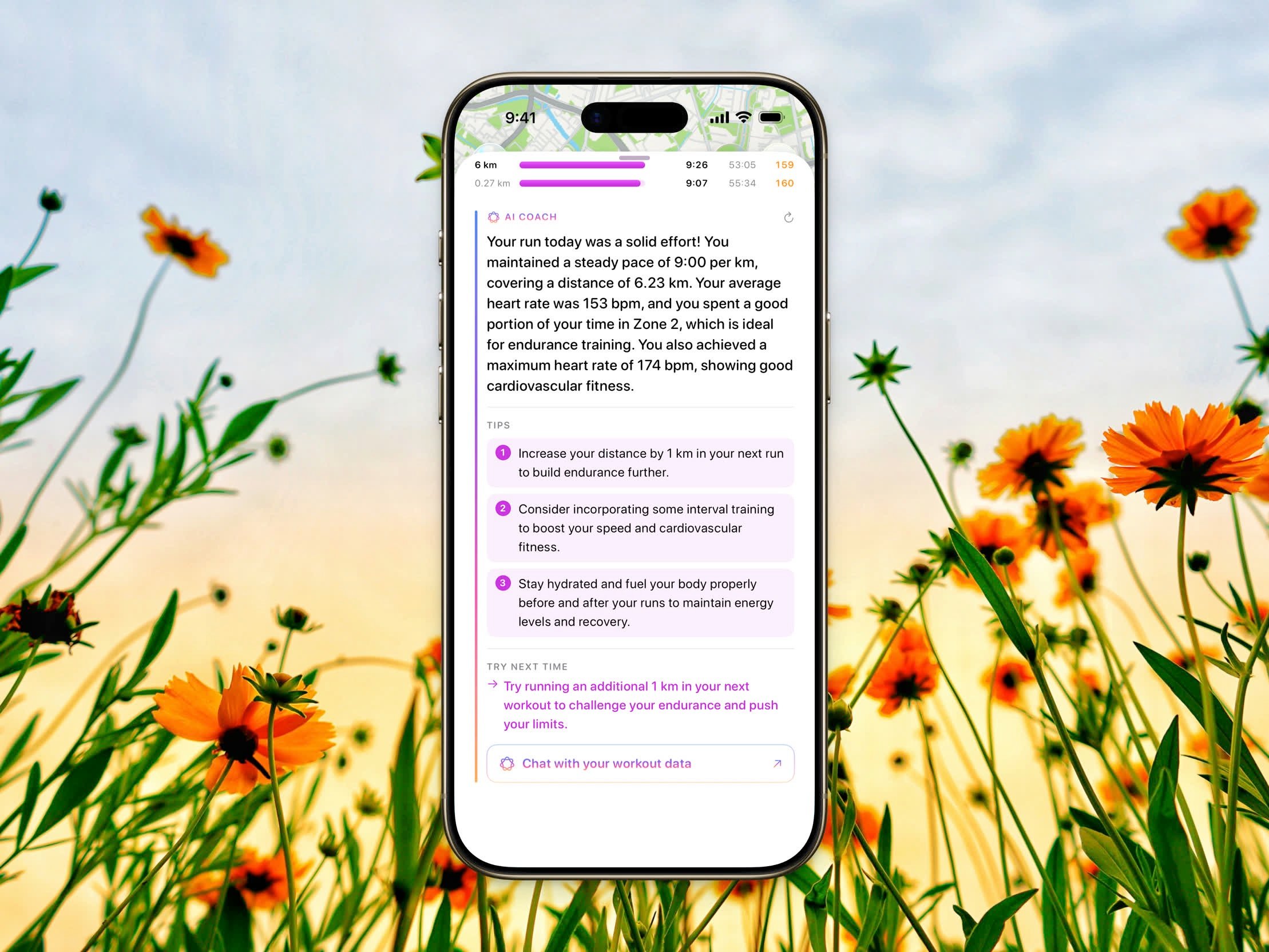 Open any workout from your history and scroll down to the **AI Coach** section. Once your workout metrics finish loading, AI Coach automatically generates feedback based on your activity — including heart rate, pace, splits, distance, elevation, and duration.
The feedback is tailored to the type of workout, so the advice you get for a run differs from a ride or a strength session.
## What You Get
* **Assessment** — A short summary of how your workout went. Free for everyone.
* **Tips** — Numbered, actionable suggestions to help you improve. *(Steps Pro)*
* **Try next time** — One idea to focus on in your next session. *(Steps Pro)*
While the feedback is being prepared, you'll see an **Analyzing your workout…** message. You can refresh to regenerate the feedback at any time.
## Chat About Your Workout
After the feedback finishes, tap **Chat with your workout data** to ask follow-up questions. See [Workout Chat](/docs/features/workout-chat) for details.
AI Coach uses only the data from the workout you're viewing. The more complete your workout data (heart rate, route, splits), the more detailed your feedback.
Open any workout from your history and scroll down to the **AI Coach** section. Once your workout metrics finish loading, AI Coach automatically generates feedback based on your activity — including heart rate, pace, splits, distance, elevation, and duration.
The feedback is tailored to the type of workout, so the advice you get for a run differs from a ride or a strength session.
## What You Get
* **Assessment** — A short summary of how your workout went. Free for everyone.
* **Tips** — Numbered, actionable suggestions to help you improve. *(Steps Pro)*
* **Try next time** — One idea to focus on in your next session. *(Steps Pro)*
While the feedback is being prepared, you'll see an **Analyzing your workout…** message. You can refresh to regenerate the feedback at any time.
## Chat About Your Workout
After the feedback finishes, tap **Chat with your workout data** to ask follow-up questions. See [Workout Chat](/docs/features/workout-chat) for details.
AI Coach uses only the data from the workout you're viewing. The more complete your workout data (heart rate, route, splits), the more detailed your feedback.