> ## Documentation Index
> Fetch the complete documentation index at: https://getsteps.app/docs/llms.txt
> Use this file to discover all available pages before exploring further.
# Activity List
> Browse your workout history, filter by type, and review past sessions
The Activity List shows all your recorded workouts in one place, organized by month for easy browsing.
## Viewing Your Workouts
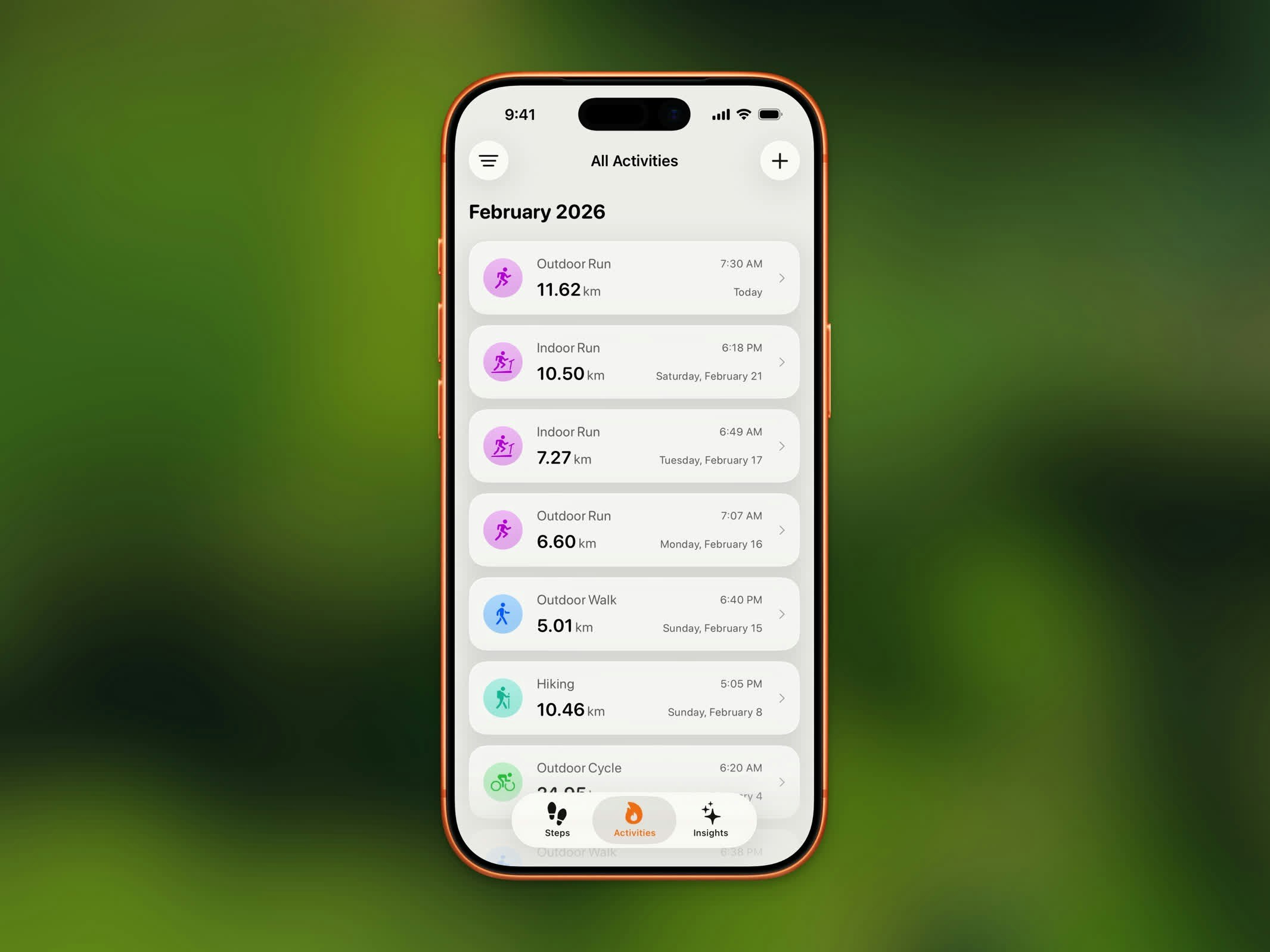 Your workouts are grouped by month, with the most recent at the top. Each entry shows:
* Workout type and icon
* Duration
* Date and time
* Distance (for outdoor workouts)
## Filtering by Type
Use the filter options to show only specific workout types:
* Walking
* Running
* Cycling
* Hiking
* All other HealthKit workout types (swimming, yoga, HIIT, etc.)
This helps you quickly find a specific workout when you have a long history.
## History Limits
| Plan | History Access |
| -------- | ----------------- |
| **Free** | Last 3 months |
| **Pro** | Unlimited history |
Upgrade to Steps Pro to access your complete workout history beyond the last 3 months.
## Workout Details
Tap any workout in the list to open its [Activity Detail](/features/activity-detail) view with full stats, route map, and sharing options.
Your workouts are grouped by month, with the most recent at the top. Each entry shows:
* Workout type and icon
* Duration
* Date and time
* Distance (for outdoor workouts)
## Filtering by Type
Use the filter options to show only specific workout types:
* Walking
* Running
* Cycling
* Hiking
* All other HealthKit workout types (swimming, yoga, HIIT, etc.)
This helps you quickly find a specific workout when you have a long history.
## History Limits
| Plan | History Access |
| -------- | ----------------- |
| **Free** | Last 3 months |
| **Pro** | Unlimited history |
Upgrade to Steps Pro to access your complete workout history beyond the last 3 months.
## Workout Details
Tap any workout in the list to open its [Activity Detail](/features/activity-detail) view with full stats, route map, and sharing options.